How to Start a GTA 6 YouTube Channel Before Launch Day (2026 Guide)
GTA 6 launches on November 19, 2026 for PS5 and Xbox Series X|S, and it is already the most anticipated game release in years. For YouTubers, that means one thing: a massive wave of search traffic for guides, news, reactions, map breakdowns and gameplay. The channels that catch that wave won’t be the ones that start on launch day — they’ll be the ones that are already set up, branded and publishing before it.
This guide walks you through exactly how to start a GTA 6 YouTube channel in the weeks before launch, step by step.
1. Pick your GTA 6 niche (don’t try to cover everything)
“GTA 6 content” is too broad. Big news channels will cover everything — you win by owning one angle viewers can remember you for. Some niches that will be in high demand:
- News & leaks analysis — trailer breakdowns, confirmed features, rumor fact-checks.
- Map & Vice City exploration — hidden locations, secrets, Easter eggs across Leonida.
- Guides & money-making — missions, fastest ways to earn, best cars, best properties.
- Story & lore — Jason and Lucia, characters, theories and ending explanations.
- Cinematic & roleplay — story-driven videos, machinima, RP servers when they arrive.
- Comedy & chaos — funny moments, challenges, “what happens if” experiments.
Pick one primary niche and one secondary one. You can always widen later, but a clear focus makes your channel easier to recommend — both for YouTube’s algorithm and for viewers deciding whether to subscribe.
2. Choose a channel name that can grow with you
A good GTA 6 channel name is short, easy to spell after hearing it once, and not tied so tightly to one game that it traps you. If you want a shortlist to work from, we collected 60 GTA 6 channel name ideas sorted by niche. A few rules that work:
- Keep it to 1–3 words and under ~15 characters if you can.
- Borrow the mood of Vice City (neon, sunset, crime, coastline) rather than using “Rockstar” or official logos.
- Check that the @handle is free on YouTube, TikTok, Instagram and X before you commit.
- Say it out loud — if it’s awkward in a video intro, change it.
3. Brand the channel before you upload
When a new viewer lands on your channel from a GTA 6 video, they decide in a few seconds whether you look like a “real” creator or a throwaway upload account. That decision is made almost entirely by your branding: profile picture, banner, thumbnails and a consistent look across videos.
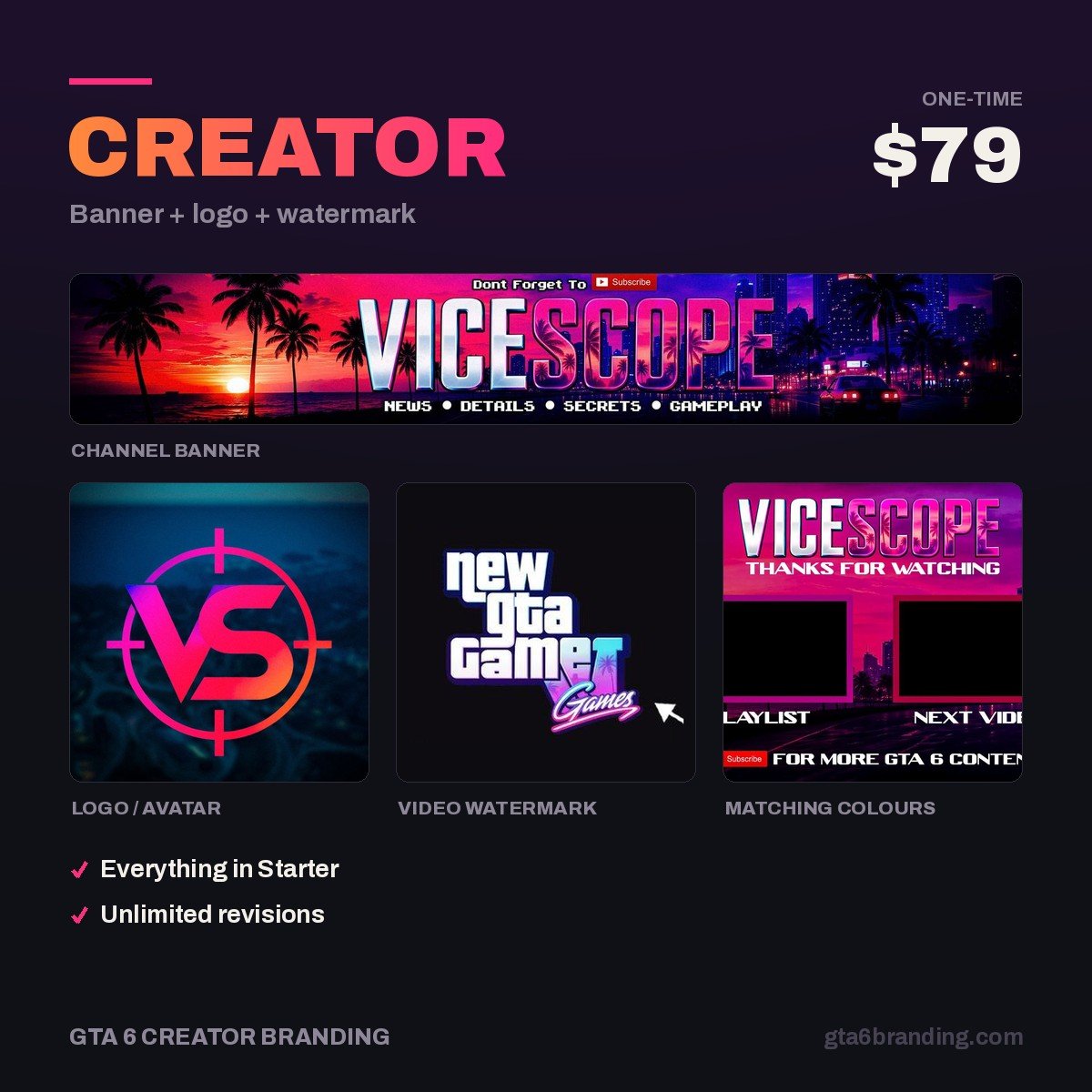
The core pieces and the sizes YouTube uses:
| Asset | Recommended size | Why it matters |
|---|---|---|
| Channel banner | 2560 × 1440 px (keep text inside the 1546 × 423 safe area) | First impression on your channel page |
| Profile picture / logo | 800 × 800 px | Shows next to every video, comment and Short |
| Thumbnails | 1280 × 720 px | The #1 driver of clicks |
| Watermark | 150 × 150 px | Subscribe button on every video |
Each of those sizes has a catch — YouTube crops your banner differently on every device, so read our GTA 6 YouTube banner size guide before you export, or your channel name will be cut off on phones. Designing it yourself? Follow how to make a YouTube banner in Canva step by step, and pick a direction from these ten YouTube banner ideas that survive the phone crop. Not sure what to budget for it? Here is what YouTube channel art costs in 2026, asset by asset — and if you are still deciding whether to pay at all, weigh a YouTube banner template vs custom design first. If you just want the shortest route, these are the 12 fixes that make your YouTube channel look professional, ranked by impact.
If you want the whole picture in one place — all six assets, their exact sizes and what a custom set should deliver — start with our guide to GTA 6 YouTube branding. Stick to 2–3 gaming channel brand colors (our GTA 6 Vice City aesthetic guide gives you the exact six hex values and where each one belongs) and one bold headline font, and use them everywhere. Consistency is what makes viewers recognize your thumbnails in a crowded feed. For the mark itself, work from these GTA 6 logo ideas — or follow the seven steps for how to make a gaming logo yourself — and pick one that still reads at 24 px — these gaming channel profile picture ideas show exactly which styles survive that shrink. When you are ready to finish the whole set, work through our YouTube channel branding checklist — all 12 assets with exact sizes and file limits. Then write the rules down once in a YouTube brand style guide so every future upload matches without you thinking about it. Already have a channel and switching it over to GTA 6? Follow the gaming channel rebrand guide instead — the order you do it in decides whether your subscribers notice. Planning to go live on launch day too? Build your scenes from these gaming stream overlay ideas before November 19 — and once you clear 500 subscribers, design your YouTube membership badges and emotes from the same channel mark. Running Twitch or Kick alongside YouTube? The GTA 6 multi-platform branding guide maps every asset across all three so you build the identity once. Running a community server alongside the channel? GTA 6 Discord branding covers every server asset size and which boost level unlocks it. Reposting clips to TikTok, X or Instagram? GTA 6 social media branding lists every avatar and header size off YouTube, plus the vertical safe zones. Still deciding how much to spend? Compare what each GTA 6 branding package tier actually delivers before you order. And once the channel is live, know what you are building toward: GTA 6 YouTube monetization has two gates — 500 subscribers for fan funding, 1,000 for ads — and both are decided by how many visitors your channel page converts.
One important rule: don’t use Rockstar’s official logos or suggest you’re an official channel. Build your own identity inspired by the game’s atmosphere — it’s safer and far more memorable. Our guide to GTA 6 logo copyright breaks down exactly what Rockstar’s fan policy allows, which assets stay off limits, and how to get the Vice City look without borrowing anything.
4. Publish your first videos now — not on November 19
YouTube needs a few videos to understand who your channel is for. Starting before launch gives you that head start. Pre-launch video ideas that people are actively searching for:
- Everything confirmed about GTA 6 so far — including the new GTA 6 Game Informer details on Leonida weather and wildlife
- Trailer breakdowns: every GTA 6 gameplay feature Rockstar has confirmed, and the details you missed
- GTA 6 vs GTA 5 — what actually changes for creators
- Everything confirmed about GTA 6 Jason and Lucia — and the switch question everyone asks
- What to do in your first hour of GTA 6
- Why there is no GTA 6 Online at launch — and what creators should do about it
- Countdown videos, a GTA 6 preload explainer on the November 12 download and file size, and a full GTA 6 launch week upload plan
- Shorts: one fact per Short, posted daily
- Thirty more GTA 6 video ideas, sorted by search demand with the posting order for the final seven weeks
- Every confirmed song on the GTA 6 soundtrack — and the recording setup that keeps the in-game radio from getting your video claimed
Aim for 5–10 uploads before launch week. They don’t need to be perfect — they need to exist, be on-topic and look like they come from the same channel.
5. Prepare a launch-week content plan
Launch week is when search volume explodes. Plan it in advance so you can publish fast:
- Day 1: first impressions + opening missions.
- Days 2–3: beginner guides (money, cars, weapons, map tips).
- Days 4–7: secrets, Easter eggs and deeper guides in your niche.
Have your YouTube thumbnail template ready so each new thumbnail takes minutes, not hours. Speed plus a recognizable look is how small channels win during a launch.
6. Optimize every upload for search
- Put the main keyword (e.g. “GTA 6 money guide”) at the start of the title — our GTA 6 YouTube SEO guide has the title formula, the description template, the chapter rules and YouTube’s real hashtag cap.
- Write a 2–3 sentence description that repeats the topic naturally.
- Fill in the channel page itself — our GTA 6 YouTube channel description guide has the 1,000-character template, the 500-character keywords field and the five links that sit on your banner.
- Add chapters with timestamps so Google can show your video’s key moments.
- End screens: always point to your next GTA 6 video to keep viewers binging — these gaming channel intro ideas cover the outro card layout that makes them clickable, and our YouTube end screen template maps the four element zones so nothing covers your channel name.
- Set a YouTube channel trailer — the 45-second video every non-subscriber sees first on your channel page.
- Then arrange the page itself: our GTA 6 YouTube channel layout guide covers the 12 featured sections, the shelf order that converts launch-week visitors, and the playlist covers behind them.
Get your GTA 6 channel branded before launch
If you want your channel to look premium from the first upload, we design complete GTA 6–era YouTube identities: banners, logos, watermarks, intros and outros built around the Vice City aesthetic.
FAQ
When does GTA 6 come out?
GTA 6 is scheduled to release on November 19, 2026 on PlayStation 5 and Xbox Series X|S. A GTA 6 PC release date has not been announced.
Is it too late to start a GTA 6 YouTube channel?
No. Most GTA 6 search demand will come after release, and it will last for years. Starting now simply puts you ahead of the thousands of channels that will start on launch day.
Can I use GTA 6 logos on my channel?
Avoid using official Rockstar or GTA logos as your channel branding. Create your own logo and banner inspired by the game’s style instead, and make it clear you’re an independent creator.
How many videos should I upload before launch?
Aim for 5–10 videos plus regular Shorts. That’s enough for YouTube to understand your topic and start recommending you when launch traffic arrives.
GTA 6 Creator Branding is an independent creator branding service and is not affiliated with Rockstar Games or Take-Two Interactive.