Gaming Channel Rebrand: The 8-Step Guide That Keeps Your Subscribers
A gaming channel rebrand works when you change the look and keep the identifiers — and it backfires when you do the opposite. Swap your banner, logo, thumbnails and colors in one week and your subscribers simply see an upgrade; swap your channel name and handle first, before anything else is ready, and you spend two weeks looking like a stranger in your own subscription feed.
With GTA 6 landing on November 19, 2026 for PS5 and Xbox Series X|S, a lot of Fortnite, GTA 5 and general-gaming channels are about to repoint themselves at one game. This is the order to do it in, the YouTube rules that will slow you down, and the exact files you need to re-export.
What a gaming channel rebrand actually changes
Creators use “rebrand” to mean three very different jobs, and they carry very different risk:
- Visual refresh (low risk) — new banner, logo, watermark, thumbnail template, colors. Same name, same handle. Nothing about your discoverability changes.
- Positioning shift (medium risk) — same name, new content focus. Your existing audience has to be brought along, and YouTube needs 3–5 uploads to re-learn who to recommend you to.
- Full identity change (high risk) — new name, new handle, new everything. Your old handle stops resolving, every link in every old description points somewhere else, and your verification badge disappears.
Most creators asking about a gaming channel rebrand only need the first one. Be honest about which tier you are in before you start touching settings.
Rebrand or start a new channel?
This is the question that stops most creators. The honest answer depends on how much of your existing channel is worth carrying forward.
| Your situation | Rebrand the channel | Start fresh |
|---|---|---|
| Under 1,000 subs, low watch time | Fine either way | ✅ Cleaner — you lose almost nothing |
| 1,000+ subs, monetized | ✅ Keep it — monetization does not transfer | ❌ You restart the 1,000 sub / 4,000 hour clock |
| Old content is a different game but same audience | ✅ Rebrand, pin a “what’s changing” video | ❌ Throws away a warm audience |
| Old content is a totally different audience (e.g. tech reviews → GTA 6) | ⚠️ Works, but archive or unlist the old playlists | ✅ Reasonable |
| Old name contains a game or trend you’re leaving | ✅ Rebrand and change the name once | ❌ Unnecessary |
If you are monetized, rebrand. Nothing you gain from a fresh channel is worth re-earning 1,000 subscribers and 4,000 watch hours. If you want the naming side of this, we listed 60 GTA 6 channel name ideas with the handle-availability check to run first.
The 8-step gaming channel rebrand order
Order matters more than execution here. Do these in sequence and the switch is invisible to your audience except as an upgrade.
- Lock the positioning first. One sentence: “I make ___ videos for people who ___.” Everything else is downstream of this. If you can’t write it, you’re not ready to design anything.
- Pick the palette before the logo. Two brand colors plus one accent, chosen to survive dark mode and a phone screen. Our guide to gaming channel brand colors has tested hex sets by niche.
- Design the logo at 24 px, not 800 px. If it doesn’t read in a comment thread, it’s decoration, not a mark. Export at 800 × 800 px, but judge it small — the GTA 6 logo ideas post covers the ten styles that survive that test.
- Build the thumbnail template next. This is the highest-leverage asset in any rebrand: a fixed text position, a fixed accent color, a fixed face/subject placement. Lock it before you make the banner.
- Make the banner last among the visuals. It inherits the palette and logo, so it’s the easiest piece once the rest exists. Watch the crop — check the GTA 6 YouTube banner size specs for the 1546 × 423 px safe area before export.
- Upload everything in one session. Banner, profile picture, watermark, About section, links, channel trailer. A half-finished rebrand visible for a week is worse than no rebrand.
- Change the name and handle only now, if you are changing them at all — after the visuals are live, never before.
- Ship 3 videos in the new template within 10 days. A rebrand that isn’t reinforced by new uploads just looks like the channel was abandoned and repainted.
YouTube’s rules that will slow your rebrand down
Three platform limits catch creators out mid-rebrand. None are dealbreakers, but all of them are worth knowing before you click Save.
BEFORE YOU CHANGE THE NAME
Two changes per 14 days. YouTube allows two channel-name changes and two handle changes in any 14-day window. You get one correction, then you’re locked out for two weeks — so decide on paper, not in the settings panel.
Your URL follows the handle, not the name. Changing the display name leaves youtube.com/@yourhandle untouched. Only a handle change moves your URL — and YouTube holds the old handle for a short window in case you switch back.
A name change drops your verification badge. If you have the checkmark, changing the channel name removes it and you reapply under the new name — and you still need 100,000 subscribers to qualify. Subscribers themselves are never affected.
One more practical note: allow a few days for a new name to propagate across YouTube. Do not panic-change it again on day two because the old one still shows on some surfaces.
The exact files to re-export
A rebrand is not finished until every surface carries the new look. This is the full export list, with the sizes YouTube actually uses in 2026:
| Asset | Size | Limit / note |
|---|---|---|
| Channel banner | 2560 × 1440 px | Under 6 MB; keep all text inside 1546 × 423 px |
| Profile picture / logo | 800 × 800 px | Renders as a circle — test at 24 px |
| Video watermark | 150 × 150 px | Under 1 MB, transparent PNG |
| Thumbnail template | 1280 × 720 px | Under 2 MB; 16:9 |
| Channel trailer end card | 1920 × 1080 px | Leave the last 20 seconds clear for end screens |
| Community / post graphic | 1080 × 1080 px | Square crops safest across feeds |
| Shorts cover | 1080 × 1920 px | Keep text out of the bottom 250 px (UI overlay) |
Off-platform matters too: update your X, TikTok, Instagram and Discord avatars the same day. A viewer who finds your Short on TikTok and your video on YouTube should see the same mark in both places. The full 12-asset version of this list lives in our YouTube channel branding checklist.
A 30-day rebrand timeline before GTA 6
GTA 6 arrives November 19, 2026. Working backwards, here is a schedule that leaves you finished well before launch traffic starts — not scrambling during it.
- Days 1–3: write the positioning sentence, shortlist names, check handle availability on all four platforms.
- Days 4–10: palette, logo, thumbnail template. Order custom work here if you’re not designing it yourself — turnaround is the long pole.
- Days 11–14: banner, watermark, social avatars, About section rewrite.
- Day 15: publish everything in one session. Change the name/handle the same day if you’re changing it.
- Days 16–25: three uploads in the new template. Pin a short “what’s changing here” video.
- Days 26–30: update pinned comments, playlist art, and the links in your top 10 videos’ descriptions.
Start this by mid-October and you’ll be branded, warmed up and publishing before the first wave of launch searches. If you’re weighing the content side of the switch as well, our breakdown of GTA 6 vs GTA 5 for creators covers what actually changes in formats and audience.
Rebrand the whole channel in one pass
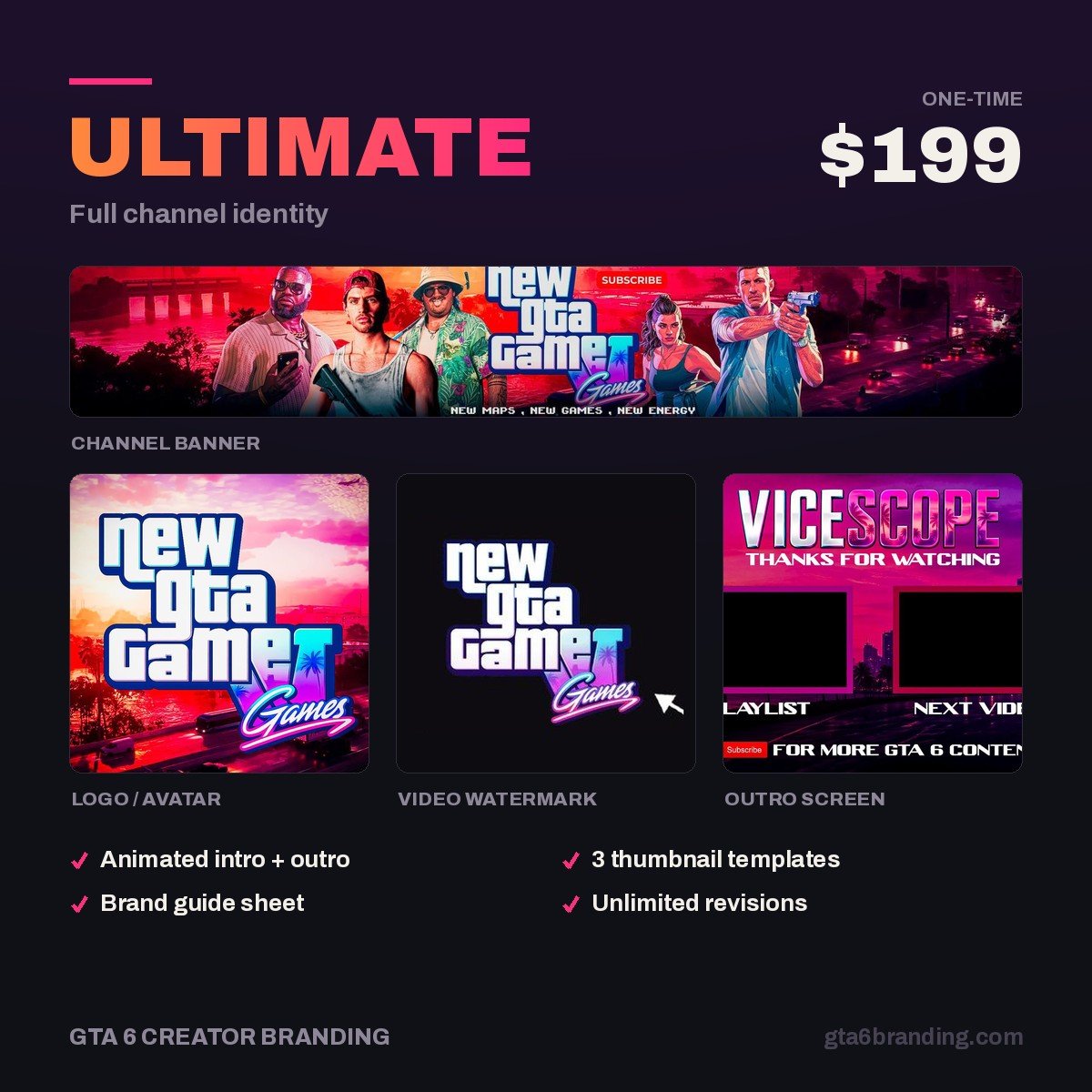
The reason most rebrands stall at step 5 is that the pieces get made separately and never quite match. Ultimate — Full Channel Identity ($199) is built for exactly this moment: banner, logo, watermark, thumbnail template and intro/outro designed together from one palette, delivered at every size in the table above, so your channel changes over in a single session instead of a messy month.
Only need the core three? Creator — Banner + Logo + Watermark ($79) covers the visual refresh tier. Starting from scratch on a single asset? Starter — YouTube Banner ($45).
Rebrand mistakes that cost views
- Don’t change the name before the visuals are live. That’s the single most common way to confuse a subscription feed.
- Don’t delete or privatize your old videos. Watch time is watch time, even from a game you’ve left. Unlist only if the audience is genuinely unrelated.
- Don’t redesign thumbnails for old videos in the middle of a rebrand — do the new template first, then retro-fit your top 5 performers only.
- Don’t use official Rockstar or GTA logos, key art or screenshots as your channel branding. Build an identity inspired by the Vice City mood instead: neon, sunset gradients, coastline, chrome.
- Do announce it once, briefly, in a pinned comment and a community post. One announcement, not a campaign.
- Do keep one visual thread from the old brand if you have any recognition at all — a color, a shape, a mascot. Continuity is cheap and it keeps returning viewers oriented.
Budgeting the whole thing? The per-asset price ranges are in our breakdown of what YouTube channel art costs in 2026.
FAQ
Will I lose subscribers if I rebrand my gaming channel?
Your subscriber count is not affected by a name, handle or artwork change — nothing is reset. What you can lose is engagement: subscribers who don’t recognize the new look may scroll past for a few weeks. Announcing the change once and keeping one visual element from the old brand fixes most of that.
How many times can I change my YouTube channel name?
YouTube allows two channel-name changes and two handle changes within any 14-day period. After that you wait for the window to reset. Changes can also take a few days to display everywhere on the platform, so don’t treat a slow update as a failed change and burn your second attempt.
Should I rebrand or start a new channel for GTA 6?
If your channel is monetized, rebrand — a new channel restarts the 1,000 subscriber and 4,000 watch-hour requirements from zero. Start fresh only when your existing audience is genuinely unrelated to gaming, or when the channel has under about 1,000 subscribers and very little watch time to carry over.
How long does a gaming channel rebrand take?
Plan about 30 days end to end: three days on positioning and names, ten on the core visuals, one day to publish everything at once, then two weeks of uploads in the new template. The design work is the long pole, so start it first if you’re commissioning it rather than making it yourself.
GTA 6 Creator Branding is an independent creator branding service and is not affiliated with Rockstar Games or Take-Two Interactive.