GTA 6 Logo Ideas for YouTube: 10 Styles That Still Read at 24px
The best GTA 6 logo ideas for YouTube all share one trait: they survive being shrunk to the size of a fingernail. You upload your channel logo at 800 × 800 px, but almost nobody ever sees it that big — it appears as a small circle beside your videos, your Shorts and every comment you leave, often under 50 px across.
With GTA 6 launching on November 19, 2026 for PS5 and Xbox Series X|S, you have roughly eight weeks to get an identity in place before the search wave hits. This guide covers ten logo directions that work for a GTA 6 channel, the exact specs YouTube uses, and the 10-minute test that tells you whether your mark is actually finished.
The small-size test every logo has to pass
Most first-time gaming logos fail for the same reason: they are designed at full size on a big monitor. At 800 px a sunset, three palm trees, a skyline and your channel name all fit comfortably. At 24 px — the size of your avatar in a comment thread on a phone — that same mark is a colored smudge.
Three rules come out of that diagram, and they filter out roughly half of the logo ideas people start with:
- One idea per mark. A sun or a monogram or an animal — not all three.
- No text under 3 characters tall. Your full channel name belongs in the banner, not the avatar.
- Contrast beats color. Convert the logo to greyscale; if the shapes blur together, the color was doing all the work.
10 GTA 6 logo ideas for a YouTube gaming channel
These are directions, not templates. Each one is built from the mood of a neon coastal crime world rather than from anything Rockstar owns — which is the only way to use this aesthetic safely. Once you have picked a direction, our step-by-step guide on how to make a gaming logo covers the brief, the sketching, the vector build and the export pack.
Wordmarks (best for news, commentary and lore channels)
- 1. Neon italic wordmark. Channel name in a heavy condensed italic, magenta fill, thin amber outline. Set it once for the banner, then crop a single letter for the avatar so the two pieces match.
- 2. Chrome-and-sunset lettering. A metallic grey base with a warm gradient across the top half. It says “80s crime drama” without borrowing any actual game asset. Keep the bevel shallow or it turns to mud below 60 px.
- 3. Stacked two-word lockup. Split your name across two lines — “VICE” over “DAILY” — in a tight bold sans. Stacking doubles the letter height in a square avatar compared to a single line.
All three assume you already have a name you are happy with. If you don’t, settle that first — we listed 60 GTA 6 channel name ideas with the handle-availability check to run before you commit. Designing a wordmark around a name you later abandon is the most expensive mistake in this list.
Monograms and badges (best for guides and growth channels)
- 4. Two-letter monogram tile. Your initials in a rounded square, dark letters on a solid magenta or amber field. This is the single most reliable option at 24 px, and it is what the “passes” mark in the diagram above is doing.
- 5. Sunset badge. A circle containing a half-sun and three horizon bars. Flat colors only — no gradients thinner than about 8 px, because they band badly when YouTube re-compresses your upload.
- 6. State-plate mark. A rounded rectangle styled like a US license plate with your channel’s initials and a small “26”. It reads as road-trip Americana and works especially well for car and vehicle channels.
Mascots and icons (best for gameplay, comedy and roleplay)
- 7. Flamingo or alligator head. Florida-coded wildlife is instantly readable as a silhouette and costs you nothing in licensing. Build it from four or five shapes maximum.
- 8. Palm-and-moon negative space. A palm silhouette cut out of a solid circle. Negative-space marks stay crisp at every size because there are no thin strokes to lose.
- 9. Crosshair pin. A map pin with a crosshair inside — a clean fit for map, secrets and Easter-egg channels, and it visually pairs with thumbnail arrows and circles.
- 10. Glitch block. A bold letter with a 3–4 px cyan/magenta offset. It signals leaks and rumor coverage. Use it only if your niche is news — on a guides channel it reads as low-quality.
Which style fits your channel?
| Style | Best for | Reads at 24 px? | Effort to get right |
|---|---|---|---|
| Two-letter monogram | Any niche, especially new channels | Excellent | Low |
| Negative-space icon | Cinematic, exploration, lore | Excellent | Medium |
| Sunset / plate badge | Cars, map, general GTA 6 content | Good | Medium |
| Mascot head | Comedy, roleplay, gameplay | Good if simplified | High |
| Full wordmark | News and commentary with a short name | Poor unless cropped | Medium |
| Chrome / gradient lettering | Banner headlines only | Poor | High |
If you are choosing under time pressure, take the monogram. It is the only row in that table that is both cheap to produce and safe at every size, and you can always layer a richer mascot on top of it later without changing your channel’s recognizable color.
Exact specs: YouTube profile picture size and watermark
Design at 800 × 800 px and export flat. YouTube crops your square upload into a circle, so anything in the corners is gone — keep every meaningful shape inside a centered circle about 90% of the width.
| Asset | Upload size | Limits | Design note |
|---|---|---|---|
| Profile picture / logo | 800 × 800 px, 1:1 | Under 4 MB — PNG, JPG, BMP or non-animated GIF | Cropped to a circle; corners are lost |
| Video watermark | 150 × 150 px, 1:1 | Under 1 MB, transparent PNG | Use the logo alone, no channel name |
| Channel banner | 2560 × 1440 px | Keep text in the 1546 × 423 safe area | Logo sits left or center, never in a corner |
| Thumbnail brand mark | 1280 × 720 px canvas | Logo at roughly 90–120 px | Same corner on every video |
The watermark is the most under-used asset on this list: it is the small subscribe button that sits in the corner of every one of your videos, and a logo that was designed at 800 px without a 150 px version usually loses its outline completely. Export both sizes at the same time.
Two more places the same mark has to work: your banner and your thumbnails. Before you export anything, check the crop rules in our GTA 6 YouTube banner size guide, and keep the logo corner consistent across the GTA 6 thumbnail ideas you build from. Recognition comes from repetition, not from the logo being clever.
Brand colors and type for a Leonida look
A neon-coast palette you can legally own
Pick one of the three warm tones as your signature color and use it on the avatar, the banner accent and the thumbnail bar. Use the violet as a background, the green only for callouts, and the near-black for text inside bright shapes. Six colors on a page; two colors on the logo. The full method for choosing and applying them is in our guide to gaming channel brand colors.
For type, one heavy display face plus one plain sans is enough. Condensed grotesques and wide geometric sans both fit the era; script fonts almost never survive the avatar crop. Check the license before you use a font commercially — many free display fonts are personal-use only, and that is a real risk once a channel starts earning.
Want the logo, banner and watermark cut from one system?
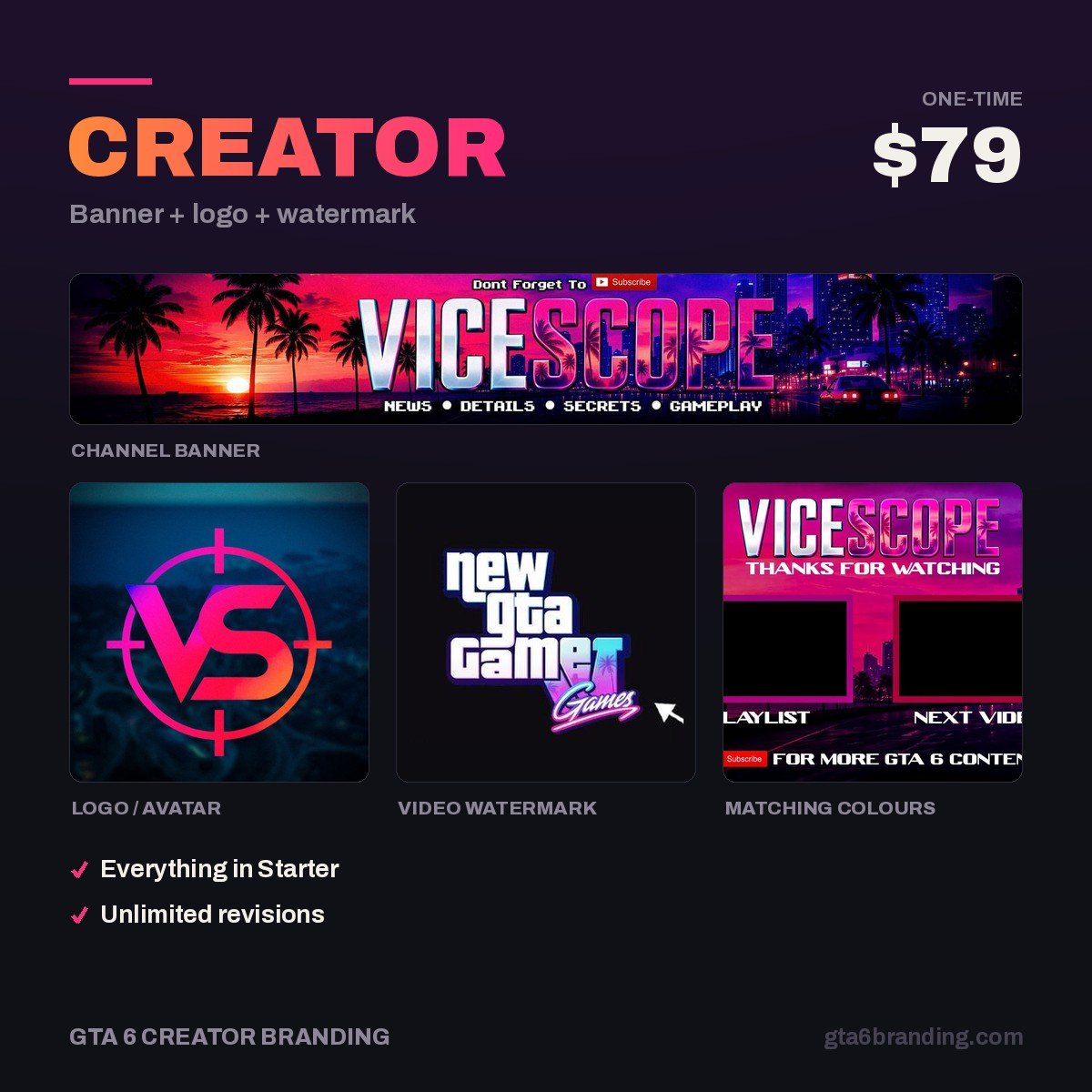
Most channels end up with a logo from one source and a banner from another, and the mismatch is visible in the first second a viewer lands on the page. We design all three from a single palette and letterform set, delivered at every size YouTube needs — including the 150 px watermark export that almost everyone forgets.
- Creator — Banner + Logo + Watermark, $79 — the matching set, and the right pick for almost every new GTA 6 channel.
- Ultimate — Full Channel Identity, $199 — adds thumbnail templates, intro and outro, and a full color and type system.
- Starter — YouTube Banner, $45 — if you already have a logo you’re happy with.
Do and don’t
- Do design in vector, then export PNGs at 800, 150 and 48 px so you always have a clean master.
- Do keep a flat one-color version of your mark for dark overlays and merch.
- Do put your logo in the same corner of every thumbnail for at least 20 videos before you judge whether it is working.
- Don’t use Rockstar’s logos, fonts, key art, character renders or in-game screenshots in your channel branding. Beyond the copyright exposure, it makes your channel look like the dozens of reupload accounts viewers already scroll past.
- Don’t put your full channel name inside the avatar — it is unreadable in the place it appears most.
- Don’t redesign after three weeks. Recognition is cumulative; a logo you change quarterly never earns any.
The 10-minute test before you commit
- Export the logo at 48 px and look at it on your phone at arm’s length. If you can’t tell what it is, simplify.
- Convert it to greyscale. The shapes should still separate.
- Put it next to five thumbnails from channels in your niche. Does it stand out or blend in?
- Show it to someone for two seconds, then ask what they saw. One word back means it works.
- Check the handle, banner and watermark side by side — same color, same letterforms, same weight.
Whichever direction you pick, the typeface does half the work. These are the twelve gaming channel fonts that still read at small sizes, with the exact cap heights to set them at on every asset.
Picked a direction? The next step is the brief. Our guide to GTA 6 YouTube logo design covers the file set a finished logo should ship with, the 24-pixel test and the usage rights to confirm before you pay.
FAQ
What size should a YouTube logo be?
Upload your channel logo at 800 × 800 px in a 1:1 square, under 4 MB, as a PNG, JPG, BMP or non-animated GIF. YouTube crops it into a circle, so keep important shapes centered. Export a separate 150 × 150 px transparent PNG for the video watermark.
Can I use the GTA 6 logo for my YouTube channel?
No. The GTA logo, key art and character renders belong to Rockstar Games and Take-Two, and using them as your channel identity risks a takedown and makes your channel look unofficial in the wrong way. Build an original mark inspired by the setting’s colors and mood instead.
How much does a gaming channel logo cost?
A logo-only template or fiverr-tier commission runs roughly $10–$40, a custom logo from a designer typically $50–$150, and a matched logo, banner and watermark set around $79. Our full breakdown of YouTube channel art cost compares template, freelance and agency pricing asset by asset.
Should my gaming logo be a mascot or text?
Use text — specifically a two-letter monogram — if your channel is new or your name is long, because it stays readable at 24 px. Choose a mascot when your channel has a personality viewers follow and you can afford a simplified silhouette version for small sizes.
GTA 6 Creator Branding is an independent creator branding service and is not affiliated with Rockstar Games or Take-Two Interactive.