How to Make a Gaming Logo for YouTube: The 7-Step Process
Here is how to make a gaming logo that actually works on YouTube: one simple shape, two colors at most, and a file that still reads when YouTube shrinks it to a 24-pixel circle next to your comments. That is the whole job. Everything else — the glowing bevels, the tilted mascot, the six-word tagline — is what makes new channels look temporary.
Below is the seven-step process designers actually use, with the exact sizes YouTube serves your mark at, the export pack you should end up with, and the tool comparison nobody selling a logo maker will show you. With GTA 6 arriving November 19, 2026 on PS5 and Xbox Series X|S, this is the asset worth finishing first — it ends up on every video, Short, comment and thumbnail you publish during launch week.
The one test your logo has to pass first
YouTube never shows your logo at the size you design it. You upload an 800 × 800 px file, and the platform serves it at four very different scales — and the smallest one is where most gaming logos fall apart.
Zoom your draft out to 24 px on screen. If you can no longer tell what it is, you do not have a logo yet — you have an illustration. These gaming channel profile picture ideas show which styles survive that shrink and which ones turn to mush.
How to make a gaming logo in 7 steps
1. Write a one-line brief before you open any tool
Fill in this sentence: “My logo is a [type] for a [niche] channel called [name], and it should feel [three adjectives].” For example: “a lettermark for a Vice City exploration channel called NeonRun, and it should feel sharp, warm and a little retro.”
That single line kills 80% of the bad decisions later. Channels that skip it end up with a mascot that has nothing to do with their content.
2. Pick one logo type — not a mix of three
Five types work for gaming channels. Each has a different cost in drawing time and a different floor for how small it can go.
| Logo type | What it is | Smallest usable size | Best for |
|---|---|---|---|
| Lettermark | 1–3 initials, heavy type | 20 px | Any channel; the safest first logo |
| Wordmark | Full channel name as type | 90 px wide | Short names only (under 8 characters) |
| Abstract mark | A geometric symbol | 22 px | News, guides, tech-feeling channels |
| Emblem | Shape + type locked together | 44 px | Crew, clan and roleplay channels |
| Mascot | Character head or figure | 40 px | Comedy and personality channels |
If you are undecided, start with a lettermark. It is the fastest to draw, the hardest to get wrong, and the easiest to pair with a full wordmark later for your banner. For worked examples in each style, see our GTA 6 logo ideas breakdown.
3. Sketch ten versions small, not one version big
Draw ten thumbnails inside 25 × 25 mm boxes on paper, or ten 40 × 40 px squares on a canvas. Working small forces simplicity — you physically cannot add a chrome gradient at that size.
Then cut it down: keep the three you can still recognize from arm’s length, and pick one to build properly. Ten rough sketches take about 20 minutes and save hours of polishing the wrong idea.
4. Build the winner in vector, at 1024 × 1024
Use Figma (free), Inkscape (free), Affinity Designer (one-time purchase) or Illustrator. Vector matters because you will need this mark at 24 px and at 2560 px on your banner from the same source file, with no blur at either end.
Practical rules while you build:
- Work on a 1024 × 1024 px square artboard, then export down.
- Keep the mark inside an 880 × 880 px area so it is not glued to the edge of the circle crop.
- Use no stroke thinner than 8 px at 1024 — anything finer disappears when scaled down.
- Snap to a grid. Gaming logos read as “professional” mostly because their angles repeat.
- Build it in black and white first. If it does not work in flat black, color will not rescue it.
5. Set the type — one font, maximum two weights
Heavy geometric sans and condensed display faces survive scaling; thin scripts and outline fonts do not. Tighten your letter spacing to roughly −2% to −4% so initials read as one object rather than separate characters, and convert the text to outlines before you export so the file does not depend on a font being installed.
If you have not chosen a typeface yet, these twelve gaming channel fonts are all tested for legibility at thumbnail size, which is the same bar your logo has to clear.
6. Color: two hues, and check it on both backgrounds
Pick one dominant color plus one accent, and take both from your channel palette so the logo matches your thumbnails. A Vice City-leaning set that holds up on dark UI: magenta #ff4d8d, sunset orange #ff7a3d, amber #ffb347 and deep violet #7b2ff7. Our guide to gaming channel brand colors covers the full three-color system and the tests a palette must pass.
Then check two things most people skip: your logo on YouTube’s light theme as well as dark, and a flat-black and flat-white version for cases where color is not available.
7. Export the full pack, not just one PNG
One PNG is what leaves creators re-cropping assets at midnight. This is the set to end up with:
| File | Size / format | Used for |
|---|---|---|
| Master | SVG (or AI/Figma source) | Every future resize and reprint |
| Channel profile picture | 800 × 800 px PNG or JPG, under 4 MB | YouTube avatar (displayed as a circle) |
| Watermark | 150 × 150 px PNG, transparent, under 1 MB | Branding watermark on every video |
| Thumbnail badge | 512 × 512 px PNG, transparent | Corner mark on thumbnails and end cards |
| Banner lockup | Logo + name, transparent PNG | 2560 × 1440 px channel banner |
| Mono versions | Flat black + flat white PNG | Merch, sponsors, light backgrounds |
Name the files plainly (logo-800.png, watermark-150.png) and keep them in one folder. You will open it every time you make a video.
Free logo maker, DIY or designer: the honest comparison
There are three real routes, and the differences that matter are ownership and whether you get vector files — not the price tag.
| Route | Typical cost | Time | You get vector? | Catch |
|---|---|---|---|---|
| Online logo maker | $0–30 | 15 minutes | Usually only if you pay | Template icons other channels also use |
| Canva / free templates | $0–13/mo | 1–2 hours | SVG on paid plans | Some elements cannot be used in a trademark |
| DIY in Figma or Inkscape | $0 | 4–10 hours | Yes | The learning curve is the real cost |
| Hire a designer | $40–150 for a logo | 2–5 days | Yes, plus the export pack | You need to write a clear brief |
A logo maker is fine for a channel you are testing. Once you are publishing weekly and putting a mark on every thumbnail, you want vector files you own outright. For the wider price picture across every asset, see what YouTube channel art costs in 2026.
Want the mark done for you — with the whole pack?
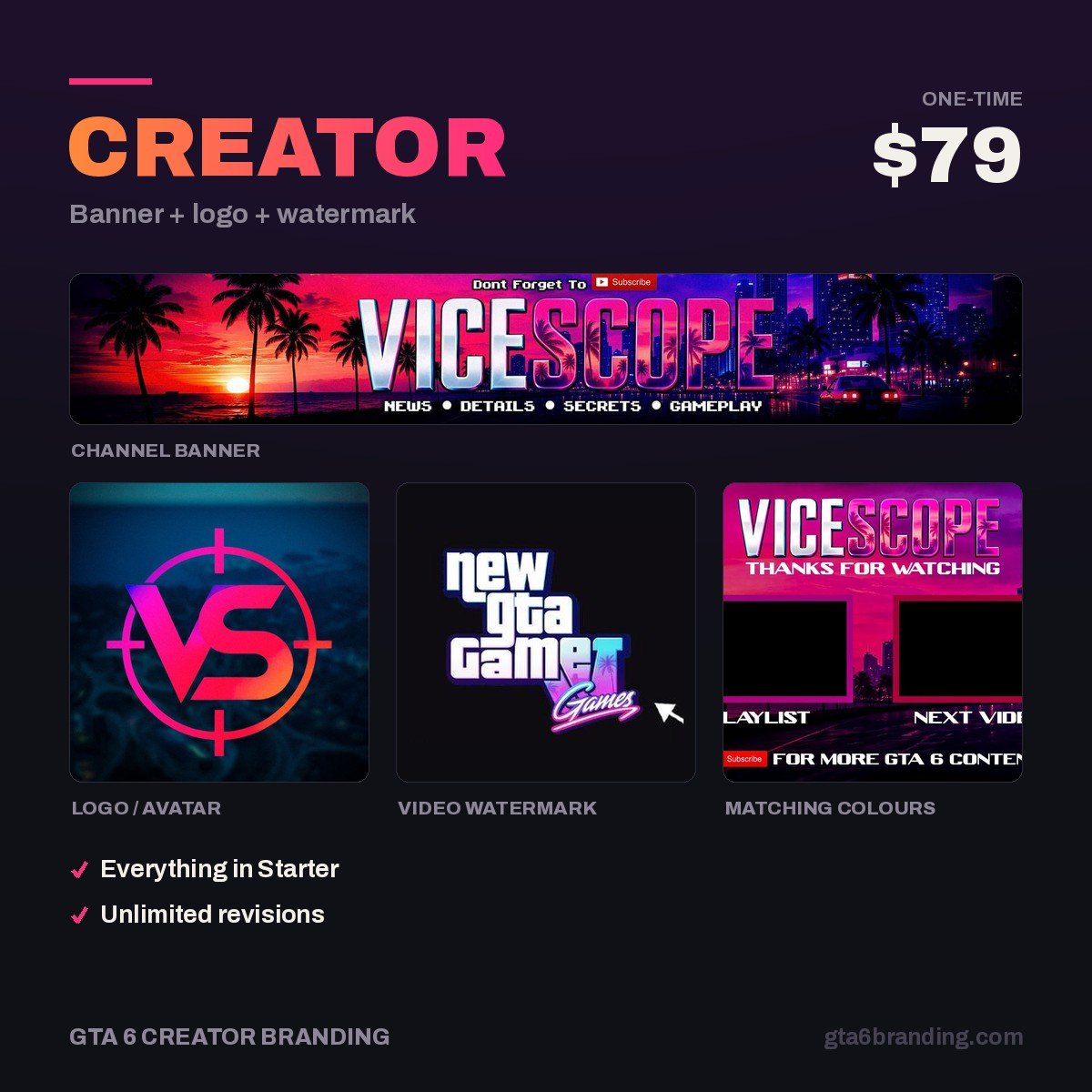
We design GTA 6-era channel identities built for the 24-pixel test: a custom logo, a matching banner and a transparent watermark, delivered in every size YouTube needs so you never re-crop anything yourself.
- Creator — Banner + Logo + Watermark ($79) — the logo plus the two assets it has to sit next to.
- Ultimate — Full Channel Identity ($199) — adds thumbnail templates, intro and outro cards.
8 mistakes that kill a gaming logo
- Don’t put your full channel name inside the avatar — it becomes unreadable mush at 24 px. Do use 1–3 initials.
- Don’t stack drop shadows, bevels and outer glows. Do use one flat shape with clean edges.
- Don’t use four or five colors. Do use one dominant color plus one accent.
- Don’t design on a white canvas if your channel art is dark. Do preview on
#0a0612and on white. - Don’t use official Rockstar or GTA logos, fonts or artwork. Do build your own mark inspired by the game’s mood.
- Don’t export a single 500 px JPG. Do keep a vector master.
- Don’t leave a white box behind your watermark. Do export it with real transparency as a PNG.
- Don’t redesign it every month. Do commit for at least six months so viewers learn it.
That last one matters more than people expect. Recognition is the entire point of a logo, and recognition needs repetition — the same mark, in the same colors, on every upload through launch week and after.
Would rather hand it to someone else? Here is what GTA 6 YouTube logo design includes as a service — the logo types compared, the exact files you should receive, commercial-use rights and what it costs.
FAQ
What size should a YouTube gaming logo be?
Upload your channel profile picture at 800 × 800 px as a PNG or JPG under 4 MB. YouTube crops it to a circle and then displays it at roughly 176 px on your channel page, 48 px on watch pages and about 24 px beside comments, so design for the smallest size.
Can I make a gaming logo for free?
Yes. Figma and Inkscape are both free and export vector SVG plus every PNG size you need. Free online logo makers work too, but many hold the vector file behind a paid plan and reuse the same icon libraries, so several channels can end up with near-identical marks.
How long does it take to make a gaming logo?
Plan on 20 minutes of sketching and two to four hours of building if you already know a vector tool, or a full weekend if you are learning one. A designer usually turns around a logo plus the full export pack in two to five days, including one or two revision rounds.
Can I use the GTA 6 logo or font for my channel?
No. Rockstar’s logos, custom lettering and promotional artwork are protected, and using them as your channel identity risks strikes and suggests an official connection you do not have. Build an original mark that borrows the mood — neon, sunset gradients, coastline — instead of the assets.
GTA 6 Creator Branding is an independent creator branding service and is not affiliated with Rockstar Games or Take-Two Interactive.