YouTube Banner Template vs Custom Design: How to Choose in 2026
The choice between a YouTube banner template vs custom design comes down to one thing: whether your channel’s first impression needs to be recognizably yours. A template puts a banner on your channel tonight for $0–$15; a custom design runs $40–$150 and gives you a header nobody else on YouTube is using.
That trade-off matters more than usual right now. GTA 6 launches November 19, 2026 on PS5 and Xbox Series X|S — 56 days from today — and a huge number of gaming channels will launch or rebrand inside the same window, many of them running the same free layouts from the same three template sites. Here is the honest comparison: what each route actually costs, the crop test both have to survive, and a six-question test that settles it in about two minutes.
The short answer
A template is genuinely the right call when:
- You are still testing whether you will stick with the channel — first 10 uploads, no audience yet.
- Your channel name is short and plain enough to sit in a default text block without looking cramped.
- You only need a background, because your face or an existing logo does the identifying work.
- You have enough design instinct to actually edit a template, not just swap the words and hit export.
Go custom when any one of these is true:
- You expect to monetize. Sponsors and brand deals look at your channel page before they reply.
- Your banner, profile picture, watermark and thumbnails all need to match — that is an identity, not a banner.
- You want original artwork instead of stock game imagery you have no license to use.
- You already tried templates and the result looks like every other channel in your niche.
YouTube banner template vs custom design: side by side
| Template | Custom design | |
|---|---|---|
| Upfront cost | $0 free tier, $12–$15/mo for premium libraries | $40–$150 one-off for a banner |
| Time to a finished banner | 20–60 minutes, yourself | 1–4 days, someone else does it |
| Revisions | Unlimited, but you are the designer | Usually 2–3 rounds included |
| Uniqueness | Popular gaming templates are used thousands of times | One channel, one layout |
| Safe-area handling | Varies wildly; many fill the full canvas | Designed around the 1546 × 423 zone first |
| Source files | Locked inside the editor, raster export only | Vector/layered source you keep |
| Matching logo + watermark | You assemble it from separate templates | Built as one set from the start |
| Art licensing | You must check every asset yourself | Original art, cleared for commercial use |
| Best for | Testing an idea, a temporary look | A channel you intend to grow |
The crop test both options have to pass
This is the part most creators discover after they have already uploaded. YouTube takes your single banner file and shows four different slices of it depending on the device. Upload at 2560 × 1440 px (16:9), keep the file under 6 MB, and use JPG or PNG. But only the centered 1546 × 423 px band is guaranteed to be visible everywhere.
Most phone-first viewers will only ever see that green band. A template built to look impressive in a preview thumbnail — big artwork edge to edge, channel name pushed off to one side — can lose its own name on mobile. Before you export anything, check the numbers in our GTA 6 YouTube banner size guide and place your name dead center.
Where free YouTube banner templates break
Templates are not bad. They fail in five specific, predictable ways, and four of the five you can work around if you know about them. (The third route — an AI YouTube banner generator — fails differently again, mostly on text, safe zones and who actually owns the result.)
The five failure modes
- Safe-area blindness. The layout was designed for the full 16:9 canvas, so the headline sits outside the 1546 × 423 band and vanishes on phones.
- The duplicate problem. The top gaming templates on the big editors have been exported tens of thousands of times. Viewers may not name it, but “I have seen this before” reads as low effort.
- Raster-only export. You get a flat JPG or PNG. When you later need the same mark at 800 × 800 px for a profile picture or 150 × 150 px for a watermark, there is nothing to scale from — you rebuild from scratch.
- Font licensing. Free-tier fonts inside an editor are usually fine inside that editor. Extracted and reused across merch or a thumbnail set, some are not.
- Borrowed game art. This is the one you cannot work around. Plenty of “GTA” template packs ship with official screenshots, key art or logos baked in. Using those on a monetized channel is a copyright claim waiting to happen — and it makes your channel look like a fan page rather than a brand.
That last point is worth dwelling on. The fix is not to find a cleaner screenshot; it is to build an identity from the game’s atmosphere instead of its assets — neon sunset gradients, deep purples, Art Deco type, coastline silhouettes. That reads as GTA-adjacent to any fan, carries no legal risk, and belongs to you. Our gaming channel brand colors guide has the exact hex sets that do this job.
What a custom YouTube banner design actually gives you
The honest version: you are not paying for pixels, you are paying for decisions. Specifically:
- Safe-area-first layout. The name and mark are placed inside 1546 × 423 before any background art exists, so nothing important can be cropped.
- Legible at every size. A designer tests the mark at 24 px, not just at full width. Most template logos turn to mush there.
- One system, not four files. Banner, profile picture, watermark and a thumbnail template that share a palette and a typeface. That consistency is what makes viewers recognize you in a crowded feed.
- Source files you own. Layered or vector, so next year’s tweak is an edit rather than a rebuild.
- Original art. No borrowed screenshots, no affiliation confusion, no claims.
If you want to see how those prices compare across freelancers, agencies and template subscriptions before you decide, we broke down what YouTube channel art costs asset by asset.
The six-question test
Answer yes or no. Count your yeses.
- Do you plan to still be uploading to this channel in six months?
- Do you want sponsors or brand deals at some point?
- Do you need a profile picture and watermark that match the banner?
- Is your channel name longer than about 12 characters, or stylized in a way a default font will not carry?
- Have you already made a banner yourself and been unhappy with it?
- Would you be annoyed to find another channel in your niche using the same layout?
0–2 yeses: use a template, spend the 40 minutes, keep the money. 3–4: a custom banner alone is the efficient buy. 5–6: you need the matching set, not just a banner — do it once and stop thinking about it.
Skip the template lottery
We design original GTA 6–era YouTube banners built around the 1546 × 423 safe area, in the Vice City palette, with no borrowed game art — so your channel name reads on a phone and belongs to nobody else.
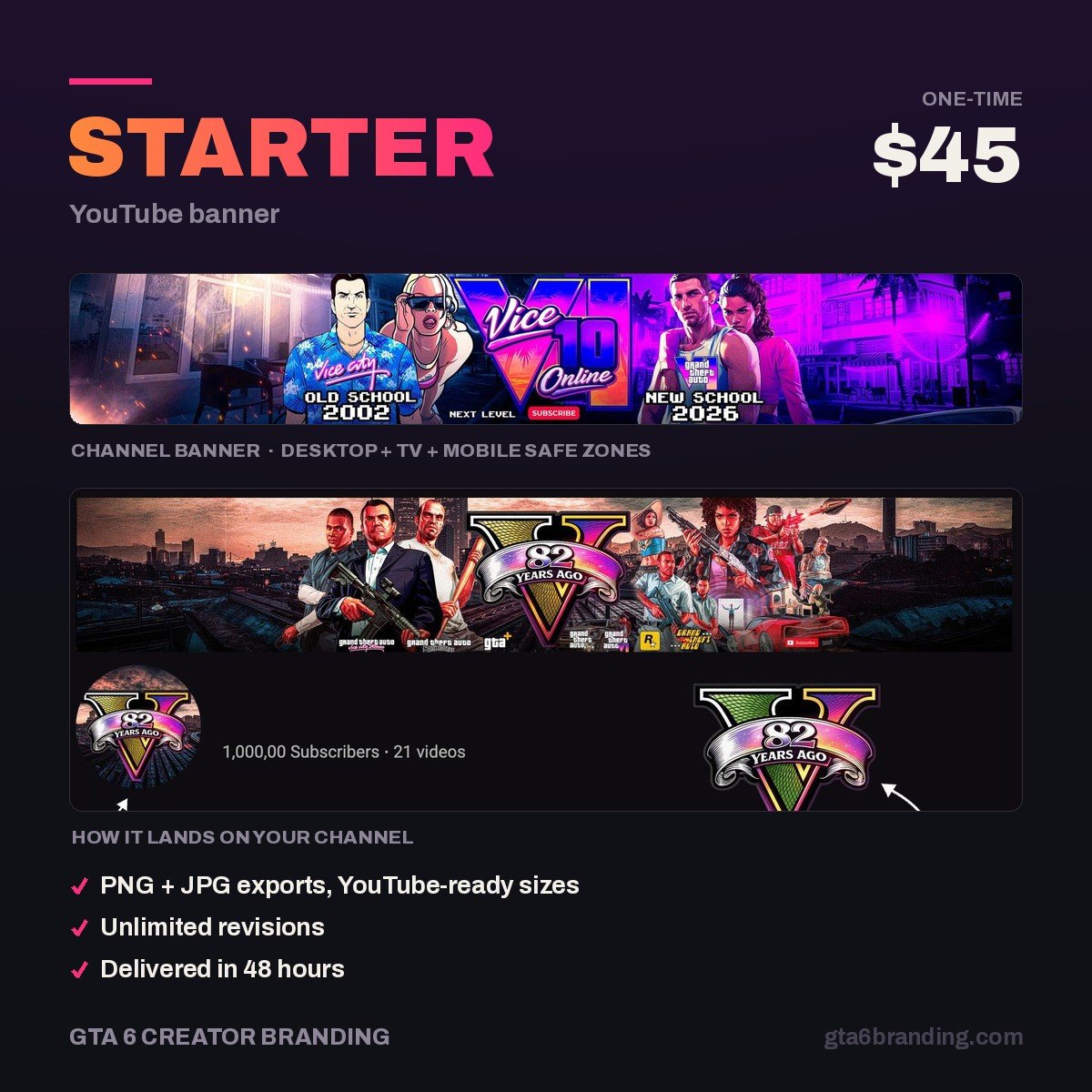
- Starter — YouTube Banner ($45) — one custom banner, safe-area checked, delivered ready to upload.
- Creator — Banner + Logo + Watermark ($79) — the matching set, if you answered yes to question 3.
- Ultimate — Full Channel Identity ($199) — the complete system including thumbnail templates.
Going the template route? Do it properly
If your answer was template, these habits get you most of the way to a custom result.
Do:
- Start a blank 2560 × 1440 canvas and draw a 1546 × 423 rectangle in the center as a guide layer before you touch the design.
- Replace the template’s fonts and colors, not just its text. Two changes are usually enough to break the resemblance.
- Delete any bundled game artwork and replace it with a gradient or abstract shapes.
- Export, upload, then open your channel on your phone. That is the only test that counts.
- Keep the file under 6 MB, and under 1 MB if you can — it loads faster on mobile.
Don’t:
- Put your channel name in a corner. Center it or lose it.
- Use a screenshot, logo or piece of key art from the game.
- Stack more than about eight words in the safe area — at phone width it becomes texture.
- Crop a low-resolution image up to 2560 px wide. Blur reads as amateur faster than bad layout does.
- Leave your profile picture as a default letter while the banner looks designed. The mismatch is worse than either alone.
Whichever route you pick, the banner is one of twelve assets a channel needs before it looks finished. Run through the YouTube channel branding checklist so nothing gets left as a placeholder on launch day.
Decided the custom route is worth it? Read this before you order: how to hire a YouTube banner designer — the eight-line brief, the exact files to demand and six red flags worth walking away from.
FAQ
Are free YouTube banner templates safe to use?
Generally yes, if you read the license. The risk is rarely the layout itself — it is the bundled assets. Game screenshots, official logos and some free-tier fonts are not cleared for commercial use on a monetized channel. Delete anything you cannot trace to a license and replace it.
How much should I pay for a custom YouTube banner?
For a gaming channel, $40 to $150 is the normal range for a banner alone, and $75 to $250 for a banner with a matching logo and watermark. Below about $25 you are usually buying a lightly edited template. Above $300 you are paying agency overhead.
Can I use a GTA 6 screenshot in my YouTube banner?
Rockstar’s screenshots, key art and logos are their copyright, and channel branding is not commentary or review, so it is not a strong fair-use position. Build the look from the game’s atmosphere instead — neon sunsets, deep purples, Art Deco type. It is safer and more memorable.
Do I still need a banner if I only post Shorts?
Yes. Shorts drive viewers to your channel page, and that page is where the subscribe decision happens. Your profile picture matters most because it appears on every Short, but an empty or default banner on the page you send people to costs you conversions.
If you have decided on custom, see exactly what a GTA 6 YouTube banner design includes — the brief, the safe-zone layout, the crop test and the files you should receive.
GTA 6 Creator Branding is an independent creator branding service and is not affiliated with Rockstar Games or Take-Two Interactive.