GTA 6 YouTube Banner Design: What a Custom Banner Includes
A GTA 6 YouTube banner design is one 2560 × 1440 px image that has to survive four different crops without losing your channel name. That is the whole job, and it is why most banners look wrong: they get designed on the full canvas, then YouTube shows a phone viewer a strip from the middle and the name disappears. Custom banner design starts from the crop, not from the artwork.
Here is exactly what goes into a custom GTA 6 banner: the canvas, the two safe zones, the device crops, the design process, the files you should receive, and what it costs in 2026.
What a GTA 6 YouTube banner design actually includes
“Banner design” sounds like one picture. In practice a proper job is six separate decisions:
- A concept tied to your niche. A news channel, a map-exploration channel and a roleplay channel should not get the same banner. The concept decides the composition before a single pixel is drawn.
- A Leonida-inspired palette. Neon magenta, sunset orange, deep violet — the mood of the game, built from scratch. Never Rockstar’s own artwork or logos.
- Typeset channel name and handle. Heavy display type, kerned by hand, sized so it still reads on a 5-inch screen.
- Layout inside both safe zones — the part almost every free template gets wrong. More on this below.
- An upload-ready export under YouTube’s 6 MB ceiling at 2560 × 1440.
- Revisions. One or two rounds, so the thing you upload is the thing you wanted.
The canvas and the two safe zones most guides merge into one
You upload one file: 2560 × 1440 px, maximum 6 MB, JPG or PNG. Inside that canvas there are two nested zones, and the difference between them is where banners live or die.
The 2560 × 1440 canvas and its two safe zones
Zone 1 — 1546 × 423: the desktop and TV band
This is the horizontal strip a desktop browser shows. It is the zone every tutorial mentions, and it is a fine place for artwork — a skyline, a car, a character silhouette, anything decorative.
Zone 2 — 1235 × 338: the only truly safe area
This tighter rectangle is what every device shows, phones included. Your channel name, logo and @handle must sit entirely inside 1235 × 338. Push the name out to the edge of the 1546 × 423 band and it will look perfect on your laptop while being sliced in half for most of your audience, who are on mobile.
If you want the measurements and file limits on their own, our GTA 6 YouTube banner size guide covers the specs; this page is about what a designer does with them.
The four crops your banner has to survive
| Where it is seen | What the viewer gets | What this means for the design |
|---|---|---|
| TV app | The entire 2560 × 1440 file | The only place your background art is fully visible — so make it good, but never essential |
| Desktop browser | A 1546 × 423 band from the centre | Top and bottom of the canvas are cut; tall artwork loses its head |
| Tablet | Slightly wider than the phone crop, same height band | Nothing may depend on the extra width |
| Phone | Roughly the 1235 × 338 zone | Name, logo and handle must already be in here, or they are gone |
The practical test is simple: export the banner, shrink it to 1235 × 338, and look at it on your phone at arm’s length. If you cannot read the channel name, the design has failed — no matter how good the artwork is.
How a custom GTA 6 banner gets designed, step by step
- Brief — five minutes of your time. Channel name, @handle, niche, two or three channels whose look you like, and anything you want avoided. That is genuinely enough.
- Concept and palette. One direction is chosen — neon night, sunset coast, gritty crime, chrome and heat — and a two or three colour palette is locked, so the banner can later match a logo, watermark and thumbnails.
- Layout on the safe-zone grid. Both rectangles are drawn as guides first. Type goes inside 1235 × 338; artwork breathes out into the full canvas.
- Crop test. The file is checked at TV, desktop, tablet and phone sizes before you ever see it. Anything that breaks gets moved, not explained away.
- Export and revisions. A 2560 × 1440 file under 6 MB, plus one or two rounds of changes — usually a colour shift or a type-size tweak.
Turnaround for a single banner is normally 24 to 48 hours once the brief is in. Doing it yourself instead? Our walkthrough on how to make a YouTube banner in Canva follows the same sequence with free tools.
The files you should receive
If a banner job ends with one JPG and nothing else, you have been undersold. A complete delivery is:
- The 2560 × 1440 upload file — JPG or PNG, under 6 MB, ready to drop into YouTube Studio.
- A flattened 1235 × 338 preview so you can sanity-check the phone crop yourself.
- Commercial-use rights for your channel, in writing. No per-video licence, no attribution requirement.
- A matching header crop if you also want the same look on X, Twitch or Discord.
Three things a GTA 6 banner must never contain
Official Rockstar or GTA logos and wordmarks. Screenshots, key art or trailer frames lifted from Rockstar’s marketing. Any wording — “official”, “Rockstar partner” — that implies you are connected to the publisher. All three put your channel at risk, and none of them are necessary: the Vice City mood is not copyrighted, and original art stands out more anyway.
What GTA 6 YouTube banner design costs in 2026
| Option | Typical price | What you give up |
|---|---|---|
| Free template | $0 | Hundreds of channels use the same file, and safe zones are usually ignored |
| Paid marketplace template | $5–15 | Still shared, and you do the editing and crop-testing yourself |
| Custom banner design | $40–150 | Nothing — one design, yours alone, crop-tested before delivery |
| Agency identity package | $300+ | Budget, and usually a longer timeline than a launch allows |
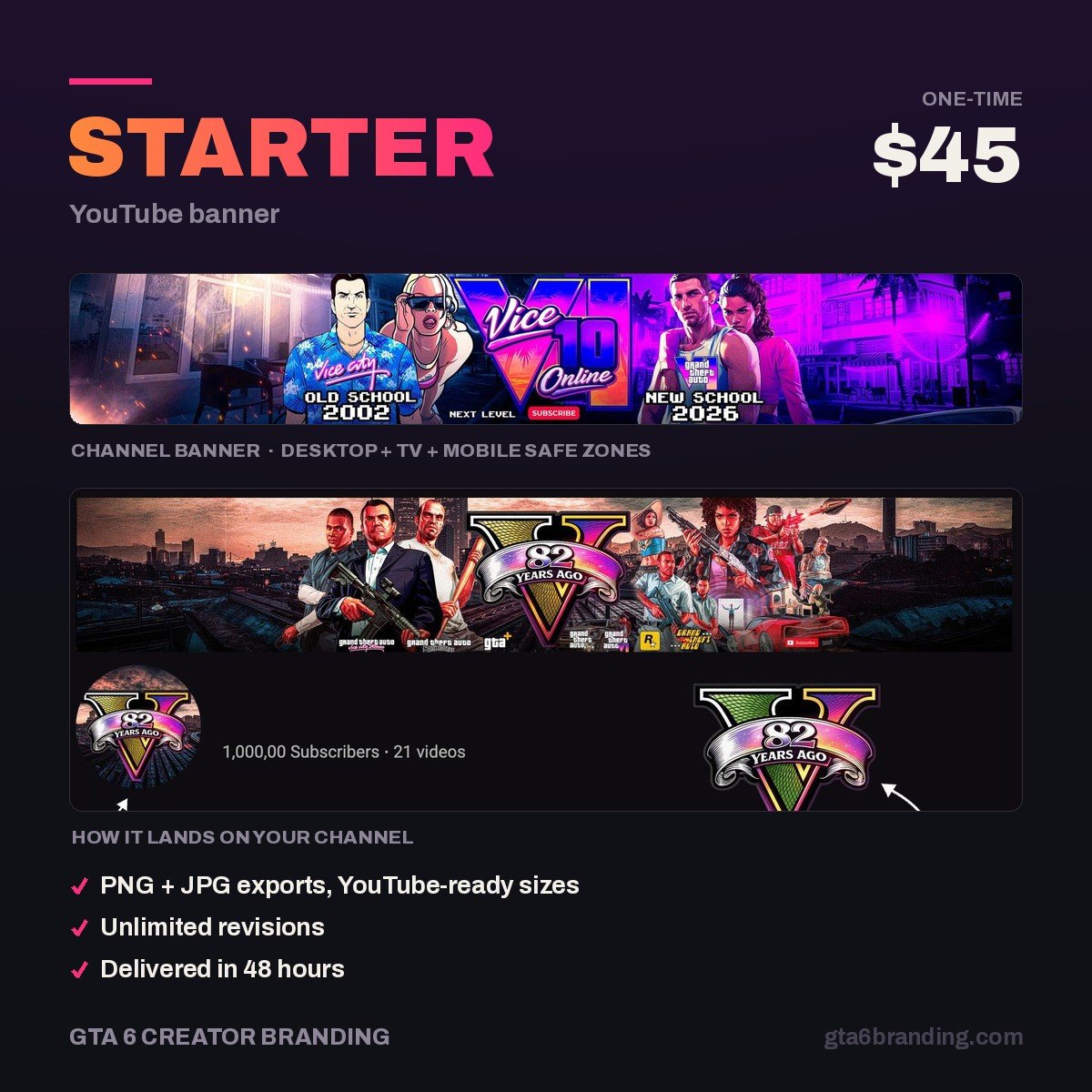
Our Starter banner at $45 sits at the bottom of the custom range. For the wider market picture, see what YouTube channel art costs asset by asset, or weigh the trade-off directly in YouTube banner template vs custom design.
Get a custom GTA 6 banner before launch week
One original 2560 × 1440 banner, designed around your channel name and crop-tested on all four device sizes before it reaches you — so the name reads on a phone, not just on your monitor. Delivered upload-ready in 24 to 48 hours, revisions included.
Starter — YouTube Banner, $45 →
Want the logo and watermark to match it? The Creator package ($79) adds both from the same palette, and Ultimate ($199) covers the full channel identity.
Do and don’t
Do:
- Put the channel name and @handle inside 1235 × 338, every time.
- Use one heavy display font for the name and keep it to two or three words.
- Design dark. YouTube’s interface is dark for most viewers, and a bright banner fights it.
- Leave the right-hand edge of the desktop band fairly quiet — social icons sit near it.
- Reuse the same palette on your logo, watermark and thumbnails so the channel reads as one brand.
Don’t:
- Fill the banner with upload schedules and five social handles — nobody reads them at 338 px tall.
- Stretch a 1546 × 423 template up to 2560 × 1440. It goes soft, and YouTube’s compression makes it worse.
- Export above 6 MB; the upload will be rejected.
- Stack your face, logo and channel name in the centre competing for the same space.
- Date it. “Launch Day Countdown” is dead on November 20, 2026.
A banner is one of six assets a channel needs. For the full set and how they fit together, start with our overview of GTA 6 YouTube branding.
Shopping around rather than ordering here? The checklist for how to hire a YouTube banner designer covers the brief to send, the files to demand in writing and the six red flags that tell you to walk.
FAQ
What size should a GTA 6 YouTube banner be?
Upload at 2560 × 1440 px, under 6 MB, as a JPG or PNG. Desktop and TV show a 1546 × 423 band from the centre, but only 1235 × 338 is visible on every device — so your channel name, logo and handle all have to fit inside that smaller rectangle to be safe.
Can a designer use GTA 6 artwork in my banner?
They should not. Rockstar’s logos, key art and screenshots are their property, and using them can get your channel branding removed or your channel flagged. An original design inspired by the Leonida palette and Vice City atmosphere achieves the same feeling with none of the risk.
How long does a custom YouTube banner take?
For a single banner, 24 to 48 hours from the moment the brief is submitted, plus a day for revisions. A full identity with logo and watermark usually runs three to five days. If you are aiming at the November 19, 2026 launch, order at least two weeks out so your branding is live before the first upload.
Do I own the banner and get the source file?
You get full commercial-use rights for your channel on every package, so the banner can be used on YouTube, merch and other platforms. The editable source file is included from the Creator tier upward; the Starter banner is delivered as upload-ready flattened files.
GTA 6 Creator Branding is an independent creator branding service and is not affiliated with Rockstar Games or Take-Two Interactive.