How to Make a YouTube Banner in Canva (2026 Step-by-Step)
To make a YouTube banner in Canva you only need three numbers: a 2560 × 1440 px canvas, a 1546 × 423 px safe area dead center, and a file under 6 MB. Get those right and Canva is more than enough; get them wrong and your channel name is sliced in half on every phone that visits your channel.
Below is the exact step order, the crop math Canva never previews for you, what the free plan blocks, and the point where a template stops being enough. With GTA 6 arriving November 19, 2026 — 52 days out — the banner is the cheapest upgrade a new gaming channel can make before the search traffic lands.
How to make a YouTube banner in Canva in 9 steps
- Open a 2560 × 1440 px canvas. Canva’s “YouTube Banner” preset is already this size. If you build from Custom size instead, switch the unit to px before typing the numbers — millimeters will hand you the wrong pixel count.
- Mark the safe area with guides. Turn on rulers and guides, then drag vertical guides to 507 px and 2053 px, and horizontal guides to 508 px and 931 px. The box those four lines form is the 1546 × 423 px area every single device displays.
- Build the background first. One dark base (#0a0612 is a good neutral), one gradient, nothing else. Busy backgrounds are what make banner text unreadable once YouTube scales it down.
- Put the channel name inside the guide box. Set it in caps at roughly 150–220 px tall. That sounds huge on a 2560 px canvas — it isn’t, because a phone renders the banner at a fraction of that width.
- Add one line under the name. A reason to subscribe, not a slogan: “GTA 6 guides every day”, “Vice City secrets”, or your upload days. One line, never three.
- Upload your own assets. Bring your logo in as a transparent PNG, and if you own a licensed display font, upload it instead of settling for Canva’s defaults — shared fonts are half of why templates look like templates.
- Test the three crops before you leave Canva. Duplicate the page, drop a semi-transparent black rectangle over everything outside your guide box, and look at what survives. That is your mobile banner.
- Download as PNG. Share → Download → PNG. Check the file size: YouTube rejects anything over 6 MB, so if a heavy gradient pushes you past it, export JPG at high quality instead.
- Upload in YouTube Studio. Customization → Branding → Banner image → Upload, then use YouTube’s own preview to confirm the TV, desktop and mobile crops before you hit publish.
The three crops Canva doesn’t preview
You upload one image and YouTube crops it three ways. Television shows the whole 2560 × 1440 frame, desktop and tablets show a wide horizontal strip that narrows as the screen does, and phones show only the middle box. Everything outside that box is atmosphere.
| Where it appears | Visible area | What it has to carry |
|---|---|---|
| TV | 2560 × 1440 px (all of it) | Background art and mood |
| Desktop | 2560 × 423 px | Name, one line of text, accents |
| Tablet | 1855 × 423 px | Name plus the one line |
| Phone | 1546 × 423 px | The name — large, and nothing else |
YouTube’s official floor is lower than the number everyone quotes: a banner only has to be 2048 × 1152 px at 16:9, with a 1235 × 338 px safe area and a 6 MB ceiling. Design at 2560 × 1440 anyway, because televisions use every pixel of it. The full device-by-device breakdown lives in our GTA 6 YouTube banner size guide.
What Canva’s free plan does — and where it stops
Canva Free will get you a technically correct banner. A few things you may expect are behind the paywall, and one limitation no plan fixes.
| What you need | Canva Free | Canva Pro | Custom design |
|---|---|---|---|
| 2560 × 1440 canvas + guides | Yes | Yes | Yes |
| Transparent PNG export (for logos) | No — paid plans only | Yes (PNG only) | Yes |
| Background remover | Limited | Yes | Yes |
| Resize one design into other assets | No | Yes | Included in the set |
| Layout nobody else is using | No — templates are shared | No | Yes, yours alone |
| Matching logo, watermark and thumbnails | You build each one | You build each one | Delivered as a set |
The honest limit is not the feature list — it is that a popular template has been downloaded by thousands of channels, so it cannot make yours recognizable. If you are weighing the two options, we broke down YouTube banner template vs custom design, including the crop test both have to pass. Want full layer control instead of a template? The same build done properly in Photoshop is in our YouTube banner Photoshop guide, with the exact guide coordinates for both safe zones.
Five rules that stop a Canva banner looking like a template
- Delete half of it. Most templates ship with five decorative elements. Remove three. Empty space is what makes a banner read as deliberate.
- Cut the palette to three colors. Two brand colors plus one accent, applied the same way everywhere — the reasoning is in our guide to gaming channel brand colors.
- Two type styles, maximum. One heavy weight for the channel name, one light weight for the line under it. A third font is always a mistake.
- Kill the shadows, bevels and frames. YouTube’s own branding guidance explicitly says to avoid embellishments like shadows, borders and frames — they are also the fastest giveaway that a banner came from a preset.
- Match it to your profile picture and thumbnails. A great banner beside a mismatched logo still reads as amateur, because viewers judge the whole channel page at once.
GTA 6 banner layouts you can build in Canva tonight
All five are your own composition — no Rockstar artwork, screenshots or logos, which you should never put on your channel anyway:
- Neon sunset gradient. Amber to magenta to deep violet, name in white caps, nothing else. Hardest to get wrong.
- Skyline silhouette. A flat black coastline and towers along the bottom third, gradient sky above, name centered in the safe box.
- Plate lockup. Your channel name set inside a rounded rectangle like a state plate, with a niche word underneath.
- Two-tone split. Left half warm, right half cool, name bridging the seam — a fit for dual-protagonist or two-host channels.
- Countdown strip. A thin bar under the name reading “GTA 6 — NOV 19” that you swap for “live now” on launch day.
Rather skip the canvas and get it designed?
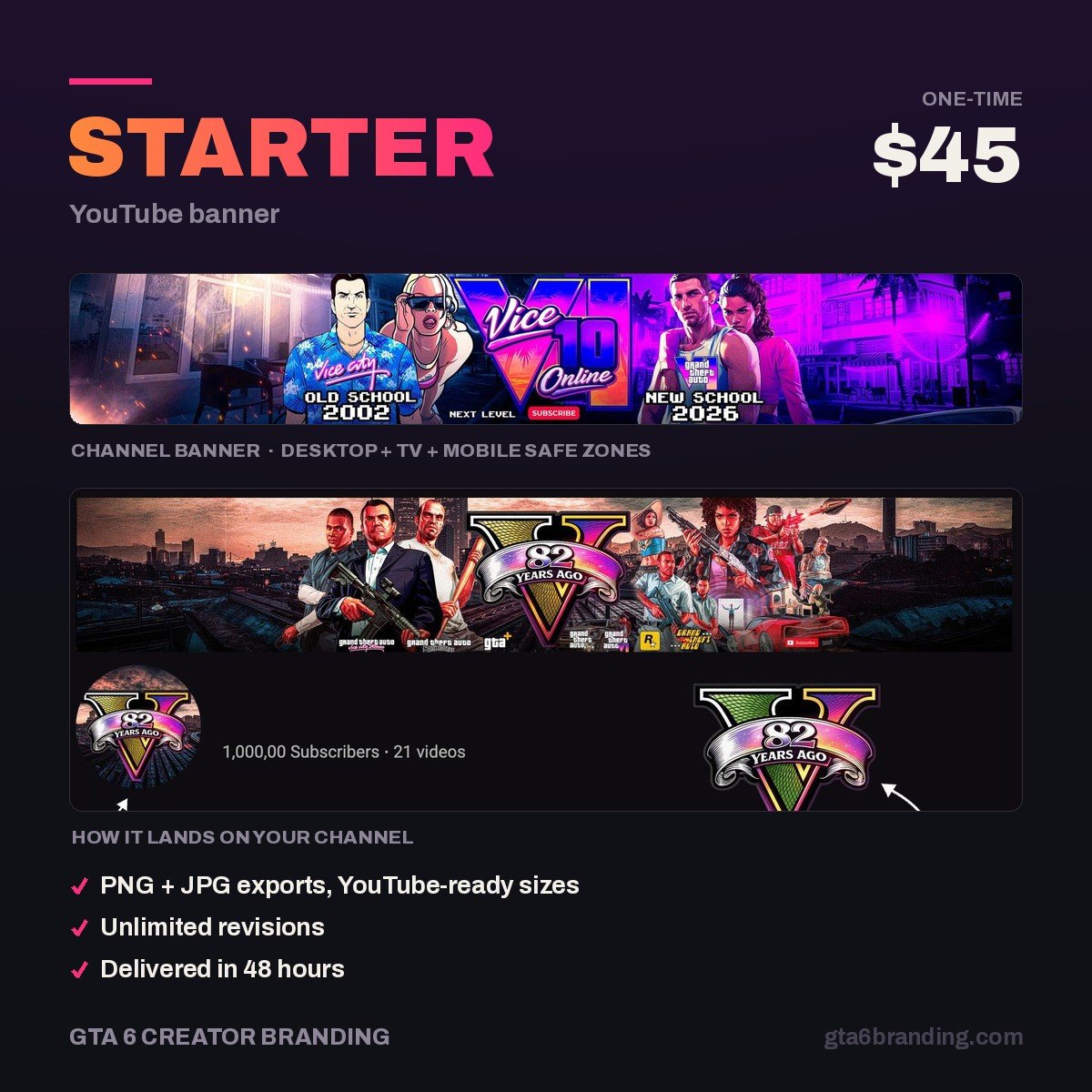
We design GTA 6–era YouTube banners at 2560 × 1440 with the safe area respected, delivered ready to upload — so your channel name reads on a phone, a laptop and a TV without you testing three crops yourself.
- Starter — YouTube Banner ($45) — one custom banner, safe-area checked, upload-ready.
- Creator — Banner + Logo + Watermark ($79) — the matching set, so the channel page reads as one brand.
Five mistakes that ruin a Canva banner
- Designing on a 1920 × 1080 canvas and upscaling — the text goes soft on TV.
- Pushing the name to the left or right edge, where phones crop it off entirely.
- Exporting a low-quality JPG: gradients band and the whole banner looks cheap.
- Using a game screenshot as the background, which is both a rights problem and unreadable behind text.
- Uploading without checking the TV preview, the one crop nobody tests and the one that shows the most.
FAQ
What size should a YouTube banner be in Canva?
Use a 2560 × 1440 px canvas and keep all text and logos inside the central 1546 × 423 px safe area. YouTube’s stated minimum is 2048 × 1152 px at a 16:9 ratio with a 1235 × 338 px safe area, but 2560 × 1440 is what televisions display, so design at that size and export under 6 MB.
Can I make a YouTube banner in Canva for free?
Yes. The correct canvas size, guides, text, shapes and PNG export all work on the free plan. What you do not get for free is transparent-background PNG export, full background removal and one-click resizing into other assets — those sit on Canva’s paid plans.
Why is my Canva banner blurry or cut off on mobile?
Cut off means your text sat outside the 1546 × 423 px safe area, since phones only show that middle box. Blurry usually means the canvas was smaller than 2560 × 1440 and got upscaled, or you exported a compressed JPG. Rebuild at full size, export PNG, and re-upload.
Is a Canva banner good enough, or should I pay a designer?
Canva is genuinely fine for a first banner and for testing a direction. You outgrow it when you need a look nobody else has and assets that match each other across banner, logo, watermark and thumbnails. Here is what YouTube channel art costs in 2026 if you decide to hand it over.
GTA 6 Creator Branding is an independent creator branding service and is not affiliated with Rockstar Games or Take-Two Interactive.