GTA 6 YouTube Branding: Custom Logo, Banner and Watermark
GTA 6 YouTube branding is six assets, not one: a banner, a logo, a watermark, a thumbnail system, a Shorts cover and an outro card — all built from a single mark so your channel reads as one thing instead of six. Get that right and a new viewer decides you are worth subscribing to before they have watched a second of video.
Below: every asset with its real pixel size, the safe area almost every guide gets wrong, what separates a custom set from a template, and the six answers a designer needs from you before starting.
What GTA 6 YouTube branding actually includes
These are the assets YouTube actually renders, at the sizes it actually wants. Everything else — mood boards, colour docs, style guides — supports these six.
| Asset | Upload size | Limit | Where a viewer sees it |
|---|---|---|---|
| Channel banner | 2560 × 1440 px | 6 MB | Top of your channel page, every device |
| Logo / profile picture | 800 × 800 px | 4 MB | Every video, comment, Short — often at 24–48 px |
| Watermark | 150 × 150 px, transparent PNG | 1 MB | Bottom-right of the player during playback |
| Thumbnail system | 1280 × 720 px | 2 MB | Search, home, suggested — often ~320 px wide |
| Shorts cover | 1080 × 1920 px | — | Your Shorts tab grid |
| Outro / end card | 1920 × 1080 px | — | Last 5–20 seconds of every video |
Once you pass 500 subscribers and switch on memberships, a seventh tier appears — loyalty badges, which render at 14 px in live chat. Those are covered separately in our guide to YouTube membership badges and emotes.
The safe area most guides get wrong
You will see 1546 × 423 px quoted everywhere as “the banner safe area”. That number is not wrong, but it is not the one that protects you. There are two zones, and they do different jobs:
- 1546 × 423 px — the band that shows on desktop and TV. Artwork can live here safely.
- 1235 × 338 px — the tightest crop, the one mobile uses. Anything outside this can be cut off on a phone.
So: channel name, logo and handle go inside 1235 × 338. Atmosphere, neon, skyline and gradient can spread across the full 2560 × 1440. Designers who put the channel name at the edge of the 1546 band produce banners that look great on a laptop and lose half the name on the device most of your audience actually uses. The full crop-by-crop breakdown is in our GTA 6 YouTube banner size guide.
The 24-pixel test
Export your logo at 24 × 24 px and look at it on your phone. If you cannot tell what it is, it is not a logo yet — it is an illustration. That size is what appears beside your name in comments and in the Shorts feed, and it is where most GTA 6 channel logos fall apart: too many strokes, a full character, or the channel name written out in small type.
One mark, six exports
The thing that makes branding read as professional is not the quality of any single asset. It is that all six are obviously the same system — same mark, same two accent colours, same headline font, same dark base.
Template, AI or custom — what actually changes
All three produce a banner. They differ in what happens afterwards.
| Template | AI generator | Custom design | |
|---|---|---|---|
| Cost | $0–15 | $0–20/month | $45–199 |
| Turnaround | Tonight | Minutes | 2–7 days |
| Someone else has it | Yes, thousands | Often, same look | No |
| Matching asset set | Rarely | Hard to keep consistent | Built as one system |
| Small-size legibility | Hit or miss | Usually poor | Designed for it |
| Source files you own | No | No | Yes |
| Text and type | Fine | Frequently garbled | Fine |
A template is a genuinely reasonable choice for a channel that is still testing whether it likes making GTA 6 videos. The honest comparison, including the crop test both have to pass, is in YouTube banner template vs custom design. If you already know you are publishing through launch week, the maths changes — see what YouTube channel art costs asset by asset.
What a custom set should actually deliver
If you pay for GTA 6 YouTube branding, this is the delivery list to hold a designer to. Anything missing here means you will be paying again the first time you need a change:
- Every asset at its upload size, exported and ready — not one big file you have to crop yourself.
- A transparent PNG of the logo plus a version that works on a light background.
- The watermark already at 150 × 150 with transparency, under 1 MB.
- An editable thumbnail file so you can swap the headline yourself in minutes.
- The hex codes and font names written down, so future assets match without guessing.
- Commercial use of the artwork, in writing.
That last point matters more than creators expect. If a channel grows into merch or sponsorships, artwork you do not have the right to use commercially becomes an expensive problem.
How to brief a designer in six answers
The difference between two revisions and nine is almost always the brief. Send these six things up front and you will usually approve the first draft:
- Channel name and handle, spelled exactly as they should appear.
- Your niche — news, guides, story, comedy, cinematic. A news channel and a lore channel should not look alike.
- Three channels you like and one line on why. Screenshots beat adjectives.
- One thing you refuse — no faces, no neon pink, no cartoon style. Saying no narrows faster than saying yes.
- Where it has to work — YouTube only, or Twitch and Kick too.
- Your deadline, tied to something real like a launch-week upload date.
Two things not to do: do not send Rockstar key art and ask for “this but with my name” — that is the one brief no legitimate designer should accept. And do not ask for the logo to include your full channel name in readable type, because it will not survive the 24-pixel test. For style direction that already passes it, work from these GTA 6 logo ideas.
Get the matched set, not three mismatched files
We build GTA 6–era YouTube identities as one system: a mark that survives 24 px, a banner laid out for the 1235 × 338 mobile crop, and a watermark already exported at 150 × 150. Original artwork, no Rockstar assets, commercial use included.
- Starter — YouTube Banner, $45 — one banner, correctly cropped, if that is the only gap.
- Creator — Banner + Logo + Watermark, $79 — the three assets a viewer actually sees. Most channels start here.
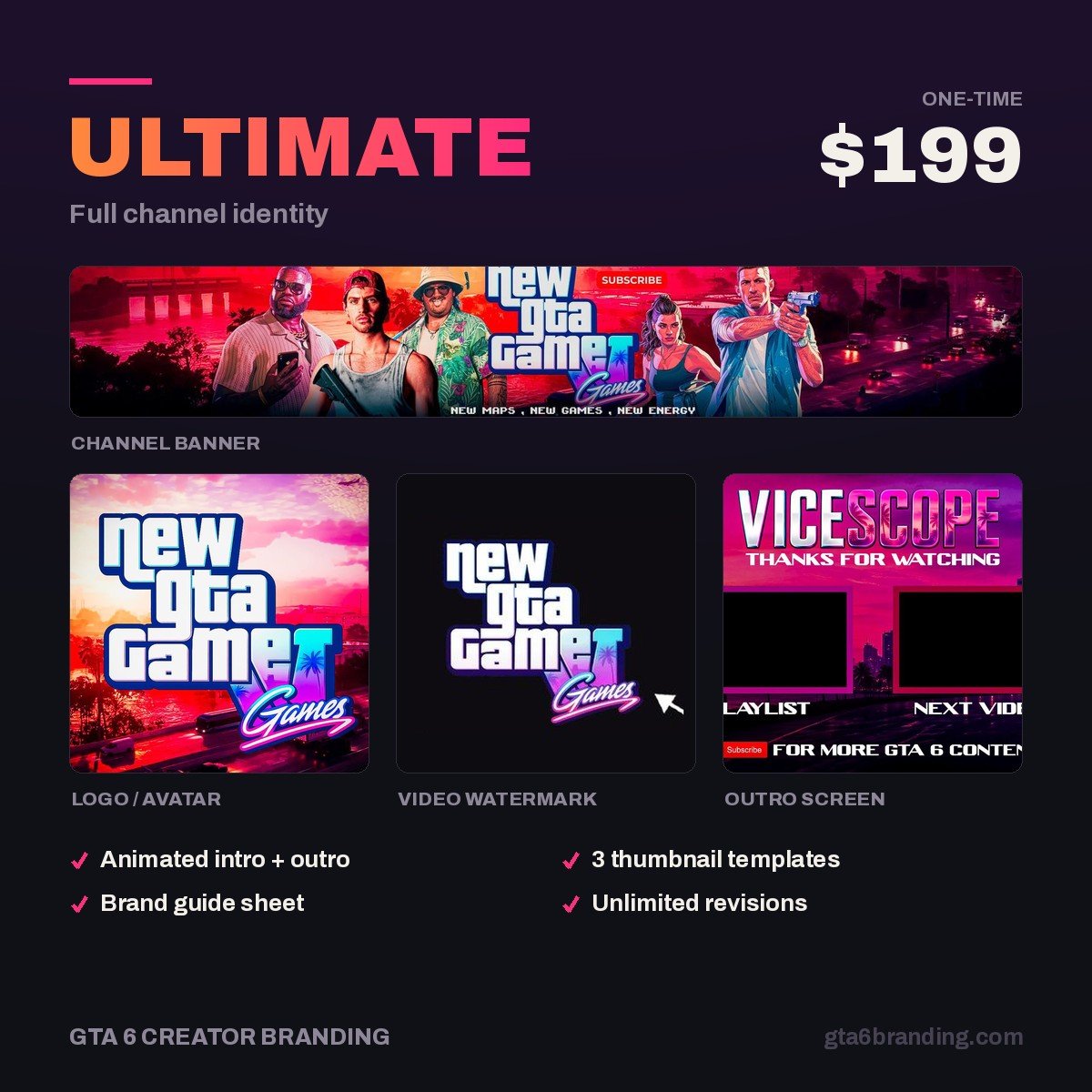
- Ultimate — Full Channel Identity, $199 — all six assets plus thumbnail templates, intro and outro, and the palette documented.
The timeline before November 19
GTA 6 releases on November 19, 2026 for PS5 and Xbox Series X|S. Branding has to be finished before the traffic arrives, not during it:
- Now to mid-October — logo and banner live. Every news video you publish from here sends people to a channel page that already looks finished.
- Late October — watermark on, thumbnail template locked, Shorts covers matching.
- Early November — outro card and any membership badges. Stop changing things.
- November 12–19 — preload and launch. You should be filming, not designing.
If you are switching an existing channel over rather than starting fresh, the order matters more than the deadline — follow the gaming channel rebrand guide so your subscribers do not lose track of you mid-change.
Starting with the mark itself? Read our deep dive on GTA 6 YouTube logo design — logo types compared, the files you should receive and the rights to confirm first.
FAQ
What does GTA 6 YouTube branding include?
A complete set is six assets built from one mark: a 2560 × 1440 banner, an 800 × 800 logo, a 150 × 150 watermark, a 1280 × 720 thumbnail system, a 1080 × 1920 Shorts cover and a 1920 × 1080 outro card, plus the hex codes and fonts written down.
How much does custom GTA 6 channel branding cost?
A single custom banner runs about $45. A matched banner, logo and watermark set is around $79, and a full identity with thumbnail templates, intro and outro sits near $199. Templates cost $0 to $15 but are shared with thousands of other channels.
Can I use GTA 6 artwork in my channel branding?
No. Rockstar’s logos, key art and screenshots belong to Rockstar, and building your identity on them risks a takedown and makes your channel look like a repost account. Borrow the mood instead — Leonida sunset colours, neon, coastal crime — with original artwork you own.
What is the real safe area for a YouTube banner?
Upload at 2560 × 1440 px. The 1546 × 423 px band shows on desktop and TV, but the crop that survives every device including mobile is 1235 × 338 px. Keep your channel name, logo and handle inside that tighter zone and let artwork fill the rest.
GTA 6 Creator Branding is an independent creator branding service and is not affiliated with Rockstar Games or Take-Two Interactive.