YouTube Membership Badges and Emotes: The 2026 Design Spec
YouTube membership badges are the little icons that sit next to a paying member’s name in your comments and live chat — and they render at just 14 pixels wide. Most of them turn into mush at that size. If your channel is anywhere near the 500-subscriber fan-funding threshold before GTA 6 lands on November 19, 2026, this is the asset set worth designing now, while you have time: nine loyalty marks, a starter pack of custom emotes, and a naming scheme you cannot casually change later.
Below are the exact specs YouTube publishes, the milestones you actually have to fill, and a design system that survives the shrink.
What YouTube membership badges and emotes actually are
They are two separate assets that arrive together when you switch on Channel Memberships, and creators constantly mix them up:
- Loyalty badges — one small icon shown beside a member’s name in comments, the Posts tab and live chat. Which badge shows depends on how long that person has been a member.
- Custom emoji — what everyone calls emotes. Members type them in live chat and comments. You unlock more of them as your member count grows.
Badges are a ladder. Emotes are a vocabulary. They need different design thinking, and the badge set is the one people get wrong.
The exact specs YouTube publishes
| Asset | File format | File size | Dimensions | Where it renders |
|---|---|---|---|---|
| Loyalty badge | JPEG or PNG | Under 1 MB | Minimum 32 × 32 px | 14 × 14 px in comments and the Posts tab; 16 × 16 px in live chat |
| Custom emoji | JPEG, PNG or GIF | Under 1 MB | 48 × 48 px preferred, up to 480 × 480 px | Live chat and comments |
Three details from YouTube’s own documentation that catch people out:
- GIFs display statically. You can upload one, but it will not animate. Do not pay anyone for animated emotes for YouTube memberships.
- 32 × 32 px is a floor, not a target. Build at 480 × 480 px and export down, so the same artwork also works for Discord, stream alerts and merch later.
- Naming is constrained. Your emoji family name is 3–10 characters, and each individual emoji name is 3–10 alphanumeric characters and must be unique inside that family. Pick a short prefix you will not outgrow.
The nine milestones you are actually designing for
YouTube’s help page says “there are eight different badges,” then lists nine durations. Design all nine and you are covered either way:
- New member
- 1 month
- 2 months
- 6 months
- 1 year
- 2 years
- 3 years
- 4 years
- 5 years
The three that matter in your first year are New, 1 month and 6 months — nobody on your channel can hold a 3-year badge yet. Get those three perfect, then batch the rest from the same silhouette.
When memberships unlock — and why to design before then
Channel memberships sit in the fan-funding tier of the YouTube Partner Program. As of today you need 500 subscribers, 3 valid public uploads in the last 90 days, and either 3,000 qualified public watch hours in 12 months or 3 million qualified Shorts views in 90 days. That tier also unlocks Super Chat, Super Stickers, Super Thanks, gifts and shopping. Ad revenue sharing is a separate, higher bar: 1,000 subscribers plus 4,000 watch hours or 10 million Shorts views.
How many emoji you get scales with paying members, not subscribers:
| Paying members | Custom emoji available | What to design |
|---|---|---|
| 0 | 4 | Your core four: hype, laugh, sad, channel mark |
| 2–5 | 5–6 | Add rage and love |
| 10–30 | 7–10 | Add niche reactions your chat already spams |
| 100+ | 14+ | Add reaction faces and running jokes |
| 500+ | 25 | Second full set in the same style |
| 1,000+ | 30 | Seasonal and launch-week variants |
| 5,000+ | 54 | Full library |
So the brief is small: nine badges and six emotes covers you from day one to well past your hundredth member. Anything more is wasted until people actually join.
Designing a badge that survives 14 pixels
14 pixels is roughly the width of a lowercase letter in this paragraph. Here is the same mark at every size it has to work at:
The rules that make a badge readable at that size:
- One silhouette, held constant. Shield, hex, circle, star — pick one outer shape and keep it identical across all nine badges. Progression is communicated by fill, not by shape.
- Two colors plus an outline. Three or more and the mark reads as a smudge.
- No text. Not even a single numeral below 32 px. If you want to signal “1 year,” use a pip or a ring, not the character “1.”
- Fill 70–80% of the canvas. Padding you add is padding YouTube cannot give back.
- Test on both themes. A badge that pops on YouTube’s dark theme can vanish on light. A 2 px mid-tone outline solves it — the same trick that makes gaming channel profile picture ideas survive the 24 px comment circle.
A nine-tier progression that reads at a glance
Lock the silhouette, then change exactly one variable per tier. This is the system, with the Vice City–era palette most GTA 6 channels use:
| Tier | What changes | Example |
|---|---|---|
| New member | Outline only, no fill | Magenta outline shield, dark interior |
| 1 month | Solid fill, one color | Filled violet shield |
| 2 months | Fill plus accent glyph | Violet shield, amber triangle inside |
| 6 months | Two-tone split fill | Violet-to-magenta split |
| 1 year | Add one pip below the mark | Split fill, single green pip |
| 2 years | Two pips | Same, two pips |
| 3 years | Three pips | Same, three pips |
| 4 years | Pips become a full ring | Green ring around shield |
| 5 years | Inverted colorway | Amber shield, dark glyph |
Nine files, one shape, one afternoon. And because the shape comes from your channel mark, it should match everything else — pull the base form straight out of your logo. If you have not built one yet, our guide on how to make a gaming logo walks the seven steps, and the badge is step eight.
The six emotes worth designing first
You only get four emoji slots with zero members, so the first set has to earn every slot. These six cover about 90% of what a gaming chat actually types:
- Hype — the one spammed during a reveal or a heist. Loud, high-contrast, reads in a scrolling chat.
- Laugh — replaces “lmao”. Needs an obvious open mouth shape at 48 px.
- Sad / F — for wipeouts and deaths. Works as a simple downturned shape.
- Rage — for the mission everyone fails. Red, angular.
- Love — appreciation, end-of-stream, thank-yous.
- Channel mark — your logo as an emote. This is the one that travels: every time a member uses it in someone else’s chat, it is free branding.
For a GTA 6 channel, skin them in your own motifs rather than generic stock faces — a neon palm, a sunset stripe, a siren light, a flamingo silhouette, a rolled bill. Original artwork in your gaming channel brand colors is both safer and more memorable than anything borrowed from the game itself. Write the palette, silhouette and naming prefix into your YouTube brand style guide so the next twenty emotes match the first six without you re-deciding anything.
Want the badges, emotes and channel mark to match?
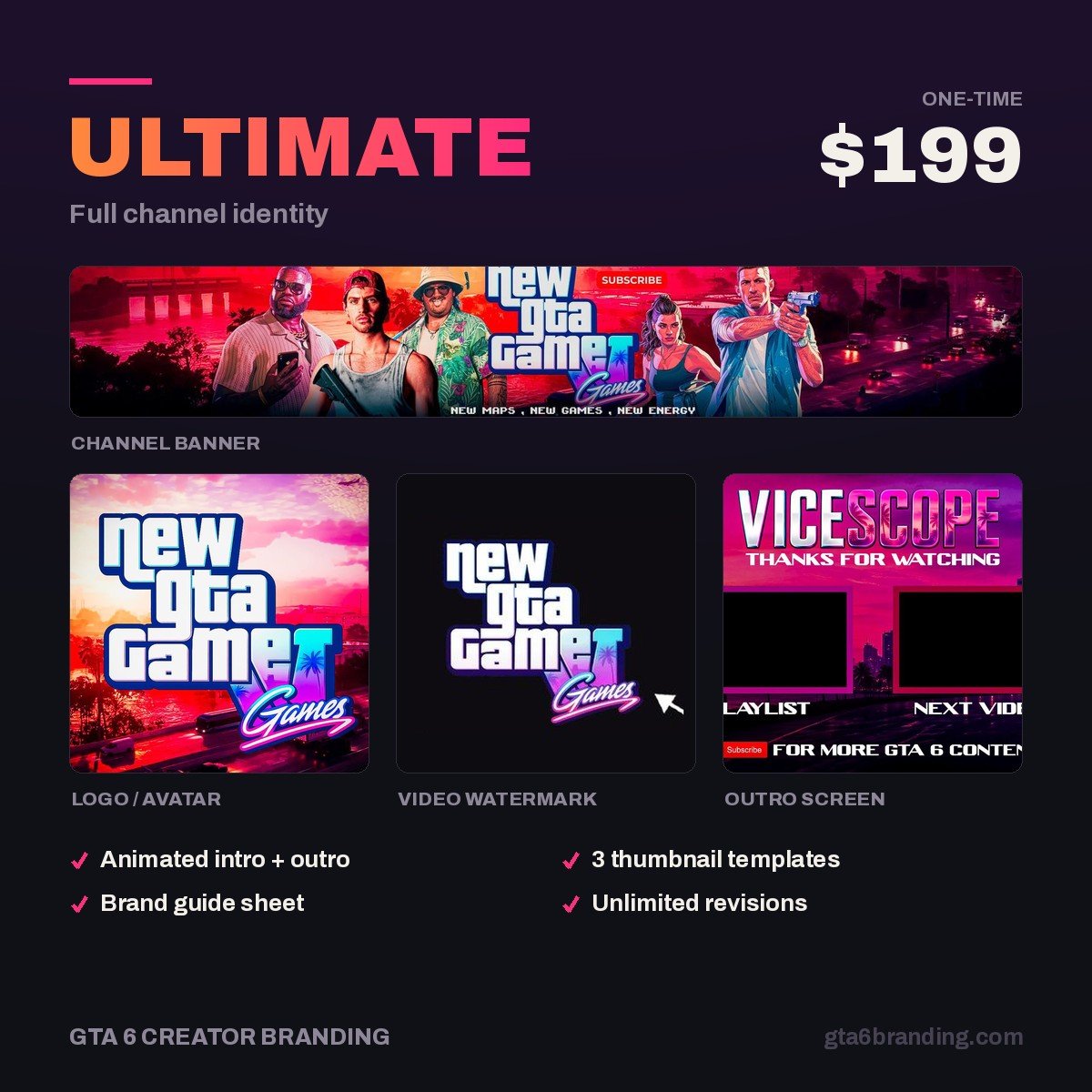
Membership badges only look premium when they come out of the same system as your logo, banner and watermark. That is exactly what the full identity package builds — one silhouette, one palette, every asset derived from it, delivered before launch week.
- Ultimate — Full Channel Identity ($199) — logo, banner, watermark, thumbnail system and the mark your badge set is built from.
- Creator — Banner + Logo + Watermark ($79) — the mark plus the two assets every channel needs first.
Do and don’t
- Do export PNG with transparency for badges — JPEG will band your outline.
- Do keep every source file at 480 × 480 px so you can reuse the artwork for Discord roles and stream alerts.
- Do preview at 14 px on a phone before uploading. On a desktop monitor everything looks fine.
- Don’t pay for animation. GIFs render statically in YouTube memberships.
- Don’t put your channel name in a badge. There is no room.
- Don’t use Rockstar logos, official GTA artwork or press screenshots anywhere in the set. Build your own motifs in the game’s mood instead.
- Don’t pick a nine-character emoji prefix. You will regret it at emote number thirty.
FAQ
How many subscribers do you need for YouTube channel memberships?
500 subscribers, plus 3 valid public uploads in the last 90 days, plus either 3,000 qualified public watch hours over 12 months or 3 million qualified Shorts views over 90 days. That combination admits you to the fan-funding tier of the YouTube Partner Program, which is where channel memberships, Super Chat and Super Thanks live.
What size should a YouTube membership badge be?
YouTube’s minimum is 32 × 32 px, as a JPEG or PNG under 1 MB. Design at 480 × 480 px and export down, because the badge is displayed at only 14 × 14 px in comments and the Posts tab and 16 × 16 px in live chat. Anything with fine detail disappears completely at those sizes.
Can YouTube membership emotes be animated?
No. You can upload a GIF, and YouTube lists GIF among the preferred formats, but it displays statically rather than animating. If you are commissioning emotes for YouTube memberships specifically, pay for still artwork. Animated versions are only worth it if you also stream on a platform that plays them.
How many custom emoji do you get on YouTube?
It scales with paying members, not subscribers. You start with 4 emoji at zero members, reach roughly 14 at 100 members, 25 at 500, 30 at 1,000 and 54 at 5,000 or more. Design a tight core set of six first and add to it as members arrive — unused slots cost you nothing.
GTA 6 Creator Branding is an independent creator branding service and is not affiliated with Rockstar Games or Take-Two Interactive.