YouTube Brand Style Guide: The One-Page Doc That Keeps You Consistent
A YouTube brand style guide is a one-page document that locks down your three colors, two fonts, logo rules and thumbnail layout so every upload looks like it came from the same channel. It takes about thirty minutes to write, costs nothing, and it is the single cheapest thing that separates a channel that reads as a brand from one that reads as a folder of unrelated videos.
Most gaming creators skip it. They commission a logo, build a banner, then design each thumbnail from scratch and slowly drift — a different font here, a brighter pink there, a logo squashed to fit — until six months of uploads have no family resemblance. With GTA 6 arriving November 19, 2026 on PS5 and Xbox Series X|S, that drift is expensive: launch week is when the most new viewers will ever look at your channel page at once.
Here is exactly what goes in yours, with the numbers.
What a YouTube brand style guide actually is
It is not a forty-page corporate brand book. For a gaming channel it is one page — a single document, or even a single image — that answers one question: when I open a new file, what am I allowed to use?
That one page does three jobs.
- It makes you fast. No more choosing a font at 1 a.m. before a launch-day upload. The decision was made once, in advance.
- It makes you consistent. Consistency is what trains viewers to recognize your thumbnail in a crowded feed before they read the title.
- It makes you delegatable. The day you hire a thumbnail artist, an editor or a designer, this page is what you send them. Without it, you pay for revisions explaining what you meant.
The 7 rules your YouTube brand style guide must lock down
1. Three colors, each with a job
Write down three hex codes and what each one is for. Not “purple and pink” — the actual values.
- Base: the dark background everything sits on, e.g.
#0a0612. Used for banner background, end cards, overlay panels. - Primary: your recognizable accent, e.g.
#ff4d8d. Used for logo, thumbnail accent bar, watermark. - Highlight: the attention color, e.g.
#ffb347. Used only for the one word in a thumbnail you want read first.
The rule to write underneath: the highlight never covers more than about ten percent of any design. If everything shouts, nothing does. If you have not settled on a palette yet, start from these gaming channel brand colors and the four tests a set has to pass.
2. Two fonts and four sizes
One heavy display font for headlines, one clean sans for everything else. Two is the limit; three starts to look accidental.
Then write the sizes down so you are not eyeballing them:
- Thumbnail headline: 120–180 px on a 1280 × 720 canvas, three to five words maximum.
- Banner channel name: 90–120 px on a 2560 × 1440 canvas.
- Lower third / on-screen name: 44–56 px on a 1920 × 1080 timeline.
- End card labels: 55–70 px on a 1920 × 1080 timeline.
The test for any headline size: shrink the file to 320 px wide and read it at arm’s length. That is roughly how it appears in a phone feed. These gaming channel fonts are picked specifically for surviving that shrink.
3. Logo clear space and the 24-pixel floor
Three things go in the guide: the clear space, the minimum size and the approved versions.
- Clear space: keep empty margin equal to 25% of the logo’s height on all four sides. Nothing — no text, no border, no glow — enters it.
- Minimum size: your mark must still be identifiable at 24 px, because that is roughly the size of the circle next to your comments.
- Approved versions: full color on dark, flat white single-color, and an icon-only version with no text for the watermark and small placements.
Export the master at 800 × 800 px, which is YouTube’s recommended profile picture size, plus an SVG or high-resolution PNG you never flatten. If your mark fails the 24 px test, these GTA 6 logo ideas show which shapes survive it and which do not.
4. One thumbnail formula
This is the section that moves your click-through rate, so be specific. A formula is a layout you repeat, not a template you never change.
Write down: canvas 1280 × 720 px, JPG or PNG, under 2 MB. Text block always in the same corner. Maximum four words. Subject or face on the opposite side. Accent bar in your primary color along one edge.
One extra rule worth writing: keep important content out of the bottom-right corner, where YouTube stamps the video duration over your image.
5. Banner rules and the safe area
Your banner is 2560 × 1440 px and must be under 6 MB, but the number that matters is 1546 × 423 px — the safe area that is visible on every device, from a phone to a TV.
The rule in your guide should be one sentence: only the logo and channel name live inside the safe area; everything else is atmosphere that is allowed to be cropped. That single line prevents the most common branding mistake, which is a beautiful banner whose text is cut in half on mobile.
6. Watermark and end card
- Watermark: 150 × 150 px, transparent PNG, under 1 MB, icon-only version of the logo. Set it to display from the start of the video, not the end.
- End card: reserve the last 20 seconds of every video. Write down where the elements sit — usually next video on one side, subscribe on the other — and keep that position identical in every upload so returning viewers know where to click.
7. File naming and export
The least glamorous rule and the one that saves the most time later. Name files channel_asset_version, e.g. neonleonida_banner_v3.png. Keep editable masters in one folder and flat exports in another. Never overwrite a master, and record which app each master was built in so a future designer can open it.
The spec sheet to paste into your guide
Every asset, its canvas, its limit, and the rule you write beside it.
| Asset | Canvas size | Max file size | Format | The rule you write down |
|---|---|---|---|---|
| Channel banner | 2560 × 1440 px | 6 MB | PNG or JPG | Logo and name inside 1546 × 423 only |
| Profile picture / logo | 800 × 800 px | 4 MB | PNG | Must read at 24 px |
| Thumbnail | 1280 × 720 px | 2 MB | JPG or PNG | Same text corner every time, max 4 words |
| Watermark | 150 × 150 px | 1 MB | Transparent PNG | Icon only, shown from 0:00 |
| Shorts cover | 1080 × 1920 px | 2 MB | JPG or PNG | Text inside the vertical middle third |
| End card | 1920 × 1080 px | — | Project file | Last 20 seconds, fixed element positions |
If you are still missing some of these files, work through the YouTube channel branding checklist first — the guide describes assets, so the assets have to exist before the rules mean anything. And once memberships are switched on, add your YouTube membership badges to the same sheet — nine loyalty marks and an emote set drawn from the identical silhouette.
Write yours in 30 minutes
Copy these nine lines into a document and fill in the blanks. That is the whole guide.
FILL-IN TEMPLATE
- Base color: ____ · Primary: ____ · Highlight: ____
- Headline font: ____ · Body font: ____
- Logo minimum size: 24 px · Clear space: 25% of height
- Logo versions: color on dark, flat white, icon only
- Thumbnail: text in the ____ corner, max ____ words, accent bar on the ____ edge
- Banner: only logo and name inside 1546 × 423
- Watermark: icon only, shown from 0:00
- End card: last 20 seconds, next video ____, subscribe ____
- File naming: channel_asset_version
Save it as a PDF, pin it in your own Discord, and send it to anyone who touches your channel.
Do and don’t
Do:
- Keep it to one page. A guide nobody reads is a guide that does not exist.
- Write hex codes, not color names.
- Include the failure tests — the 24 px logo check and the 320 px thumbnail check.
- Update it when you rebrand, and date it. The gaming channel rebrand guide covers the order to change things in.
Don’t:
- Add a third headline font because one video needed something different.
- Build rules around an effect you can only reproduce in one app.
- Use Rockstar’s official GTA logos, key art or screenshots as your channel branding. Build your own identity inspired by the era and the atmosphere instead — neon, sunset, coastline — and stay clearly independent.
- Write a guide before you have a logo. The mark comes first; the rules describe it.
Get the assets and the rules in one go
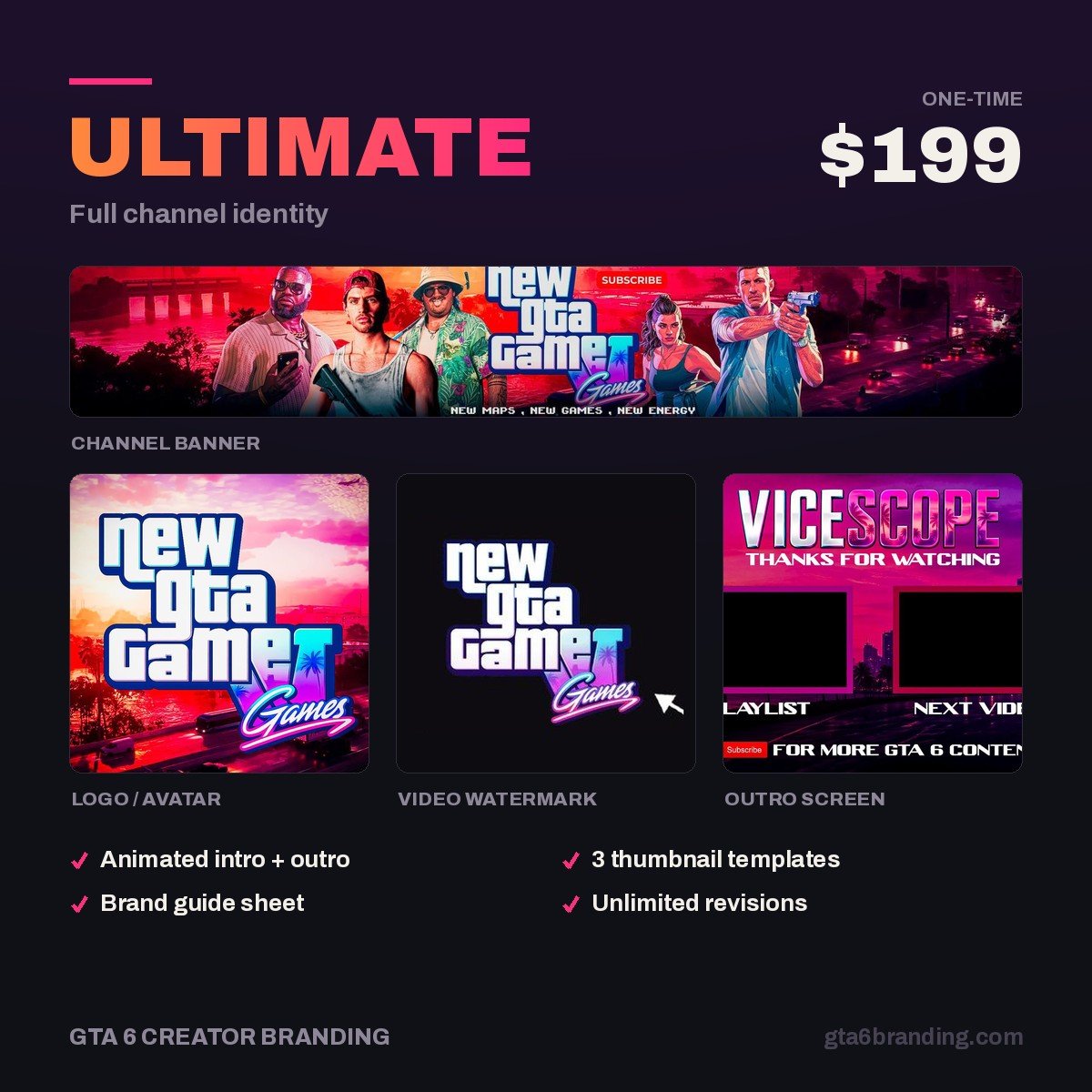
Writing the guide is thirty minutes. Producing the files it describes is the slow part. Our Ultimate — Full Channel Identity ($199) delivers the whole set — banner, logo in all three versions, watermark, thumbnail templates and intro/outro assets — already consistent, so your style guide is really just writing down what you already own.
- Starter — YouTube Banner ($45) — the banner, built to the 1546 × 423 safe area.
- Creator — Banner + Logo + Watermark ($79) — the three assets that make a channel look established.
- Ultimate — Full Channel Identity ($199) — every asset in this article, matched.
FAQ
What should a YouTube brand style guide include?
At minimum: three hex codes with a stated job for each, two fonts with four defined sizes, logo clear space and minimum size, the approved logo versions, one repeatable thumbnail layout, the banner safe area rule, and your file naming convention. One page is enough for a gaming channel.
How long should a channel style guide be?
One page. The purpose is a document you actually open before designing, and a long one stops being opened. If a rule cannot be stated in a sentence with a number in it, it is probably a preference rather than a rule, and it does not belong in the guide.
Do small YouTube channels need a brand style guide?
Yes, and arguably more than large ones. Small channels have the least room for a viewer to hesitate. A consistent look makes a hundred-subscriber channel read as deliberate rather than temporary, and it costs nothing but the thirty minutes it takes to write down decisions you were making anyway.
What fonts and colors should a gaming channel style guide use?
One heavy display font for headlines and one clean sans for body text, plus three colors: a dark base, one recognizable accent, and a highlight used sparingly. For a GTA 6 era channel, deep violet bases with magenta and amber accents read well against dark YouTube interfaces and survive thumbnail compression.
GTA 6 Creator Branding is an independent creator branding service and is not affiliated with Rockstar Games or Take-Two Interactive.