AI YouTube Banner Generator vs Custom Design: 2026 Reality Check
An AI YouTube banner generator will hand you a finished-looking channel header in about thirty seconds, usually for free. The picture is rarely the problem. The problem is the four things the picture is missing: a safe area that survives YouTube’s crops, text that is spelled correctly, layered files you can reuse, and a copyright you can actually claim.
That gap matters more than usual right now. GTA 6 arrives on November 19, 2026 for PS5 and Xbox Series X|S, and tens of thousands of gaming channels are being set up in the same handful of weeks. Below is what these tools genuinely do well, the four places they break, and the honest point at which paying a designer stops being optional.
What an AI YouTube banner generator actually gives you
Almost every tool in this category works the same way: you type a prompt, it renders a flat image, you download a JPG or PNG. That output is a single baked picture — not a design. Concretely, what lands in your downloads folder is:
- One flat raster file. No layers, no editable text, no vector shapes. Changing one word means regenerating the whole thing.
- One aspect ratio, often the wrong one. A lot of banner tools still advertise 2048 × 1152 — YouTube’s old channel-art size. It uploads, but you are handing YouTube 36% fewer pixels than it asks for, and 4K TV displays will show it soft.
- No safe-area awareness. The model composes for the rectangle it was given, not for the three crops YouTube applies after you upload.
- No matching assets. You get a banner. Not the 800 × 800 profile picture, not the 150 × 150 watermark, not a thumbnail style that looks related.
For reference, these are the specs YouTube actually publishes, and the ones your banner has to hit regardless of how it was made:
| Asset | Upload size | File limit |
|---|---|---|
| Channel banner | 2560 × 1440 px | 6 MB |
| Banner — desktop / TV band | 1546 × 423 px | — |
| Banner — all-device safe area | 1235 × 338 px | — |
| Profile picture | 800 × 800 px | 4 MB |
| Watermark | 150 × 150 px (transparent PNG) | 1 MB |
| Thumbnail | 1280 × 720 px | 2 MB |
The four places AI banners break
1. The safe area — the failure nobody sees until they check their phone
This is the big one. YouTube does not display your 2560 × 1440 upload anywhere. It crops it: the widest band most desktop and TV viewers see is 1546 × 423, and the tightest crop — the one phones and tablets get — is 1235 × 338. Your channel name, logo and handle have to live entirely inside that smaller box.
An AI model has no idea that box exists. It centres a composition in the full rectangle, which is exactly how you end up with a beautiful neon skyline and a channel name sliced in half on mobile:
If you have already uploaded something and it looks wrong, our walkthrough of a YouTube banner blurry or cut off covers every fix, including the compression settings that make neon artwork turn to mush.
2. Text — still the thing image models are worst at
Image generators draw letter shapes, not letters. On a short, common word you will often get away with it. On a made-up channel name — which is exactly what gaming channels have — you get invented glyphs, doubled characters, and kerning that drifts. Zoom to 100% and read it character by character before you ever upload.
The practical workaround is to stop asking AI for text at all: generate the background, then set the type yourself in a real editor where you control the font, tracking and position. That also means you can keep the headline inside 1235 × 338 on purpose rather than by luck. If you want to do this route properly, our guide on how to make a YouTube banner in Canva has the exact guide positions to drop in.
3. The files you do not receive
A channel does not look professional because of one good banner. It looks professional because the banner, the profile picture, the watermark and the thumbnails obviously come from the same place. A generator gives you one of those four, and no way to derive the rest — there is no source file to pull the mark out of, no transparent version, no 800 × 800 crop that still reads at 24 px in a comment thread.
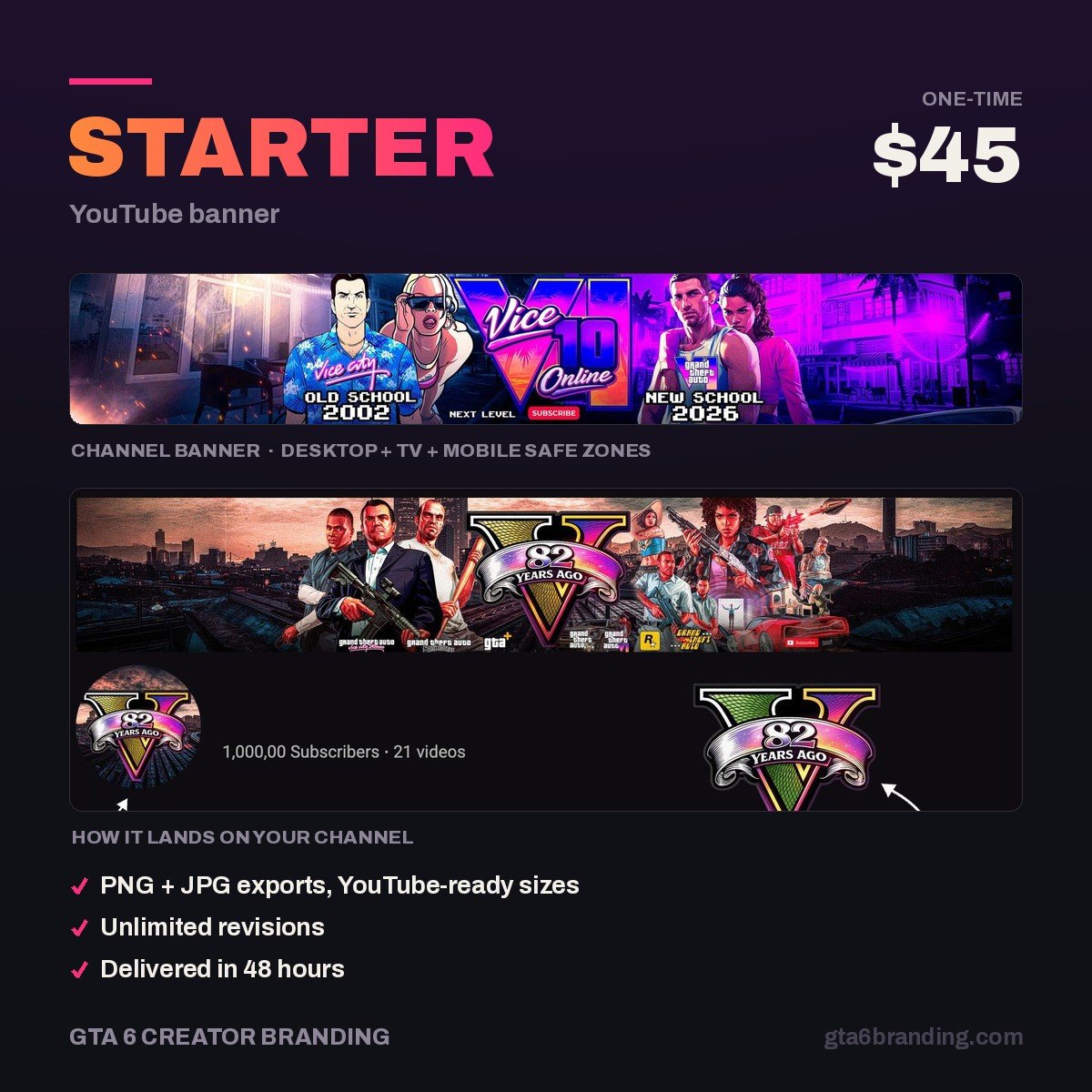
This is the real reason a custom YouTube banner design costs money: you are not buying a picture, you are buying a file set and the layout decisions behind it. For the full breakdown of what should arrive in that handover, see GTA 6 YouTube banner design.
4. Rights — you may not own what the AI made
This is the part most creators never check. In its 2025 report on copyrightability, the U.S. Copyright Office concluded that copyright does not extend to purely AI-generated material, and that prompts alone do not give a user enough control over the expression to count as authorship. What is protectable is the human contribution: your own creative additions, and your selection, coordination and arrangement of the material.
For a banner you will never defend in court, that may not matter. It starts mattering the moment your channel has value — merch, sponsorships, or someone else reusing your artwork and you wanting them to stop. A mark you cannot claim authorship of is a weak foundation for a brand you intend to grow.
AI generator vs stock template vs custom design
| AI generator | Stock template | Custom design | |
|---|---|---|---|
| Typical cost | Free – $20/mo | $0 – $15 | $40 – $150 |
| Time to finished file | Minutes | An hour | 1 – 3 days |
| Safe area handled | No | Usually, if the template is current | Yes, by design |
| Text you can trust | Unreliable | Yes (you type it) | Yes |
| Layered / source file | No | Sometimes | Yes |
| Matching logo + watermark | No | Rarely | Yes |
| Exclusive to you | No — same prompts, same looks | No — sold repeatedly | Yes |
| Clear authorship | Doubtful | Licensed, not owned | Yes |
Templates sit in an interesting middle: cheap, fast, and at least built to the right dimensions. If that is the trade-off you are weighing, we compared it in detail in YouTube banner template vs custom design.
Does YouTube make you disclose AI channel art?
No — and this is worth knowing, because the rumour mill says otherwise. YouTube’s altered-or-synthetic-content disclosure is about video content that is realistic and could mislead viewers. You tick “Yes” under AI use in the Attributes section at upload when your video:
- makes a real person appear to say or do something they did not do;
- alters footage of a real event or place;
- generates a realistic scene that did not actually occur;
- or features AI-created music as the main focus.
YouTube explicitly classes production help — using AI for scripts, titles and thumbnails — as a minor edit that needs no disclosure, along with anything clearly unrealistic. Channel art falls in the same bucket. So the reason to be careful with AI branding is quality and ownership, not a policy strike.
The GTA 6 trap AI makes worse
Ask any image model for “GTA 6 style channel banner” and it will cheerfully produce the thing you must not use: a Rockstar-adjacent wordmark, something that reads as an official logo, a composition lifted from promotional art. It has no concept of trademark, and it will not warn you.
Prompt for the atmosphere instead — sunset gradients, neon signage, palms, wet asphalt, Miami-style art deco — and never for logos, the game’s title treatment or recognisable characters. What is and is not allowed is laid out fully in GTA 6 logo copyright, including why an official-looking banner is the fastest way to get an impersonation complaint on a brand-new channel.
Skip the regeneration loop
We design the banner to the 1235 × 338 safe area first, so your channel name is readable on a phone, a laptop and a living-room TV without a single re-upload — and you get the layered source file, not just a flattened JPG.
- Starter — YouTube Banner ($45) — one custom banner, built to spec, revisions included.
- Creator — Banner + Logo + Watermark ($79) — the matching set AI cannot hand you.
How to use AI without it costing you
Used in the right slot, these tools are genuinely useful. Used as the last step before upload, they produce the banner that quietly tells viewers your channel is temporary.
Do:
- Use it for moodboards — generate twenty directions, pick one, then design against it.
- Use it for backgrounds and textures that sit behind your own typography.
- Use it to test colour palettes before committing your whole channel to them.
- Upscale to a true 2560 × 1440 and re-export under 6 MB.
Don’t:
- Let the AI render your channel name or handle.
- Accept 2048 × 1152 because the tool offered it.
- Use a generated banner as the source of your logo — crops of a raster background make terrible profile pictures.
- Prompt for anything official: logos, title treatments, named characters.
The 60-second AI banner test
- Open the file. Is it 2560 × 1440 and under 6 MB? If not, stop here.
- Draw a 1235 × 338 box dead centre. Is every word inside it?
- Zoom to 100% and read the text letter by letter. Any invented glyphs?
- Shrink the image to 400 px wide. Can you still read the channel name?
- Does anything in it resemble an official Rockstar or GTA mark? Remove it.
A banner that passes all five is fine to ship. If it fails two or more and you are heading into launch week, you are better off spending the $45 than the next four hours regenerating.
Frequently asked questions
Can I use an AI-generated YouTube banner commercially?
In practice, usually yes — but check your tool’s terms, because they vary and free tiers often restrict commercial use. Ownership is the separate issue: the U.S. Copyright Office has concluded that purely AI-generated material is not copyrightable, so you may be able to use the image without being able to claim it as yours.
Do I have to disclose AI-generated channel art on YouTube?
No. YouTube’s disclosure requirement applies to realistic altered or synthetic video content — a real person appearing to say something they did not, altered footage of a real event, or a realistic scene that never happened. Using AI for thumbnails, titles or channel art is treated as minor production help and needs no disclosure.
Why does AI-generated banner text come out misspelled?
Image models generate letter shapes from visual patterns rather than typing characters from a font, so unusual words break them — and gaming channel names are almost always unusual words. The reliable fix is to generate only the background and set your channel name yourself in an editor, where you control the typeface and position.
What size should a YouTube banner be in 2026?
Upload 2560 × 1440 px at a maximum of 6 MB. YouTube crops that to 1546 × 423 for desktop and TV, and down to 1235 × 338 on the tightest devices, so your channel name, logo and handle must sit entirely inside 1235 × 338. Many AI tools still default to the outdated 2048 × 1152.
GTA 6 Creator Branding is an independent creator branding service and is not affiliated with Rockstar Games or Take-Two Interactive.