GTA 6 YouTube Channel Layout: Sections, Playlists and Covers
Your GTA 6 YouTube channel layout is the page every viewer lands on after they finish one of your videos, and YouTube gives you up to 12 custom sections to build it with. Most GTA 6 channels use one: “Uploads”, in whatever order the videos happened to go live. That is the difference between a channel page that sells the next video and one that just lists files.
Here is what the layout actually controls, the section order that works for a game launching on November 19, 2026, the six playlists worth building before that date, and the real rules for playlist covers — the one channel asset YouTube barely documents.
What a GTA 6 YouTube channel layout actually controls
In YouTube Studio the whole thing lives under Customization → Layout, and it has exactly three parts.
| Layout slot | What it does | Who sees it |
|---|---|---|
| Channel trailer | A short video that previews the channel on the Home tab | Visitors who are not subscribed. Once a viewer watches it, it is not shown to them again. |
| Featured video (Spotlight) | Highlights any YouTube video — yours or someone else’s — on Home | Returning subscribers, and again only until they have watched it |
| Featured sections | Up to 12 custom shelves stacked down the Home tab | Everyone |
Two details most creators miss. Ads do not run on your channel trailer by default, unless the video itself contains third-party claimed content. And because both the trailer and the Spotlight video stop appearing to a viewer once watched, neither is the place for your single best evergreen video — that belongs in a section, where it stays.
The 12-section limit and the four you start with
A channel’s Home tab ships with four prepopulated sections: Short videos, Uploads, Created playlists and Subscriptions you’ve made public. All four can be replaced. On top of that YouTube allows up to 12 custom sections, chosen from:
- For you — personalised content, optionally limited to the last 12 months
- Videos — videos, Shorts or live streams
- Playlists — a single playlist, your created playlists, or multiple playlists
- Memberships — members-only content
- Channels — subscriptions and featured channels
- Top community clips
- Effects — from Effect Maker
- Posts
Twelve is more than a GTA 6 channel needs. Six to eight shelves in a deliberate order beats twelve filled for the sake of it: every shelf a viewer scrolls past without clicking is a shelf that pushed your best playlist further down the page.
The four shelves a GTA 6 channel page should lead with, under a banner that keeps its text inside 1235 x 338.
The section order that converts a launch-week visitor
Someone arriving from a GTA 6 video in launch week wants one thing: more of that. So order the layout with the newest, most-searched thing on top and the evergreen library underneath.
- Channel trailer — 45 seconds, non-subscribers only. The script matters more than the production; the four-beat version is in our YouTube channel trailer guide.
- Spotlight — your best upload for people who already subscribed. Swap it weekly during launch week.
- Single playlist: the current moment — “GTA 6 Launch Week” in November, “GTA 6 Walkthrough” in December.
- Videos: recent uploads — proof the channel is alive.
- Shorts shelf — your daily one-fact clips, kept out of the long-form shelves.
- Single playlist: guides — the evergreen money, vehicle and map videos that still earn views in 2027.
- Single playlist: story and lore — a different audience from the guides crowd, and they binge.
- Posts or past live streams — bottom of the page, where low-intent shelves belong.
Reorder it twice: once about a week before launch, and once in the first days after, when you can see which videos are actually pulling traffic. The layout is the only part of your channel you can rewrite in two minutes — use that. Our GTA 6 launch week upload plan maps which videos exist on which day, so you know what each shelf will hold.
The six GTA 6 playlists to build before November 19
| Playlist | What goes in it | Why it earns a shelf |
|---|---|---|
| GTA 6 Launch Week | Day-one impressions, first missions, first-hour reactions | The highest search volume of the year — but it goes stale, so it holds the top shelf for about two weeks only |
| GTA 6 Walkthrough | Story missions in order | Autoplay carries viewers from one episode to the next |
| GTA 6 Guides | Money, vehicles, weapons, map tips | Evergreen search traffic long after launch |
| Leonida & Vice City | Region tours, locations, Easter eggs across the GTA 6 map regions | Binge-friendly and endlessly expandable |
| Story & Characters | Jason and Lucia, theories, ending breakdowns | Pulls the lore audience, who subscribe at a higher rate |
| Shorts | Vertical clips only | Keeps 9:16 thumbnails out of your 16:9 shelves |
Name playlists the way people search. “GTA 6 Money Guide” beats “Tips & Tricks” — playlist titles are indexed, and a playlist page can rank on its own.
YouTube playlist covers: the rules nobody documents
Set no cover and YouTube uses the thumbnail of one of the playlist’s own videos — usually whichever sits at the top, which means your cover silently changes every time you reorder the playlist. You can lock it. Open the playlist on a computer, select Edit, then Choose from library, and pick an image; on Android and iPhone the Edit menu also offers Take photo and Create with AI. A new image replaces the current cover.
Playlist cover specs, honestly stated
- YouTube publishes no size, aspect ratio or file format for playlist covers.
- The cover renders in the same 16:9 tile as a video thumbnail, so use thumbnail specs: 1280 x 720 px, 16:9, JPG or PNG, under 2 MB.
- Podcast playlists are the exception — square, 1280 x 1280 px.
- The tile gets a video-count badge in a corner, so keep text in the middle 80%.
Four rules that make the Created playlists shelf look designed rather than assembled:
- Do design the covers as a set — one frame, one font, a different accent colour per playlist. Five covers in five styles read as five abandoned projects.
- Do put the playlist name on the cover in two to four words. On a phone that tile is roughly 160 px wide.
- Don’t reuse the exact thumbnail of a video already inside the playlist — the shelf then looks duplicated. If you want the cover frozen, upload a modified copy instead.
- Don’t put Rockstar’s wordmark, R* logo, key art or screenshots on a cover. Our guide to GTA 6 logo copyright covers exactly where the line sits.
Your layout is only as good as the assets inside it
Every shelf in that wireframe is a frame around an image you have to supply. The sizes, as YouTube publishes them:
| Asset | Upload spec | Where it shows |
|---|---|---|
| Channel banner | 2560 x 1440 px, max 6 MB | Top of every tab. 1546 x 423 is the desktop and TV band; 1235 x 338 is the tightest all-device safe area — channel name, logo and handle go inside it |
| Profile picture | 800 x 800 px, max 4 MB | Beside the channel name, and on every video card |
| Video thumbnails | 1280 x 720 px, max 2 MB | Every single shelf in the layout |
| Playlist covers | 1280 x 720 px (no official spec) | Playlist shelves and the Playlists tab |
| Video watermark | 150 x 150 px transparent PNG, max 1 MB | Inside the player — same mark as the profile picture |
| Membership badges | Render at 14 px in chat | The Memberships section, once you have one |
Get the banner right first, because it sits above all twelve sections — our GTA 6 YouTube banner design guide walks through both safe zones and the four device crops. Then fill in the text underneath it: the GTA 6 YouTube channel description guide has the 1,000-character template and the five links that sit on the banner. And build one YouTube thumbnail template before launch week so every new upload drops into the layout already matching.
Want the whole page to match before launch?
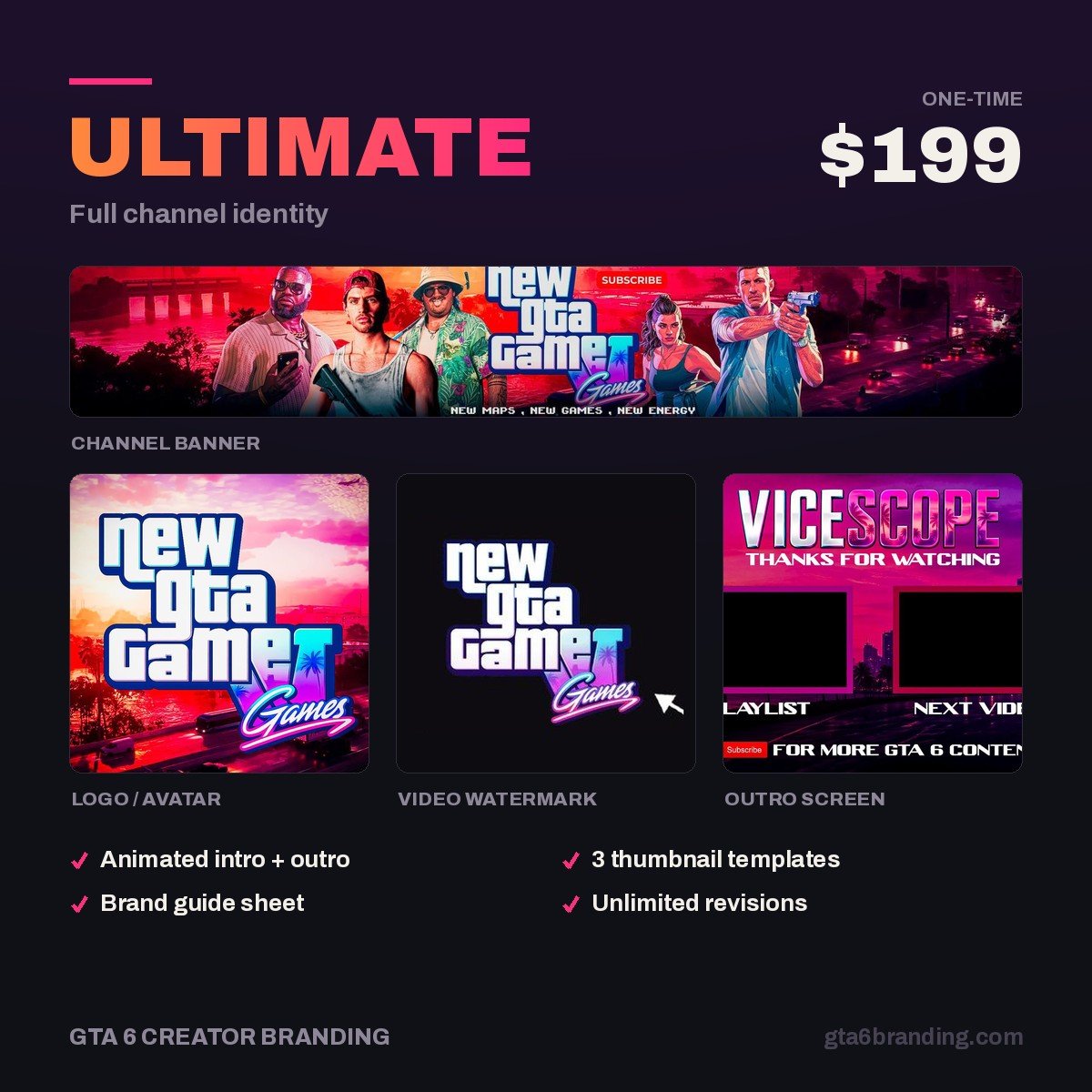
A layout only looks premium when every tile in it comes from the same identity. Ultimate — Full Channel Identity ($199) is the complete set: banner with both safe zones respected, logo, watermark, thumbnail system and playlist-cover templates, built around an original Vice City-era look you own outright. Delivered as layered source files plus every export size in this article.
Five mistakes that make a layout look abandoned
- Leaving the default Subscriptions you’ve made public shelf in place — it hands your hard-won traffic to other channels.
- One Uploads shelf and nothing else, so a 40-video channel looks like a dumping ground.
- A channel trailer over two minutes long. It only ever plays once per viewer; make it 45 seconds.
- Empty or near-empty sections. A shelf with two videos reads as a stalled channel — merge it into another playlist.
- Letting playlist covers default to video thumbnails, so the page changes shape every time you reorder anything.
FAQ
How many sections can a YouTube channel have?
YouTube allows up to 12 custom sections on the Home tab, on top of the four prepopulated ones a channel starts with: Short videos, Uploads, Created playlists and public subscriptions. You add and reorder them in YouTube Studio under Customization, then Layout. Most gaming channels do better with six to eight.
Can you set a custom playlist cover on YouTube?
Yes. On a computer, open the playlist, select Edit, then Choose from library and pick your image; mobile also offers Take photo and Create with AI. Without a custom cover YouTube uses a thumbnail from one of the playlist’s own videos, which changes whenever the playlist order changes.
What size should a YouTube playlist cover be?
YouTube publishes no official playlist cover spec. Because the cover appears in the same 16:9 tile as a video thumbnail, use thumbnail specs: 1280 x 720 pixels, JPG or PNG, under 2 MB. Podcast playlists are the exception and use a square image, 1280 x 1280 pixels.
What is the difference between a channel trailer and a featured video?
The channel trailer plays for visitors who have not subscribed yet. The featured video, added as a Spotlight section, shows to returning subscribers and can be any YouTube video. Both stop being shown to a viewer once watched, so keep evergreen videos in a playlist section instead.
GTA 6 Creator Branding is an independent creator branding service and is not affiliated with Rockstar Games or Take-Two Interactive.