GTA 6 Multi-Platform Branding: One Identity, Three Channels
GTA 6 multi-platform branding is one identity exported nineteen different ways — not three brands. The creators who look biggest across YouTube, Twitch and Kick are almost never the ones with three sets of artwork. They have one logo, one palette, one headline font and one layout logic, re-cut to each platform’s canvas. The channel that looks scattered is usually the one that commissioned a YouTube banner in March, bought a Twitch template in July, and threw something together for Kick the night before launch.
GTA 6 lands November 19, 2026 on PS5 and Xbox Series X|S. Below is the full asset matrix across all three platforms, the four elements that must stay frozen everywhere, and the five files you genuinely have to rebuild per platform rather than resize.
What GTA 6 multi-platform branding actually covers
Count the surfaces a viewer can land on if you run all three services. YouTube gives you a channel page, a video player, Shorts and chat. Twitch gives you a channel page, an About tab of panels, an offline state and chat. Kick gives you the same four with different dimensions. That is roughly nineteen distinct image files before you have made a single thumbnail.
Treated as nineteen separate design jobs, it is a month of work and it will still look inconsistent. Treated as one identity plus an export list, it is a weekend. The difference is entirely in what you decide up front.
The GTA 6 multi-platform asset matrix
Every number below is what the platform itself publishes. The right-hand column is the one to read first: it tells you whether a file travels or has to be redrawn.
| Asset | YouTube | Twitch | Kick | Travels? |
|---|---|---|---|---|
| Avatar / profile picture | 800 x 800 px, 4 MB | 800 x 800 px (min 256), 10 MB | 128 x 128 px min — export 800 x 800, 4 MB | Yes — one square file everywhere |
| Channel banner | 2560 x 1440 px, 6 MB | 1920 x 480 px (min 1200 x 480), 10 MB | 1280 x 700 px min, 4 MB | No — three different ratios |
| In-stream overlay | 1920 x 1080 transparent PNG | 1920 x 1080 transparent PNG | 1920 x 1080 transparent PNG | Yes — your encoder draws it |
| Offline / idle screen | n/a | 1920 x 1080 px, 10 MB | 1920 x 1080 px, 4 MB | Yes — watch the 4 MB cap |
| Panels | n/a | 320 px wide, 100-300 px tall, 1 MB | no published size — use 320 px wide | Yes — one set covers both |
| Emotes | n/a (membership emotes) | 112, 56 and 28 px transparent PNG | 500 x 500 px, under 1 MB | No — different export counts |
| Sub badges | renders at 14 px in chat | 72, 36 and 18 px, Affiliate only | no published spec | No — redraw for 14 px |
| Watermark | 150 x 150 transparent PNG, 1 MB | n/a | n/a | YouTube only |
| Thumbnails | 1280 x 720 px, 2 MB | n/a (VOD art) | n/a | YouTube only |
| Shorts cover | 1080 x 1920 px | n/a | n/a | YouTube only |
Read the “Travels?” column and the job shrinks fast. Six of ten asset families carry over unchanged. Only the banner, the emote set and the badge set are genuinely platform-specific work.
The four things that must never change
This is the part that makes multi-platform branding work. Freeze these four and a viewer who finds you on Kick recognises your YouTube thumbnail three days later without reading the name.
1. The logo mark, at one size
One mark, used identically on all three avatars. Not a wordmark on YouTube and an icon on Kick — viewers read those as two channels. The mark has to survive 24 px, because that is the YouTube comment circle and the Kick chat avatar. Our GTA 6 YouTube logo design guide has the 24-pixel test and the exact file set a designer should hand you.
2. Two or three hex values, written down
Not “purple and orange” — the actual hex codes, in a note you can paste. All three platforms default to dark interfaces now, and Kick adds a bright green accent to the chrome, so a palette picked against white will fight the UI. The three-colour system in gaming channel brand colors gives you sets built for dark backgrounds.
3. One headline typeface
The same heavy display face on the YouTube banner, the Twitch panels, the Kick offline screen and every thumbnail. A second face for body text is fine. A third is how channels start looking like a template bundle.
4. Where the channel name sits
Pick left, centre or right and keep it. If the name is centre-left on YouTube, it is centre-left on Kick too. This one costs nothing and does more for recognition than any amount of extra artwork.
The five files you must rebuild, not resize
Resizing is where multi-platform branding goes wrong. These five need their own canvas.
- The YouTube banner (2560 x 1440 px). The single hardest file, because YouTube crops it four ways. 1546 x 423 is the desktop and TV band; 1235 x 338 is the tightest all-device safe area, and your name, logo and handle have to sit inside that. Most guides still quote only 1546 x 423, which is why so many banners lose their name on phones. The full crop breakdown is in GTA 6 YouTube banner design.
- The Twitch banner (1920 x 480 px). A 4:1 strip. One line of text, a mark, nothing else. Build it as its own composition.
- The Kick banner (1280 x 700 px minimum). Roughly 1.8:1, nearly twice as tall per unit of width as Twitch’s. Enough room for a logo, a name and a positioning line. See GTA 6 Kick overlay for the rest of Kick’s caps.
- Emotes. Twitch wants 112, 56 and 28 px transparent PNGs. Kick takes one 500 x 500 px file under 1 MB and scales it itself. Design at 500, then check the 28 px version by hand — Kick never shows it to you during upload.
- Sub badges. Twitch publishes 72, 36 and 18 px and unlocks them at Affiliate. YouTube membership badges render at 14 px in chat, which is smaller than anything Twitch asks for and needs a deliberately simpler shape.
Everything else travels. The 1920 x 1080 transparent overlay scene in particular is identical on all three, because OBS or Streamlabs composites it rather than the platform — the cross-platform breakdown in GTA 6 stream overlay design covers which scene layers move and which do not, and the GTA 6 Twitch overlay guide has the nine-asset Twitch set in full.
The build order that saves the most time
One weekend, in this order
- Lock the core — mark, 2-3 hex values, one headline font, name position.
- Export the avatar once — 800 x 800 px, upload to all three.
- Build the YouTube banner first — hardest canvas, 1235 x 338 safe area. Everything else gets easier after it.
- Redraw the Twitch strip — 1920 x 480 px, name and mark only.
- Redraw the Kick banner — 1280 x 700 px, add the positioning line.
- Build the overlay scene once — 1920 x 1080 transparent PNG, serves all three.
- Offline screen once — 1920 x 1080 px, schedule on it, JPG at quality 85 to clear Kick’s 4 MB cap.
- Panels once — 320 px wide, 100-300 px tall: About, Schedule, Gear, Socials.
- Thumbnail system last — 1280 x 720 px template, YouTube only, highest ongoing payoff.
Build the YouTube banner before the other two and the rest take about twenty minutes each, because the composition is already solved. Build Kick first and you will discover the YouTube safe area forces you to start over.
Keeping it consistent after launch
- Do write the core down as a one-page document the day you finish. A YouTube brand style guide is the thing that stops drift six months in — it works for all three platforms, not just YouTube.
- Do keep the source files. PSD, AI or the layered equivalent. Without them, every future edit is a redraw.
- Do put your stream days on the offline screen. It is the highest-value text on a Twitch or Kick page.
- Don’t change the logo on one platform “to fit better”. Change the layout around it instead.
- Don’t upload a platform’s minimum size. Kick’s 128 x 128 avatar minimum looks soft the moment someone opens your channel on a monitor.
- Don’t use Rockstar’s logos, key art or screenshots anywhere in your branding. Build the Vice City mood — neon, sunset gradients, chrome, palms — from original artwork.
One GTA 6 identity, built to export everywhere
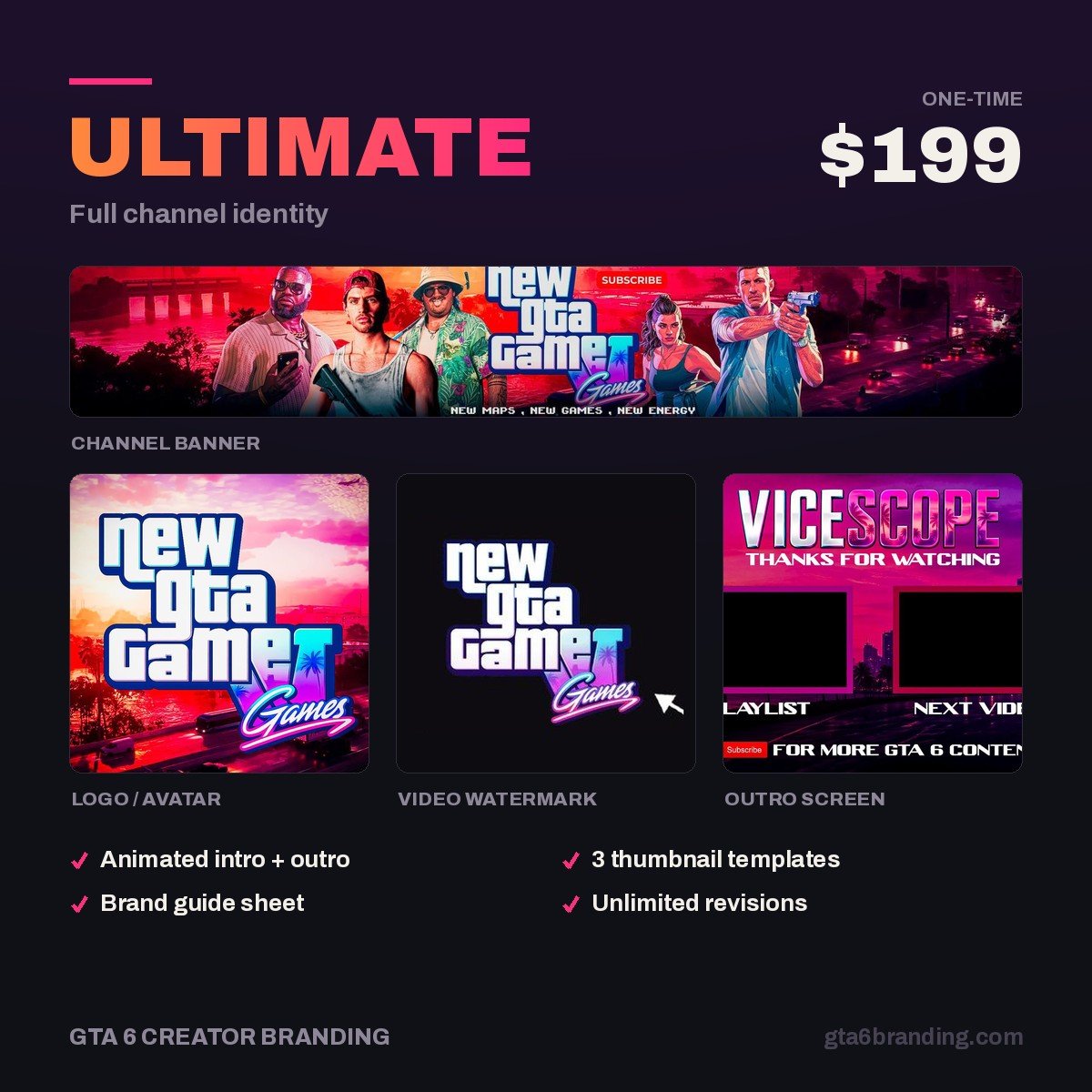
Commissioning three separate brands costs three times as much and still looks like three channels. Ultimate — Full Channel Identity ($199) builds the core once: logo, banner, watermark, thumbnail system and the layered source files, designed around the Vice City aesthetic so every platform export comes off the same artwork.
Overlay, panels, alerts and offline screens are scoped per setup rather than sold as a fixed package — start an Ultimate order and say which platform it is for, and we will quote the stream pack around the same identity.
Running YouTube only for now? Creator — Banner + Logo + Watermark ($79) covers the three assets that matter most, and the mark is built to carry over when you add Twitch or Kick later.
FAQ
Can I use the same branding on YouTube, Twitch and Kick?
Yes for the identity, no for the files. The logo, palette, font and layout logic should be identical everywhere. The banner has to be redrawn three times because the ratios differ wildly: 2560 x 1440 on YouTube, a 1920 x 480 strip on Twitch, roughly 1.8:1 at 1280 x 700 on Kick. Emotes and badges also differ.
How many assets do I need for multi-platform GTA 6 branding?
Around nineteen image files if you run all three platforms with subscriptions, before thumbnails. But only about ten are distinct design jobs — the avatar, overlay scene, offline screen and panel set are each built once and reused. The three banners, the emote sets and the badge sets are the genuinely platform-specific work.
Which platform should I design for first?
YouTube, because its banner is the most constrained canvas. You have 2560 x 1440 px to upload but only 1235 x 338 px that is safe on every device. Solve that composition and the Twitch strip and Kick banner are quick re-cuts of artwork that already works. Start with Kick and you will likely have to redo everything.
Is it worth paying for one identity instead of three templates?
Three platform templates typically run $10-20 each and come from different designers, so nothing matches. One custom identity with source files costs more up front but every future platform export comes off the same artwork at no extra design cost — which matters most if you expect to add a platform after GTA 6 launches.
Once the three streaming platforms are covered, the same master files extend to the social side: GTA 6 social media branding has the exact avatar and header sizes for X, TikTok and Instagram, plus both vertical safe zones.
GTA 6 Creator Branding is an independent creator branding service and is not affiliated with Rockstar Games or Take-Two Interactive.