GTA 6 Twitch Overlay: Panels, Alerts and Full Stream Branding
A GTA 6 Twitch overlay is not one image — it is a 1920 × 1080 transparent PNG plus eight other assets that most streamers only discover they need on the day they go live. Panels at 320 px wide, an offline screen at 1920 × 1080, emotes at three sizes, sub badges at three more.
Here is the full asset list with Twitch’s real limits, the layout rule that keeps your overlay off the gameplay, and what a complete GTA 6 stream package should contain before November 19.
Every asset in a GTA 6 Twitch overlay package
Twitch is stricter about file sizes than YouTube, and the badge limits in particular catch designers out. These are the numbers to build to:
| Asset | Size | Limit & format | Needed from |
|---|---|---|---|
| In-stream overlay | 1920 × 1080 px | Transparent PNG | Day one |
| Profile picture | 800 × 800 px (min 256) | 10 MB — shown as a circle | Day one |
| Profile banner | 1920 × 480 px (min 1200 × 480) | 10 MB | Day one |
| Offline screen | 1920 × 1080 px | 10 MB — static or animated | Day one |
| Panels | 320 px wide, 100–300 px tall | 1 MB each, max 600 px tall | Day one |
| Alert graphics | Usually 600–800 px wide | Transparent PNG or WebM | Week one |
| Starting / BRB / ending screens | 1920 × 1080 px | Static or looping | Week one |
| Emotes | 112 × 112, 56 × 56, 28 × 28 px | Transparent PNG, 1 MB | Affiliate |
| Sub badges | 72 × 72, 36 × 36, 18 × 18 px | Transparent PNG, a few KB each | Affiliate |
Emotes and sub badges only unlock once you reach Twitch Affiliate, so there is no point paying for them on day one. Overlay, panels and an offline screen are the three that decide whether a first-time viewer thinks your channel is real.
The layout rule: your overlay does not get the middle
The single most common mistake in GTA stream overlays is treating the 1920 × 1080 canvas as a design surface. It is not. It is a frame around someone else’s game, and the game already owns most of it.
Two rules that survive any game:
- Boot the game first, then design. Take a screenshot of your actual GTA 6 HUD, drop it under the overlay in OBS, and build around what you see. Designing blind is how streamers end up with a subscriber bar sitting on the minimap.
- Keep the bottom strip clear. Twitch’s player controls appear over the bottom of the video on hover, and subtitles sit there too. Anything you put in the last ~80 px of a 1080p canvas will be covered half the time.
The same logic applies if you also stream to YouTube — the zones move but the principle does not. Nine tested layouts are in our guide to gaming stream overlay ideas.
Panels: the six that actually earn their space
Panels sit under your stream and are the closest thing Twitch gives you to a landing page. They are 320 px wide and capped at 1 MB each, so they are cheap to make and easy to get wrong. Six is the number that works — more and nobody scrolls.
- About — who you are and what GTA 6 content you run, in two lines.
- Schedule — days and times in a named timezone, not “most evenings”.
- Rules — four short lines. Long rule panels do not get read.
- Socials — your YouTube channel first, since that is where VODs and clips live.
- Subscribe / support — what a sub actually gets them.
- Setup or specs — the single most-asked chat question, answered permanently.
Design them as one strip that happens to be cut into six, not six unrelated buttons. Same header height, same type size, same accent placement — pick the accents from a single palette using our gaming channel brand colors guide rather than choosing each panel separately.
Alerts: shorter than you think
Follower, sub, raid and bit alerts are where new streamers overspend on animation. The constraint nobody mentions: an alert plays while you are mid-sentence in a mission. Four seconds is the ceiling. Anything longer and you are either talking over it or stopping the stream to acknowledge it.
- Do use the same mark as your logo, animated simply — a wipe, a glow, a slide.
- Do keep the username in large, high-contrast type. That is the whole point of the alert.
- Don’t stack sound and full-screen motion for a single follow. Save the big one for raids and gifted subs.
- Don’t use a different visual style from your overlay. Alerts that look imported from elsewhere break the illusion instantly.
Build the identity first, the overlay second
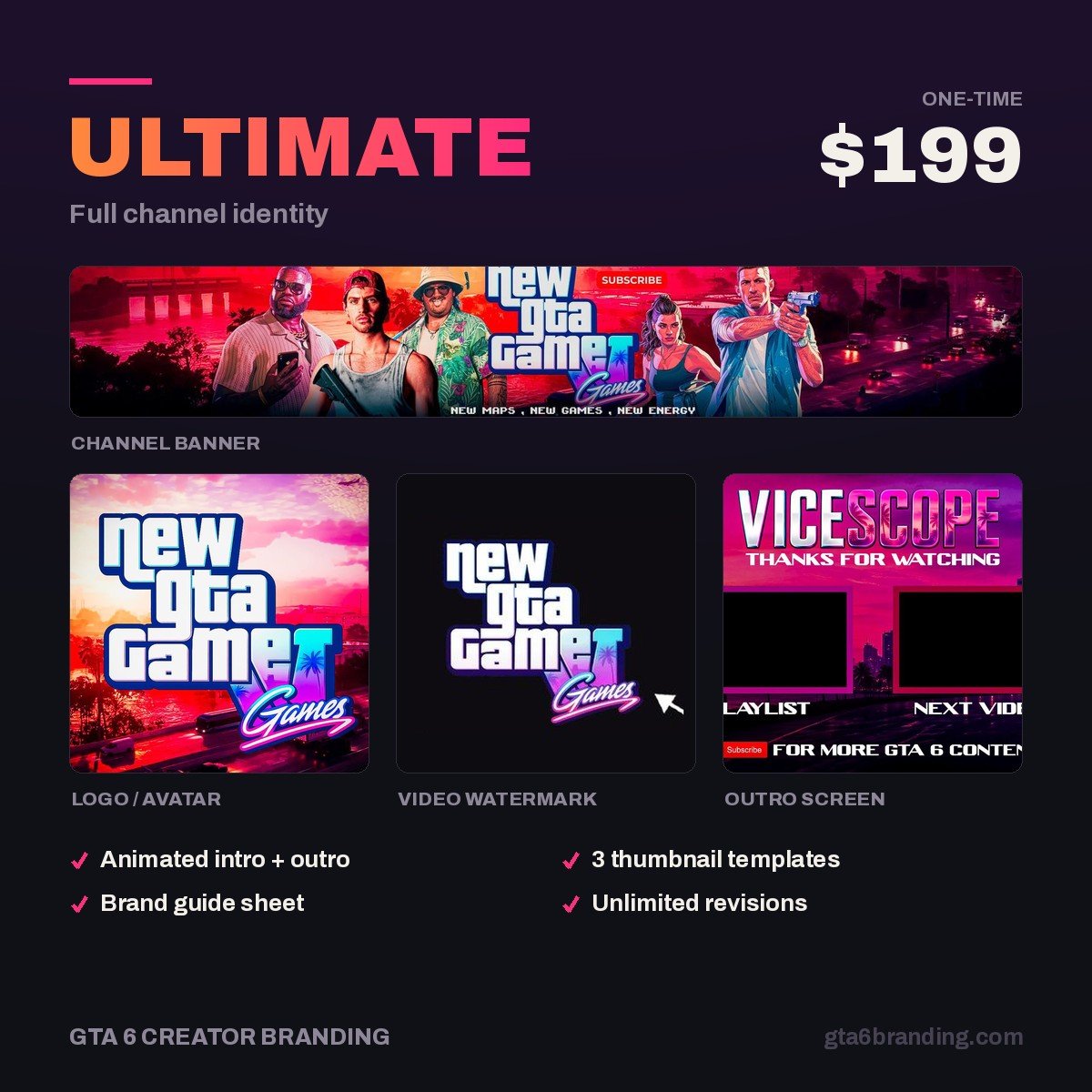
An overlay is only as good as the mark it is built from. The Ultimate — Full Channel Identity ($199) gives you the logo, colour system and type that every stream asset then inherits — original artwork, no Rockstar assets, commercial use included.
Overlay, panels, alerts and offline screens are scoped per setup rather than sold as a fixed package — start an Ultimate order and say it is for Twitch, and we will quote the stream pack around the same identity.
- Creator — Banner + Logo + Watermark ($79) — if your YouTube channel is the priority and Twitch comes later.
- Ultimate — Full Channel Identity ($199) — the full system, and the right starting point for a streamer.
One identity, two platforms
Most GTA 6 streamers will run Twitch live and YouTube for VODs, clips and Shorts. That does not mean two brands. It means one mark exported at different sizes:
| Asset | Twitch | YouTube |
|---|---|---|
| Profile picture | 800 × 800 px, circular crop | 800 × 800 px, circular crop |
| Header / banner | 1920 × 480 px | 2560 × 1440 px, safe area 1235 × 338 |
| Idle screen | Offline screen, 1920 × 1080 | Channel trailer, 45 seconds |
| Per-video art | — | Thumbnail, 1280 × 720 px |
| Loyalty art | Sub badges, 72/36/18 px | Membership badges, 14 px in chat |
The banner is the one that trips people up: a Twitch header is 4:1 and a YouTube banner is 16:9, so the same file cannot serve both. Design the YouTube banner first at 2560 × 1440, then crop a 1920 × 480 strip from the centre band. If your channel name survives both crops, the layout is right.
Streaming to Kick as well? Its channel banner is a third shape again — 1280 × 700 px, closer to 2:1 — and its emotes take a single 500 × 500 px upload instead of three sizes. The full breakdown is in our GTA 6 Kick overlay guide.
Whichever platform you lead with, finish the assets before launch week — the day-by-day schedule is in our GTA 6 launch week upload plan, and GTA 6 arrives November 19, 2026 on PS5 and Xbox Series X|S.
FAQ
What size is a Twitch overlay?
Build the overlay at 1920 × 1080 px as a transparent PNG so it sits cleanly over 1080p gameplay in OBS. Keep the centre of the frame empty and stay out of the bottom 80 pixels, where Twitch’s player controls and subtitles appear during playback.
What size are Twitch panels?
Twitch panels are 320 pixels wide. Height is flexible — 100 to 300 px is normal and 600 px is the maximum — and each image is capped at 1 MB. Six panels covering about, schedule, rules, socials, support and setup is the layout that gets read.
Do I need emotes and sub badges to start streaming GTA 6?
No. Emotes and subscriber badges only become usable once you reach Twitch Affiliate, so there is no reason to buy them on day one. Start with the overlay, panels and offline screen, and add emotes at 112 × 112 px and badges at 72 × 72 px once you qualify.
Can I use the same branding on Twitch and YouTube?
Use the same logo, colours and font, but not the same files. A Twitch header is 1920 × 480 px at 4:1 while a YouTube banner is 2560 × 1440 px at 16:9, so each needs its own export. One identity, two crops — never two different looks.
GTA 6 Creator Branding is an independent creator branding service and is not affiliated with Rockstar Games or Take-Two Interactive.