Gaming Channel Intro Ideas: 8 Openers That Keep Viewers
The best gaming channel intro ideas all share one trait: they are finished before a viewer can reach the skip button. On a gaming channel the first three seconds decide whether someone watches or backs out to the feed, and a twelve-second animated logo reveal is the fastest way to lose them — especially on a GTA 6 video, where your thumbnail is competing with fifty others posted the same hour.
Below are eight opener formats that work in 2026, the exact lengths to cut each one to, the outro rules YouTube actually enforces, and the file specs you need before you open an editor.
How long should a gaming channel intro be?
Shorter than you think, and the length depends on how urgently the viewer wants the content. Someone searching “GTA 6 fastest money method” wants the answer, not your logo. Someone who subscribed for your weekly series will sit through a longer themed opener because it signals the show is starting.
| Video type | Intro length | What belongs in it |
|---|---|---|
| Gameplay / let’s play | 0–3 seconds | Logo stamp over live footage — never a separate black screen |
| Guide / tutorial | 0–2 seconds | Answer first, brand second. A corner logo is often enough |
| News / trailer breakdown | 2–4 seconds | Spoken hook, then a fast wordmark wipe |
| Recurring series / podcast | 4–8 seconds | Full themed opener with music — only if the show is established |
| Shorts | 0 seconds | No intro at all. Brand with a corner mark and your color palette |
The honest way to check your own number is YouTube Studio’s audience retention graph. Open five recent videos, look at the first 30 seconds, and find the point where the line drops sharply. If that drop lands on your intro, the intro is the problem — not the topic, not the thumbnail. Cut it in half and re-check after five uploads.
8 gaming channel intro ideas that survive the skip button
1. The cold-open hook
Open on the single best three seconds of the video — the crash, the chase, the reveal — then stamp your logo on top for one second and cut straight to the content. This is the highest-retention opener in gaming and it costs you almost no runtime. Build it once as a one-second logo overlay and reuse it forever.
2. The logo sting over gameplay
Your mark scales in from 0 to 100% over about 18 frames in the lower third, holds for half a second, and fades. The footage never stops. Export it once as a transparent file (ProRes 4444 or a PNG sequence at 1920 × 1080) and drop it on every upload.
3. The neon wordmark wipe
A horizontal light sweep pulls your channel name across the frame in two seconds against a dark background. It suits the Vice City palette — magenta into orange into violet — and it reads on a phone because the text is large and single-line. Keep the wordmark to one or two words; anything longer turns to mush at 360p.
4. The HUD boot-up
Frame elements draw themselves on like a game interface loading: a corner bracket, a signal bar, then your mark in the middle. Three seconds maximum. It works well for guide channels because it visually promises “structured information ahead.”
5. The location card
A map pin drops and a caption names the area you are covering — useful for open-world exploration content where every video has a different setting. Two seconds, your brand colors, your font. It doubles as a chapter marker later in the video.
6. The episode card
“Episode 04 — Vice Beach” in your headline font, held for two seconds over a still frame. Series viewers love it because it tells them where they are. Only use it once a series actually exists; on a channel with eleven unrelated videos it looks like cosplay.
7. The face-cam cold open
You, on camera, saying one sentence that states exactly what the video delivers, with your lower-third name graphic sliding in underneath. No animation, no music bed. This is the cheapest opener on the list and it outperforms most motion graphics because a human face holds attention.
8. The audio signature
A one-second sound — a synth hit, a car door, a radio tuning blip — layered over your first frame, with no visual intro at all. Viewers learn it faster than they learn a logo, it costs zero runtime, and it works on Shorts where visual intros are dead weight. Pick something you have the rights to use and never change it.
The build spec: what you actually need before you open an editor
Almost every bad intro is a good idea exported wrong. These are the specs that stop that happening:
- Canvas: 1920 × 1080 px, 16:9, same frame rate as your gameplay footage (60 fps if you capture at 60 — mixing 30 and 60 makes a sting stutter).
- Logo file: a transparent PNG at 1000 px minimum on the long edge, or an SVG. Never a JPG with a black box behind it.
- Overlay export: ProRes 4444 or a PNG sequence with alpha. An MP4 cannot carry transparency.
- Safe margin: keep all text and your mark at least 90 px in from every edge so nothing collides with the player controls or gets cropped on TV apps.
- Type: one headline font, the same one on your banner and thumbnails. Two fonts maximum across the whole channel.
- Audio: peak your intro sound at −6 dB or lower. An opener that is louder than your voice makes viewers reach for the volume slider, and the next thing they reach for is the back button.
Colors matter more than motion here. If your intro uses different colors from your thumbnails, the viewer does not connect the two, and you lose the recognition you are paying for. Lock a set first with our guide to gaming channel brand colors, then build the opener from it.
YouTube outro ideas and the end screen rules you can’t design around
Your outro is not a free canvas. YouTube’s end screen system has hard limits, and a card designed without them gets covered up. Straight from YouTube’s own documentation:
- The video must be at least 25 seconds long to have an end screen at all.
- End screens can only occupy the last 5 to 20 seconds of the video.
- You get up to four elements on a standard 16:9 video. Other aspect ratios may allow fewer.
- Element types: a video, a playlist, a subscribe button, a channel promotion with a custom message, a product tag, and — for YouTube Partner Program members only — an external link.
- End screens do not appear on videos set as made-for-kids, and viewers can hide them.
So the job of your outro card is to leave holes in the right places. Design a 1920 × 1080 background that has your branding around the edges and empty, darker rectangles where the clickable elements will sit — then place the elements into those holes in Studio.
Outro card layout: four element holes, branding at the left, nothing important in the bottom strip.
Three outro formats that convert:
- The continue card. One big video slot labelled with what the next video actually is, plus a subscribe circle. Two elements, no clutter. Best all-round choice.
- The series card. Two video slots — “previous episode” and “next episode” — for anyone running a numbered run through a game’s story.
- The talking outro. You stay on camera for the last 15 seconds saying one sentence about the next video while the elements sit beside your head. Retention on this is far better than a silent card, because there is still a reason to listen.
One thing an outro should never do is repeat what your YouTube watermark ideas already handle. The watermark is your persistent subscribe prompt through the whole video; the end screen is the handoff to the next one. Different jobs, different assets. And if you stream live as well as upload, the same discipline applies to your scene layout — these gaming stream overlay ideas show exactly where each element can sit without covering the game. And the one opener your intro can never replace is the YouTube channel trailer — it plays once, only for people who have not subscribed, and needs its own 45-second script.
Do and don’t
Do:
- Put your hook before your brand. The logo can wait three seconds; the viewer cannot.
- Use the same mark, colors and font your banner and thumbnails already use.
- Build one intro and one outro and reuse them for a hundred videos. Consistency is the point.
- Re-check your retention graph after five uploads with the new opener.
Don’t:
- Use a free template that thousands of other channels use — viewers recognize them, and it reads as a hobby channel.
- Use Rockstar’s logos, official artwork or trailer footage as your intro. Build your own identity inspired by the game’s atmosphere instead.
- Put an intro on a Short. There is no room for it.
- Change your opener every month. You are trying to build recognition, and recognition needs repetition.
Want an intro and outro that match the rest of your channel?
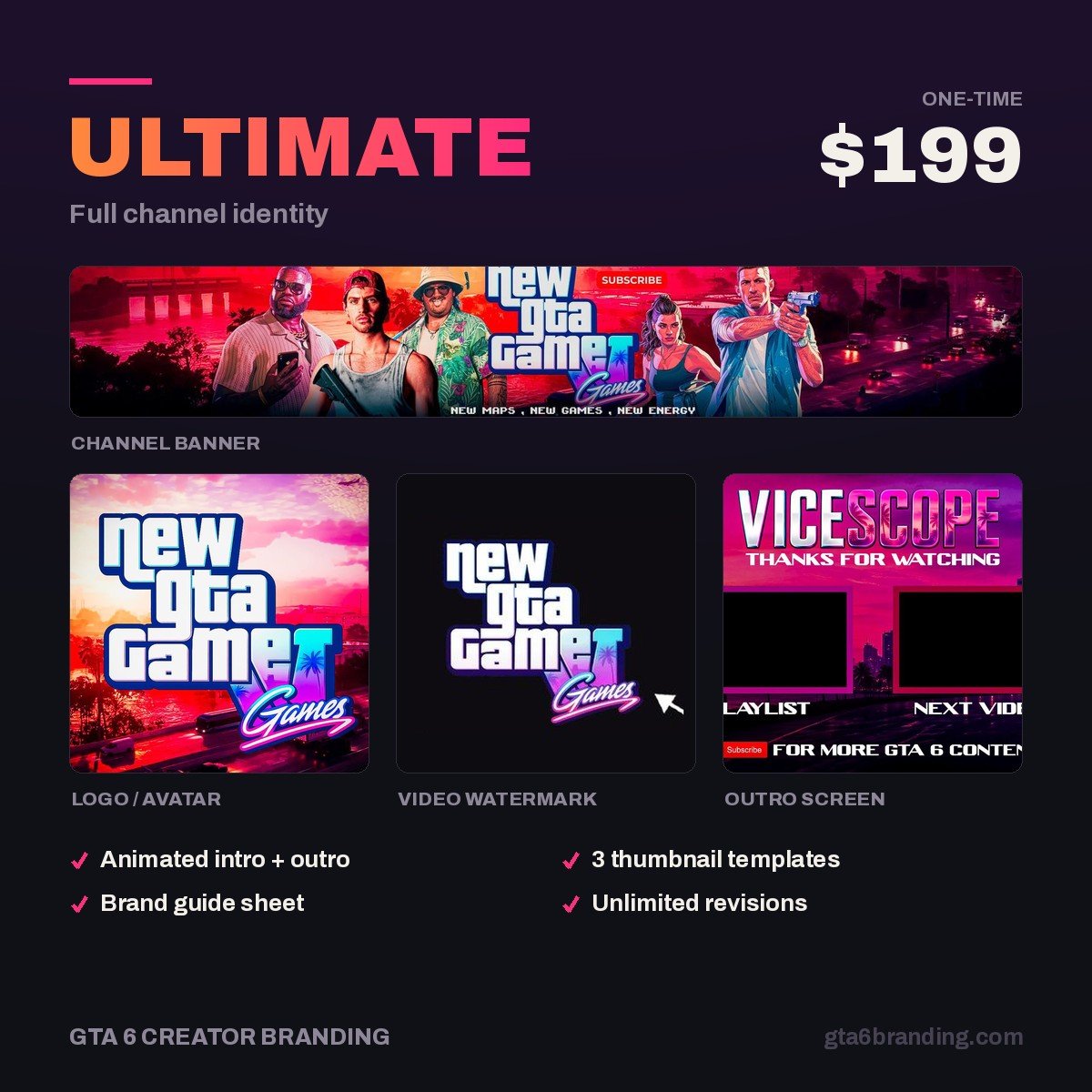
Most intros fail because they were made separately from the banner and the logo, so nothing lines up. Our Ultimate — Full Channel Identity ($199) ships the whole set from one design system: banner, logo, watermark, intro and outro cards, and a thumbnail template built on the same palette and font — so a viewer who sees your Short recognizes your long-form video an hour later.
If you are still pricing the work up, our breakdown of YouTube channel art cost covers what intros, outros and full bundles go for in 2026. And before November, run the full YouTube channel branding checklist so the opener is not the only finished asset you own — then slot it into the GTA 6 launch week upload plan, when you will be exporting videos faster than at any other point in the year.
FAQ
How long should a gaming channel intro be?
For gameplay and guide videos, keep it to 0–3 seconds — usually a logo stamp laid over live footage rather than a separate opener. News and breakdown videos can carry 2–4 seconds after a spoken hook. Only established recurring series should run a 4–8 second themed intro, and Shorts should have none at all.
Do YouTube intros hurt retention?
A long one does. Check YouTube Studio’s audience retention graph on five recent videos and look at the first 30 seconds: if the line drops sharply while your intro is playing, that intro is costing you viewers. A short logo sting over footage that is already moving rarely causes a drop, because the video never stops.
What size should a YouTube outro be?
Design the outro card at 1920 × 1080 px, 16:9, matching your video’s frame rate. Your video must be at least 25 seconds long to carry an end screen, the end screen can only run in the last 5–20 seconds, and you can place up to four elements on a standard 16:9 video.
Do I need an intro for YouTube Shorts?
No. Shorts are swipe-driven, so any opener before the payoff sends viewers to the next clip. Brand a Short with a small corner mark, your color palette and your headline font instead, and if you want a signature, use a one-second audio cue over the first frame rather than a visual intro.
GTA 6 Creator Branding is an independent creator branding service and is not affiliated with Rockstar Games or Take-Two Interactive.