YouTube Watermark Ideas: 8 Designs That Earn Subscribers
The best YouTube watermark ideas are almost insultingly simple: one letter or one shape, one brand color, and a dark outline. That is because YouTube shrinks your 150 × 150 px upload down to roughly 40–50 px in the bottom-right corner of the player — smaller than the timestamp next to it — and every extra detail you add turns into mush at that size.
Below: the exact specs YouTube enforces, eight watermark designs that survive the corner of the player, the timing setting most creators get wrong, and the export checklist to run before you upload. If you are building a GTA 6 channel ahead of the November 19, 2026 launch on PS5 and Xbox Series X|S, the watermark matters more than usual — launch-week clips get reuploaded constantly, and your mark is the only credit that travels with them.
What the YouTube watermark actually is
YouTube calls it the video watermark or branding watermark. You set it once in YouTube Studio under Customization → Branding, and it then appears on every eligible video on your channel. It is not the same thing as a burned-in logo you add in your editor — this one is a channel-level setting, and on desktop it doubles as a subscribe prompt.
| Requirement | What YouTube specifies |
|---|---|
| Minimum size | 150 × 150 px |
| Aspect ratio | 1:1 — square only |
| Max file size | Under 1 MB |
| Formats | PNG (transparent), GIF or JPEG — PNG is the practical choice |
| Position | Bottom-right of the player, fixed — you cannot move it |
| Rendered size | Set by YouTube, not by your file |
| Timing | Last 15 seconds, a custom start time, or the entire video |
| Desktop | Hovering it shows a subscribe prompt |
| Mobile | Visible in landscape, but not clickable |
| Not shown on | Videos marked made for kids, and some chromeless or embedded players |
Read that “rendered size” line twice. Uploading a 1000 px file does not make your watermark bigger on screen. It only makes the version YouTube downscales cleaner. Every design decision has to be made for the small size, not the file size.
The 40-pixel rule: why most YouTube watermark ideas fail
On a 1080p player on a laptop, the watermark occupies about 4–5% of the player height. On a phone in landscape, it is smaller still. That is around 40–50 px of real estate — roughly the size of a favicon and a half.
The practical test is brutal and takes thirty seconds: export your mark, drop it into any image viewer, scale it to 44 px, and look at it from normal viewing distance. If you cannot tell what it is in under a second, it is not a watermark — it is a logo you are misusing. The same shrink test is why the GTA 6 logo ideas that work best are built as flat shapes rather than illustrations.
8 YouTube watermark ideas that read at player size
Each of these is derived from your existing logo — the watermark should be the smallest possible expression of the same mark, not a different design.
- Single-letter monogram. The first letter of your channel name, set solid in a filled circle or rounded square. Set the letter at roughly 60% of the canvas height and use a heavy weight — thin letterforms vanish first. This works for any channel name and is the safest option by a distance.
- Two-letter lockup. Initials only, and only when the two letters have clearly different silhouettes. VC and LK read fine; NM and WV turn into one blob. Kern them tight and never stack them vertically.
- Sunset disc. A filled circle cut by three or four horizontal bars — the Vice City sunset reduced to a shape. It reads as a symbol rather than a picture, which is exactly what survives downscaling. Keep the bars at least 4 px thick on a 150 px canvas.
- Palm silhouette. One palm, solid fill, inside a rounded square. Delete the trunk texture and any fronds thinner than 5 px at 150 px — at player size they disappear and leave a lopsided blob.
- Neon outline badge. A hollow shape with a 7–9 px stroke and an empty center. Beautiful on dark gameplay, invisible on bright footage. Only use it if your channel is mostly night driving, interiors or cutscenes.
- Play chevron. A single angled chevron pulled from your logo’s geometry. It reads as “video” instantly, which helps when your mark is abstract and viewers have no other cue.
- Die-cut sticker mark. Your logo with a 5 px solid brand-color outline, plus a 3 px near-black outline behind that. It is the only style that stays visible over explosions, beaches and daytime chases — which is most GTA footage.
- Short wordmark. Your channel name as the watermark, but only if it is four characters or fewer. One line, tight letter-spacing, heavy weight. Five characters and up: go back to idea 1.
| Your channel name | Best watermark idea | Avoid |
|---|---|---|
| 1 word, 5+ letters | Single-letter monogram | Full wordmark |
| 2 words (e.g. Vice Runner) | Two-letter lockup | Both words spelled out |
| 4 characters or fewer | Short wordmark | Adding a tagline |
| Abstract or invented name | Sunset disc or play chevron | Detailed illustration |
| Mostly bright daytime footage | Die-cut sticker mark | Neon outline badge |
| Mostly dark or night footage | Neon outline badge | Dark-fill mark with no outline |
Color and contrast: the setting that decides whether it is seen
Your watermark sits over footage you do not control. A magenta mark that looks perfect on a night-time Ocean Drive shot will disappear the moment a sunset fills the frame. The fix is contrast built into the mark itself, not a color you hope will always work.
Do
- Give the mark a 3–4 px near-black outline at 150 px
- Use one brand color plus black or white — nothing else
- Fill shapes solid; strokes thinner than 5 px vanish
- Leave a 10–12% transparent margin inside the square
- Test it over a bright daytime frame and a dark night frame
Don’t
- Add a tagline, URL or social handle
- Use gradients with low internal contrast
- Use a photo, screenshot or drop shadow
- Use official Rockstar or GTA artwork or logos
- Upload a rectangular file — YouTube squashes it
If you have not locked your palette yet, do that before the watermark. Pick your gaming channel brand colors first, then build the mark from the one color with the strongest contrast against mid-tone footage — usually the amber or the green, not the violet.
Timing: entire video, custom start, or last 15 seconds?
YouTube gives you three display options, and the default is rarely the right one for a gaming channel.
| Setting | Use it when | Trade-off |
|---|---|---|
| Entire video | Gameplay, walkthroughs, anything likely to be clipped or reuploaded | Slight clutter over busy footage |
| Custom start time | Tutorials and guides — set it around 0:30, after the hook | Early viewers never see it |
| Last 15 seconds | Cinematics and edits where a corner mark would break the shot | Most viewers have clicked away by then |
For a GTA 6 channel, pick entire video. Launch-week gameplay gets clipped for Shorts, TikTok and compilation channels within hours, and a watermark that only appears in the last 15 seconds never makes it into the clip. A mark that is present in every frame is free attribution every time someone else reuses your footage. One caveat whichever setting you choose: YouTube suppresses the watermark while an end screen is on screen, so the subscribe route for those final seconds has to live in the outro itself — our YouTube end screen template maps the four element zones so nothing lands on your handle.
Export settings that keep the mark sharp
- Canvas: 300 × 300 px, not 150. You clear the minimum comfortably and give YouTube a clean source to downscale.
- Format: PNG-24 with transparency. Transparent background — a white square around your mark looks broken over video.
- Margin: keep all artwork inside the central 80% of the canvas. YouTube does not crop it, but the breathing room stops the mark from feeling glued to the player edge.
- File size: well under 1 MB. A flat two-color PNG at 300 px is typically 8–20 KB.
- Check: view it at 44 px, then again over one bright and one dark frame from your own footage.
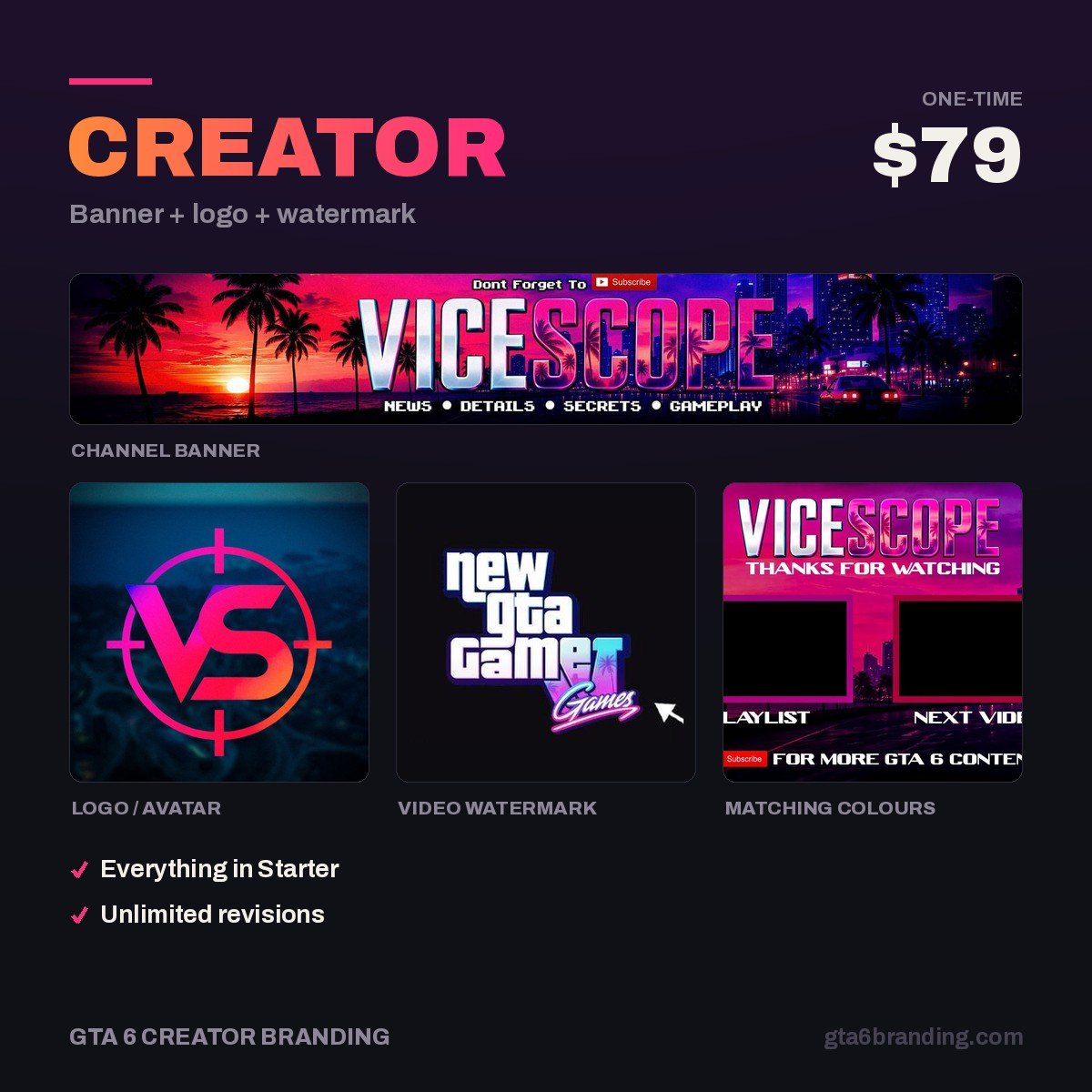
That last point is the one creators skip. A watermark designed separately from your logo splits your channel into two brands, and viewers never connect the clip they saw to the channel page they land on. If you are still assembling the set, the YouTube channel branding checklist lists all twelve assets with exact sizes — the watermark is one of the three Tier 1 files, and it should be exported in the same session as the logo. Our Creator package delivers all three from one design file for exactly that reason.
Get a watermark that matches your banner and logo
One design, three files, one look across your whole channel — banner at 2560 × 1440, logo at 800 × 800, and a watermark exported and tested at player size so it still reads on a phone. No templates, no Rockstar artwork, delivered ready to upload.
- Creator — Banner + Logo + Watermark ($79) — the full matched set, and the package this guide is written around.
- Starter — YouTube Banner ($45) — if you only need the banner for now.
- Ultimate — Full Channel Identity ($199) — everything, including thumbnail templates and the intro and outro cards from our gaming channel intro ideas guide.
Wondering whether those numbers are fair? Here is what YouTube channel art costs across templates, freelancers and agencies in 2026.
Once the file is designed, installing it is four clicks: see how to add a YouTube banner, logo and watermark for the exact YouTube Studio path and the display-time setting that decides whether anyone actually sees your mark.
FAQ
What size should a YouTube watermark be?
YouTube requires a square image of at least 150 × 150 px and under 1 MB. Export at 300 × 300 px as a transparent PNG so the downscaled version stays crisp. Uploading a larger file will not make the watermark appear bigger — YouTube controls the rendered size in the player, which is roughly 40–50 px.
Does the YouTube watermark still work as a subscribe button?
On desktop, yes — hovering over the watermark brings up a subscribe prompt, so it functions as a one-click subscribe shortcut. On mobile it is visible in landscape view but not clickable, and it does not appear on videos marked as made for kids or inside some chromeless and embedded players.
Should my watermark be my logo or something different?
It should be a simplified version of the same logo, never a separate design. Strip it down to one shape or letter, drop any tagline, thicken the strokes and add a dark outline. Viewers who see the mark on a clip should instantly recognize the channel page it belongs to — that link is the whole point.
Can I use the GTA 6 logo as my watermark?
No. Official Rockstar and GTA logos, fonts and artwork are protected, and using them as channel branding implies an affiliation you do not have. Build your own mark inspired by the game’s atmosphere instead — neon, sunset gradients, coastline shapes — which is both safer and far more memorable than a borrowed logo.
GTA 6 Creator Branding is an independent creator branding service and is not affiliated with Rockstar Games or Take-Two Interactive.