GTA 6 Discord Branding: Every Asset, Size and Boost Level
GTA 6 Discord branding is the half of a channel identity most creators leave alone until the server already has 400 members and still looks like a default template. Discord is where a GTA 6 audience actually lives between uploads — clip dumps, heist planning, launch-night countdowns — and it runs on its own asset list, its own pixel sizes, and a boost ladder that locks the best graphics behind member support.
Here is every asset a GTA 6 server needs, the exact size to export each one at, which boost level unlocks it, and how to make the whole thing read as the same brand as your channel instead of a second, unrelated logo.
What a branded GTA 6 Discord server is actually made of
A server is not one image. A fully branded one is eight to ten separate files, and four of them sit behind Server Boosts that your members have to pay for. The order worth building them in:
- Server icon — the only asset every visitor sees, at every size, from the moment the server exists.
- Custom emotes — the branding that gets used thousands of times a week, by other people, for free.
- Invite splash — the join screen, and the last thing someone looks at before deciding whether to accept.
- Server banner — the strip above the channel list, visible the entire time a member is reading.
- Role icons — tiny badges that make member tiers feel earned rather than announced.
- Event covers — one per launch-night stream, watch party or countdown.
GTA 6 Discord branding sizes: the full table
Export at the recommended size, not the minimum. Discord downscales cleanly and upscales badly, and the 10 MB ceiling on the large assets is generous enough that there is no reason to cut quality.
| Asset | Export at | Limit / requirement | Where it shows |
|---|---|---|---|
| Server icon | 512 x 512 px | 10 MB, cropped to a circle | Server rail, every invite link, every search result |
| Invite splash | 1920 x 1080 px | Boost Level 1 | Behind the Accept Invite screen |
| Server banner | 1920 x 1080 px | Min 960 x 540, Boost Level 2 | Above the channel list, permanently |
| Custom emote | 128 x 128 px | 256 KB, renders at ~32 px in chat | Messages, reactions, other servers |
| Custom sticker | 320 x 320 px | 512 KB | Sticker picker and message body |
| Role icon | 64 x 64 px | 256 KB, Boost Level 2 | Beside names in the member list |
| Event cover | 800 x 400 px | 10 MB | Launch-night and watch-party cards |
| Your avatar | 512 x 512 px | Min 128 x 128, shown as a circle | Every message you post, anywhere |
| Profile banner | 1100 x 440 px | Min 680 x 240, Nitro only | Your own profile card |
Two of these catch people out. The server icon is cropped to a circle, so anything in the corners of a square export is gone — the same rule that governs an 800 x 800 YouTube profile picture. And the server banner is a 16:9 file that gets displayed as a short, wide strip, so the usable area is the horizontal middle band, not the whole frame.
The boost ladder decides what you can even upload
Discord gates most server branding behind Server Boosts, which members buy. A new GTA 6 server starts with an icon and nothing else, so plan the identity knowing that half of it arrives later.
| Level | Boosts needed | Branding unlocked | Emote / sticker slots |
|---|---|---|---|
| Base | 0 | Server icon, roles, channel names | 50 emotes / 5 stickers |
| Level 1 | 2 | Animated server icon, custom invite background | 100 emotes / 15 stickers |
| Level 2 | 7 | Static server banner, role icons, 50 MB uploads | 150 emotes / 30 stickers |
| Level 3 | 14 | Animated banner, custom vanity invite link | 250 emotes / 60 stickers |
Level 2 is the realistic target for a growing GTA 6 channel, and it is the one worth designing for: seven boosts unlocks the banner and role icons, which is the point where a server stops looking generic. Level 3 mainly buys you a vanity invite — nice for a link in a video description, not worth chasing before launch.
Design the base-level set first — icon plus a starting pack of 10 to 15 emotes — and keep the banner and role icons as files ready to upload the day you cross seven boosts. Commissioning them after the fact costs more than including them in the first brief.
Designing GTA 6 emotes that survive 32 pixels
You upload an emote at 128 x 128, but it renders around 32 pixels inside a chat line. That is the size that matters, and it is the reason most custom emote packs look like mud. The same shrink problem governs YouTube membership badges and emotes, which render smaller still at 14 px.
Do:
- Build each emote from one idea — a face, a hand, a single object, a two-letter mark. Never a scene.
- Use flat colour with a hard outline. Gradients and soft shadows disappear at 32 px.
- Keep a minimum 3-pixel gap between the art and the edge of the 128 x 128 canvas.
- Export transparent PNG, and check the file lands under 256 KB — an animated GIF emote hits that ceiling fast.
- Test by shrinking the file to 32 x 32 and looking at it on a phone, in both Discord themes.
Don’t:
- Put readable words inside an emote. Three letters is the practical limit, and two is safer.
- Reuse Rockstar artwork, logos or screenshots — a server trading on official assets is a takedown waiting to happen.
- Design on a dark background only. Discord’s light theme will expose every near-black edge you relied on.
- Ship 50 emotes at launch. Ten strong ones get used; fifty weak ones get scrolled past.
Make the Discord match the channel, not replace it
The point of a server is that someone who watched a video recognises the place instantly. That only happens if three things carry over unchanged: the logo mark, the two or three brand colours, and the headline typeface. Everything else — layout, crop, framing — gets rebuilt per platform.
In practice the server icon is your channel logo re-cropped for a circle, the emotes are fragments of that same mark, and the invite splash reuses the banner artwork at a different aspect ratio. If you have not settled the mark yet, do that first — our guide to GTA 6 YouTube logo design covers the file set a logo has to ship with before it can be reused this way. Streaming as well? The GTA 6 Twitch overlay breakdown lists the nine assets that side needs, and GTA 6 multi-platform branding maps the whole matrix across YouTube, Twitch and Kick so you commission it once.
One timing note: a server is easiest to brand before it has members, not after. If you are building toward the GTA 6 launch week plan, the icon and first emote pack should exist weeks ahead, so the invite link in your launch-day description leads somewhere that already looks finished. An Ultimate full channel identity gives you the source files the Discord set is derived from.
Get the channel identity your Discord is built from
Every Discord asset on this page is a derivative of one thing: a logo mark with proper source files. Get that right and the server icon, the emotes and the role badges are exports, not new commissions.
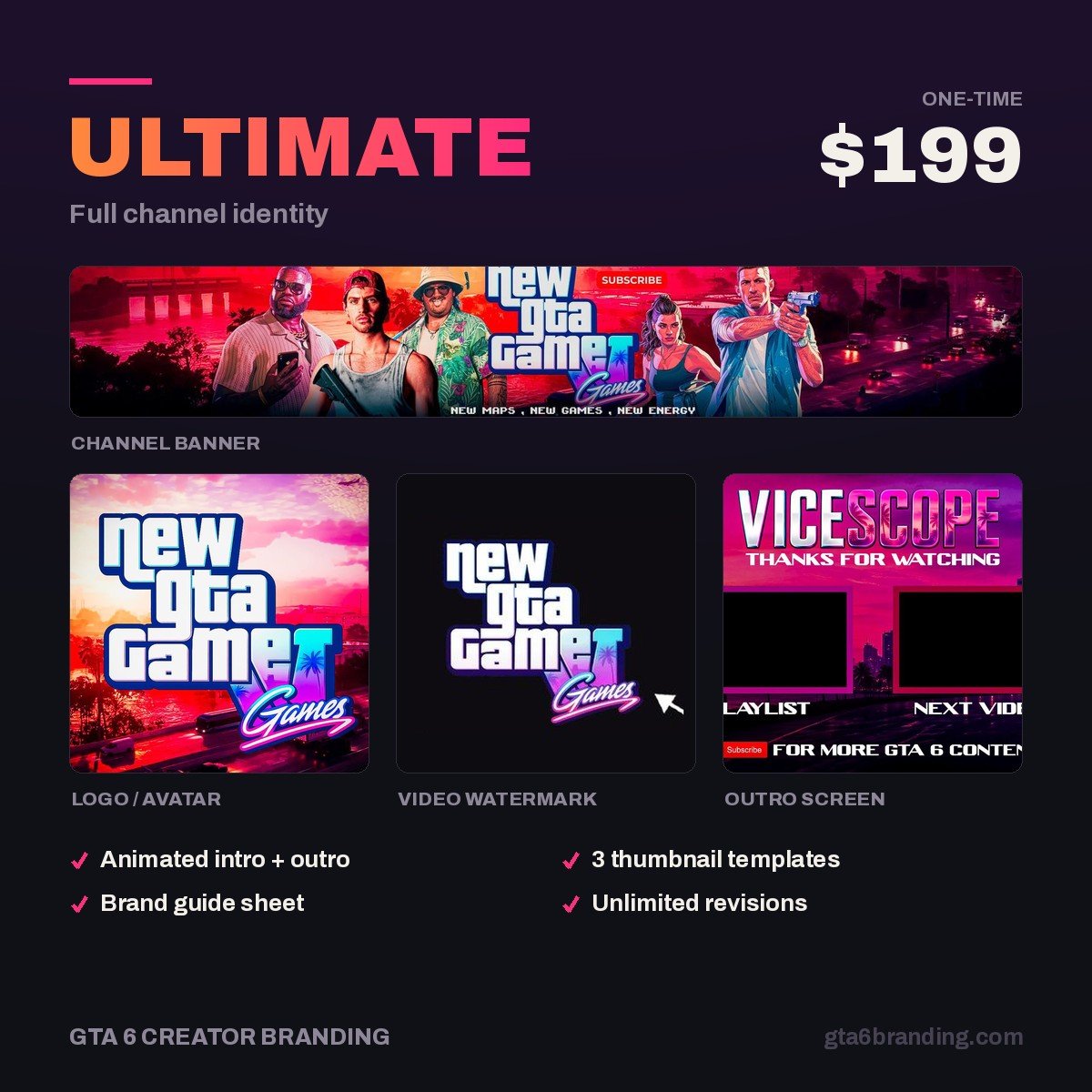
- Ultimate — Full Channel Identity ($199) — the complete mark, banner, watermark and source files, built around the Vice City palette.
- Creator — Banner + Logo + Watermark ($79) — if you only need the mark to start from.
Overlay, panels, alerts and offline screens are scoped per setup rather than sold as a fixed package — start an Ultimate order and say which platform it is for, and we will quote the stream pack around the same identity.
FAQ
What size is a Discord server icon?
Export the server icon at 512 x 512 px, up to 10 MB. Discord crops it to a circle everywhere it appears, so keep the mark centred and leave clear space in the corners. Anything smaller than 512 will look soft in the server list on high-density phone screens.
Do I need boosts to brand my GTA 6 Discord server?
Not for the basics. The server icon, roles, channel structure and 50 custom emotes are free. Boosts unlock the extras: Level 1 adds the invite splash and animated icon, Level 2 adds the server banner and role icons, and Level 3 adds a vanity invite link and animated banner.
How many custom emotes can a Discord server have?
Fifty at base level, rising to 100 at Boost Level 1, 150 at Level 2 and 250 at Level 3. Custom stickers run alongside them at 5, 15, 30 and 60. Most GTA 6 servers never need more than 20 good emotes, so treat the higher slot counts as headroom rather than a target.
Should my Discord icon be the same as my YouTube logo?
Yes — the same mark, re-cropped for a circle. Recognition across platforms is the whole point, and a viewer who clicks an invite from a video description should land somewhere that clearly belongs to the channel. Keep the colours and typeface identical; only the framing changes.
GTA 6 Creator Branding is an independent creator branding service and is not affiliated with Rockstar Games or Take-Two Interactive.