YouTube Banner Ideas: 10 Layouts That Survive Every Crop
Most YouTube banner ideas die in the same place: the phone crop. A layout that looks perfectly balanced on a 2560 × 1440 canvas loses more than half its width on mobile, and the channel name you centered so carefully gets sliced down the middle. The ten layouts below are built the other way round — core first, atmosphere second — so each one still reads on a phone, a tablet, a desktop monitor and a TV.
Every idea here is sized against YouTube’s real numbers, uses nothing a gaming creator can’t legally make, and ends with a two-minute test you can run before you ever hit upload.
Every banner layout starts with two zones, not one
You upload one file at 2560 × 1440 px, maximum 6 MB. YouTube then crops that file differently on every device. Most guides mention a single safe area and stop there, which is exactly why so many banners still get cut off.
There are two zones that matter. 1546 × 423 px is the desktop and TV band — the slice most viewers see on a computer. 1235 × 338 px is the tightest all-device safe area, and it is the only region guaranteed to survive on a phone. Your channel name, your logo and your handle go inside 1235 × 338. Nothing else is negotiable.
| Zone | Size | What belongs there |
|---|---|---|
| Upload canvas | 2560 × 1440 px (max 6 MB) | Background scene, gradient, grain, edge glow |
| Desktop / TV band | 1546 × 423 px | Secondary art, socials row, supporting shapes |
| All-device safe area | 1235 × 338 px | Channel name, logo, handle, upload schedule |
If you want the full spec sheet with file limits and every device crop, our GTA 6 YouTube banner size guide covers it number by number.
10 YouTube banner ideas that survive every crop
Each layout below is described by what sits inside the 1235 × 338 core, because that is the part that decides whether the idea works. Pick one, then build the atmosphere outward.
- Centered wordmark. Channel name dead center at around 90–120 px cap height, handle underneath at a third of that size, and absolutely nothing else in the core. The most reliable layout there is, and the hardest to make interesting — the whole design lives in the typeface and the background glow.
- Logo left, text right. Square mark on the left third of the core, channel name and one-line tagline stacked on the right. This is the layout that scales best, because the same lockup also works as your header on X, TikTok and Discord.
- Skyline silhouette band. A flat city skyline across the bottom of the core with a sunset gradient behind it, name sitting on the skyline. Reads instantly as open-world crime, costs nothing but vector shapes, and the silhouette keeps the text legible.
- Split-screen duality. Core divided vertically, two colour worlds — cool violet on one side, hot magenta on the other — with the name bridging the seam. Perfect for dual-protagonist content or a channel that covers both story and chaos.
- Neon sign panel. The channel name treated as a neon sign inside a dark panel, with a soft outer glow and a thin bracket frame. Looks premium at desktop size and still holds at 1235 px because the glow stays inside the core.
- Upload schedule bar. Name on the left of the core, a slim bar on the right reading something like “New uploads Tue & Fri”. Underrated: it answers the one question a new visitor actually has, and it costs you 40 px of height.
- Character cut-out, text left. Original character art or your own avatar cut out on the right edge of the core, name and handle on the left. Use art you own or commissioned — never a screenshot or press image from the game.
- Sticker wall. A tight grid of small badges inside the core — console icon, niche icon, upload day, subscriber milestone — with the name as the largest tile. Busy, young, and very effective for Shorts-led channels.
- Mono with one accent. Everything in a single dark tone except one element in a hot accent colour: the first letter of the name, an underline, a single palm. The cheapest way to look deliberate rather than decorated.
- Letterbox frame. Two cinematic black bars top and bottom of the core with the name centered between them, like a trailer freeze-frame. Pairs well with a channel whose thumbnails use the same bars — the repetition is what makes a feed look branded.
Whichever one you pick, keep the colour system to two or three tones. Our breakdown of gaming channel brand colors has hex sets by niche and the four tests a palette has to pass before you commit to it.
GTA 6 banner ideas without using Rockstar’s artwork
GTA 6 releases on November 19, 2026 for PS5 and Xbox Series X|S, and search demand for the game is already enormous. The temptation is to drop official key art straight onto a banner. Don’t — it is the fastest route to a takedown, and it makes your channel look like every other one.
The era look is made of generic ingredients, and none of them belong to anyone:
- A sunset gradient running amber → magenta → deep violet.
- Flat palm silhouettes and a low coastal skyline.
- A horizon grid line with light perspective rays.
- Chrome or heavy italic display type for the channel name.
- Subtle VHS grain and scanlines over the background only.
What stays off the canvas: the official game logo and wordmark, the studio’s R logo, screenshots, trailer frames and press art, and any wording that implies you are an official or affiliated channel. The line between homage and infringement is covered properly in our guide to GTA 6 logo copyright.
What belongs in the 1235 × 338 core
Do
- Channel name, at a size you can still read when the banner is 320 px wide on screen.
- Your @handle, one tier smaller.
- The logo mark, if it reads at 24 px — test it before you place it.
- At most one extra line: upload days, niche, or a six-word promise.
Don’t
- Social icons — they belong in the desktop band or as real channel links, not in the core.
- Long taglines. If it needs two lines at small size, it is not a banner line.
- Subscriber counts. They date instantly and you will not re-export the file.
- Busy texture behind text. Put a flat panel or a soft shadow under the type instead.
- Anything touching the outer 30 px of the core — devices round that edge differently.
The two-minute crop test
Before you upload, run every banner idea through this. It catches almost everything:
- Export at 2560 × 1440 and confirm the file is under 6 MB. JPG at quality 85–90 is usually plenty; use PNG only if you have flat colour and hard edges.
- Crop a copy to the centre 1235 × 338 and look at that alone. If the name is clipped or crowded, the idea fails here, not on your channel.
- Shrink that crop to 320 px wide and look at it on your phone. Still readable? Good. Squinting? Increase the type size, not the contrast.
- Upload it and check YouTube Studio’s own preview for all three device views before you save.
If the result looks soft or sliced after upload, the causes are known and fixable — work through YouTube banner blurry or cut off. Building it yourself from scratch? The step-by-step for how to make a YouTube banner in Canva sets up both safe-area guides for you.
Want the layout done for you?
Picking an idea is the easy half. Getting the type weight, the crop and the 6 MB export right is the half that decides whether your channel looks established or temporary. We design custom GTA 6–era banners core-first, delivered at 2560 × 1440 with the safe areas respected and a web-optimised copy for your other platforms.
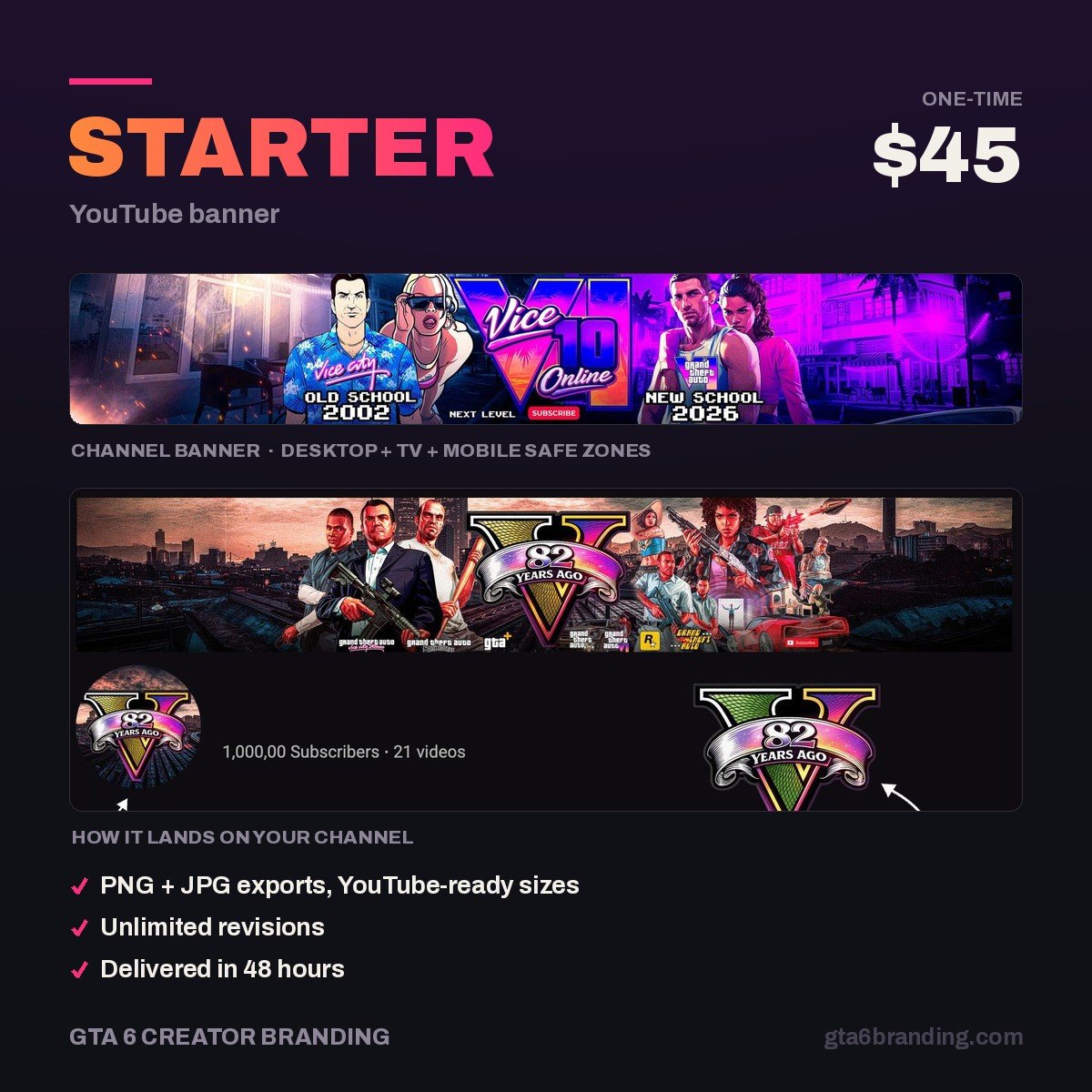
- Starter — YouTube Banner ($45) — one custom banner, built around your name and niche.
- Creator — Banner + Logo + Watermark ($79)
- Ultimate — Full Channel Identity ($199)
If you would rather see the full process first — brief, revisions, file list — read what a GTA 6 YouTube banner design actually includes before you order.
FAQ
What size should a YouTube banner be?
Upload at 2560 × 1440 px and keep the file under 6 MB. Inside that canvas, 1546 × 423 px is the band desktop and TV viewers see, and 1235 × 338 px is the tightest all-device safe area. Your channel name, logo and handle must sit inside the 1235 × 338 region.
What should I put on my YouTube banner?
Four things at most: your channel name, your @handle, your logo mark if it still reads at 24 px, and one short line such as your upload days or niche. Social icons, long taglines and subscriber counts belong elsewhere — they crowd the safe area and date the file quickly.
Can I use GTA 6 artwork in my YouTube banner?
Official logos, wordmarks, screenshots, trailer frames and press art are owned by the publisher and should stay off your channel art. Build the era look from generic ingredients instead: sunset gradients, palm silhouettes, neon type and grain. Those are yours, and they make a far more recognisable channel.
Should a YouTube banner be PNG or JPG?
JPG at quality 85–90 is the safer default, because it keeps a photographic or gradient-heavy banner well under the 6 MB limit. Choose PNG only when the design is flat colour with hard edges and sharp type, and check the file size before uploading — a 2560 × 1440 PNG can exceed the cap.
GTA 6 Creator Branding is an independent creator branding service and is not affiliated with Rockstar Games or Take-Two Interactive.