How to Make Your YouTube Channel Look Professional in 2026
You make your YouTube channel look professional by fixing three things viewers judge before they ever press play: a banner that survives every crop, a profile picture that still reads at 24 px, and thumbnails that obviously belong to the same channel. Money is not what separates a polished channel from a temporary-looking one — consistency is, and most of the work is decisions rather than design skill.
Below is the exact audit, the pixel sizes, the 12 fixes ranked by how much they change a first impression, and the amateur-versus-professional comparison that shows why two channels with identical videos get very different subscribe rates.
What a viewer actually judges in the first five seconds
A new viewer almost never arrives at your channel homepage first. They see a thumbnail in a feed, click a video, and only then tap your name. By the time they reach your channel page they have already formed an opinion from two tiny images: your thumbnail and your 24-pixel avatar next to the title.
So “looking professional” is not about having a beautiful homepage. It is about three surfaces agreeing with each other:
- The feed — your thumbnail and avatar, both shrunk to phone size.
- The player — your watermark, intro and outro card.
- The channel page — banner, handle, About text and the video grid as a whole.
When those three use the same colors, the same font and the same logo, the channel reads as a brand. When they don’t, it reads as an account.
The three assets that decide it (with exact sizes)
Get these three exported correctly and you have removed about 80% of the reasons a channel looks amateur. Everything else is refinement.
| Asset | Export at | The mistake that kills it |
|---|---|---|
| Channel banner | 2560 × 1440 px, under 6 MB, all text inside the 1546 × 423 px safe area | Text placed outside the safe area, so your channel name is sliced off on phones |
| Profile picture / logo | 800 × 800 px square, PNG, under 4 MB | A detailed illustration that turns into grey mush at 24 px in the feed |
| Thumbnails | 1280 × 720 px, under 2 MB, 16:9 | Different font, layout and colors on every upload |
The banner is the one people get wrong most often, because YouTube shows a different slice of it on TV, desktop and mobile — the full specs and safe-zone layout are in our GTA 6 YouTube banner size guide. For the mark itself, shrink your draft to 24 px and look at it: if you cannot tell what it is, go simpler. These GTA 6 logo ideas are all built to pass that test.
Amateur vs professional: the same videos, two setups
Notice what changed on the right: the thumbnails use three different background colors but the same layout, the same text block position and the same accent dot. That is the trick. Variety keeps the grid interesting; a repeated layout keeps it recognizable.
12 fixes that make your YouTube channel look professional
Ranked by how much each one changes a first impression. If you only have one evening, do 1 through 5.
- Lock 2–3 brand colors and write down the hex codes. One dark base, one loud accent, one support color. Pick them once and never improvise again — our gaming channel brand colors guide has ready-made sets by niche.
- Replace a stretched banner with a 2560 × 1440 px export. Anything upscaled from a smaller file will look soft on a TV, and TV is where GTA gameplay gets watched.
- Simplify your logo until it survives 24 px. Two letters, a monogram or one bold shape. No thin outlines, no gradients that turn to grey — these gaming channel profile picture ideas cover the ten styles that pass the shrink test.
- Build one thumbnail template and reuse it. Same text position, same font, same accent. Swap only the screenshot and the headline.
- Cap thumbnail text at 3–5 words. On a phone, a thumbnail is roughly the size of a postage stamp. Long headlines become texture.
- Claim a handle that matches your channel name. A mismatch between “Vice6 Gaming” and @user4471982 reads as abandoned.
- Upload a 150 × 150 px watermark and set it to show from 0:00. It is a permanent subscribe button on every video, and most small channels never turn it on.
- Write a real About section. Three sentences: what you cover, how often you post, who it is for. Put a contact email under it.
- Set a channel trailer for new visitors. 45–75 seconds, your best clips, one clear “this is what I do here”.
- Group uploads into 3–5 named playlists and pin them to the homepage. A wall of loose videos looks like a dump; sections look like a library.
- Make your intro shorter than five seconds. A long animated intro is the single most common way a channel looks amateur while trying to look polished.
- Add end screens that point to your next video, not to a generic “subscribe” card floating over nothing.
Work through all twelve with exact file limits and export settings in our YouTube channel branding checklist. If your channel already exists under a different name or game, do it in the right order using the gaming channel rebrand guide so you don’t confuse the subscribers you already have.
The five-second audit
Open your channel on your phone, not your desktop. Then answer these five questions honestly — every “no” is a fix from the list above.
Phone test — 5 questions
- Can you read your channel name in the banner without zooming?
- At avatar size, can you tell what your logo is?
- Do your three newest thumbnails look like the same channel?
- Does the accent color in your banner appear in your thumbnails too?
- Is there a contact email and a one-line description on the channel page?
Five yeses and your channel looks hired-for. Three or fewer and viewers are deciding against you before the video starts.
Do this, not that
- Do use one bold headline font everywhere. Don’t use a different font on each thumbnail.
- Do keep faces and big text in the middle-left of a thumbnail. Don’t put anything important in the bottom-right — the duration badge sits there.
- Do export PNG for logos and watermarks. Don’t export a JPG with a white box behind a transparent mark.
- Do build your look from the mood of the game — neon, sunset, coastline, crime. Don’t use Rockstar’s official logos, key art or screenshots as your identity; it looks borrowed and it is a copyright risk.
- Do refresh thumbnails on old videos when you change your palette. Don’t leave a half-rebranded grid where the top row matches and the rest doesn’t.
Why this is urgent before November 19, 2026
GTA 6 releases on November 19, 2026 for PlayStation 5 and Xbox Series X|S. Pre-orders opened on June 25, 2026 at $79.99 for Standard and $99.99 for Ultimate, and there is still no announced PC date. That gives you roughly eight weeks.
Launch week is the one moment when viewers who have never heard of you will click a small channel’s video because the title matches what they are searching for. They will land on your channel page immediately after. A polished channel converts that traffic into subscribers; an unfinished one converts it into a single view.
Doing this yourself is completely realistic — a weekend of focused work. If you would rather buy the time back, here is what YouTube channel art costs in 2026, and a matched banner, logo and watermark set covers the three surfaces from the five-second audit in one go.
Want it to look professional without the weekend?
We build complete GTA 6–era channel identities for USA creators: one palette, one font system and one logo applied to every surface a viewer sees — so your channel passes the phone test on the first upload instead of the fiftieth.
Ultimate — Full Channel Identity ($199) is the one that covers everything in the 12-fix list: banner, logo, watermark, thumbnail template, intro and outro cards, all from a single brand system.
- Starter — YouTube Banner ($45) — fixes the banner alone.
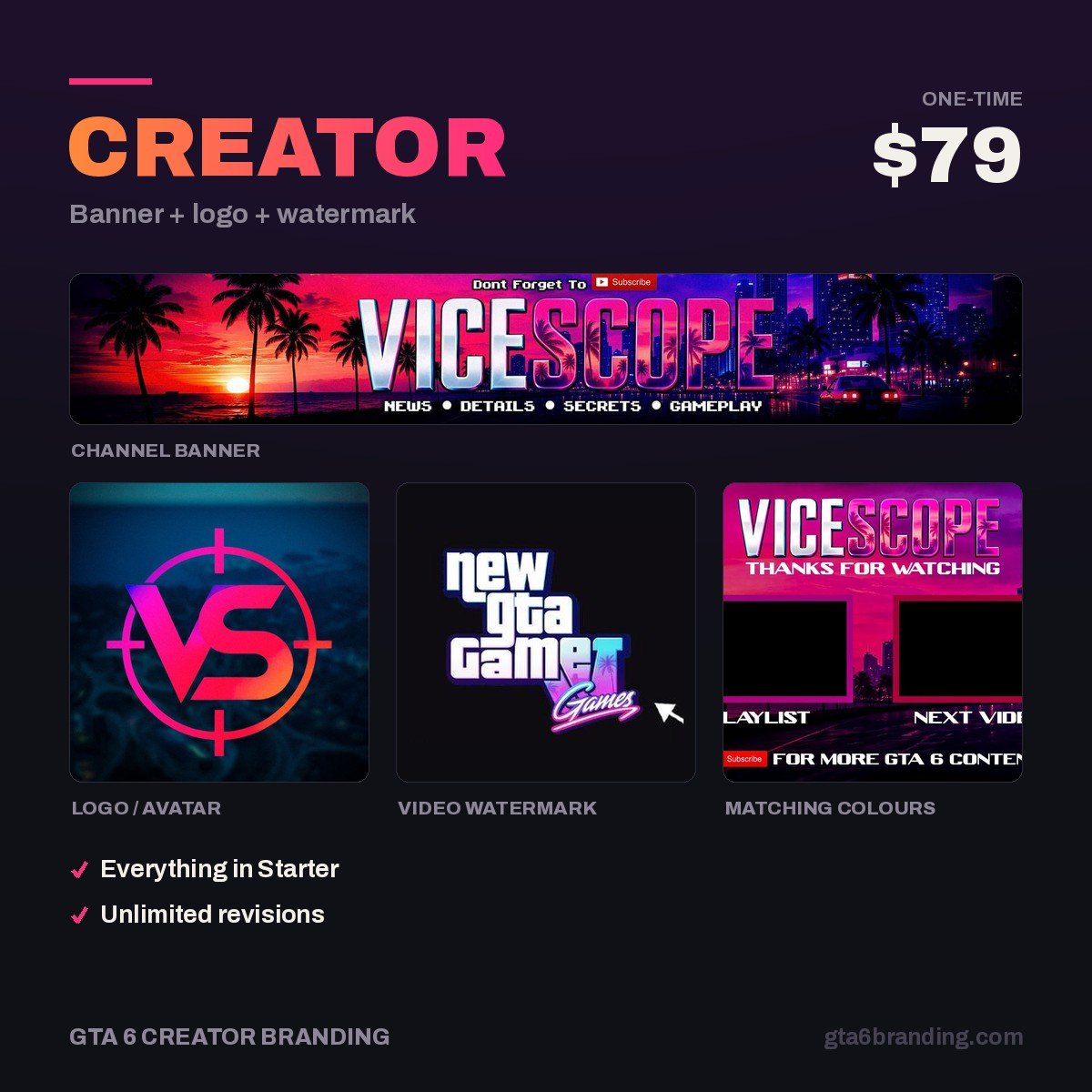
- Creator — Banner + Logo + Watermark ($79) — the three assets viewers judge first.
- Ultimate — Full Channel Identity ($199) — every surface, one system.
FAQ
How do I make my YouTube channel look professional for free?
Pick three hex codes and one bold font, then apply them to a 2560 × 1440 px banner, an 800 × 800 px logo and a single reusable thumbnail template. Free editors handle all three. The polish comes from repeating those choices everywhere, not from paid software.
Does a professional-looking channel actually get more subscribers?
Branding does not make people watch, but it decides what happens after they watch. A consistent thumbnail set makes your next video recognizable in a crowded feed, and a finished channel page removes the doubt that stops a viewer from subscribing to an account that looks abandoned.
What size should my YouTube banner and profile picture be?
Upload the banner at 2560 × 1440 px under 6 MB, and keep every piece of text inside the central 1546 × 423 px safe area so nothing is cropped on phones. The profile picture is 800 × 800 px square. Thumbnails are 1280 × 720 px under 2 MB.
How long does it take to make a channel look professional?
A focused weekend. Budget about two hours for colors and the logo, two for the banner and its safe-area check, two for a reusable thumbnail template, and one for the watermark, About section, playlists and trailer. Refreshing old thumbnails takes longer and can wait.
Ready for the next step? Work through the 12-asset branding checklist, then plan the uploads with the GTA 6 launch week plan and the GTA 6 thumbnail ideas that pass the phone test.
GTA 6 Creator Branding is an independent creator branding service and is not affiliated with Rockstar Games or Take-Two Interactive.