GTA 6 YouTube Banner Size: Exact Specs, Safe Area and Design Ideas (2026)
The correct GTA 6 YouTube banner size is 2560 × 1440 pixels, saved under 6 MB, with every important element kept inside a centered 1546 × 423 px safe area. Upload anything smaller and YouTube stretches it; ignore the safe area and your channel name gets sliced off on phones, which is where most of your GTA 6 traffic will come from.
Below are the exact numbers, the crop behavior on each device, a file-spec checklist, and design ideas that hold up when the banner is squeezed from a 16:9 TV image down to a thin desktop strip.
The GTA 6 YouTube banner size and how it crops on each device
You upload one image. YouTube then shows four different crops of it. This single fact is why most new gaming channels have banners with headless characters and half-visible text.
| Where it shows | Visible dimensions | What happens to your art |
|---|---|---|
| Upload / source file | 2560 × 1440 px (16:9) | The full image you design |
| TV app | 2560 × 1440 px | Everything is visible, edge to edge |
| Desktop browser | 2560 × 423 px | Top and bottom cut away — a wide strip |
| Tablet | 1855 × 423 px | Sides start trimming inward |
| Mobile (safe area) | 1546 × 423 px | Only the center block survives |
Read that bottom row again: the mobile crop keeps roughly 17% of your total canvas. Everything that has to be read — channel name, tagline, upload schedule, social handles — belongs in that 1546 × 423 box. The other 83% is atmosphere: skyline, neon glow, palm silhouettes, color gradient.
File specs YouTube actually enforces
Banner export checklist
- Dimensions: 2560 × 1440 px minimum — never upscale a smaller file.
- Aspect ratio: 16:9, exactly.
- Max file size: 6 MB. Aim for under 1 MB so it loads fast on mobile.
- Formats: JPG, PNG, GIF or BMP. Use PNG when your banner has sharp text or a logo; JPG when it is a photo-heavy scene.
- Color: sRGB. Export in anything else and the neon shifts dull in the browser.
- Safe area: 1546 × 423 px, centered. Put a guide layer there before you draw anything.
One extra habit worth building: after you upload, open your channel on your phone, on a laptop, and if you can, on a TV. Ten seconds of checking catches 90% of banner mistakes.
GTA 6 banner design ideas that survive the crop
GTA 6 arrives November 19, 2026 on PS5 and Xbox Series X|S, and the visual language everyone associates with it is Leonida: humid Vice City sunsets, chrome, neon pink and orange, palm trees, and a strong 1980s-revival type treatment. You can build in that world without touching a single piece of Rockstar artwork. For ten layouts in detail — and the tighter core each one has to respect — see our full set of YouTube banner ideas.
Layouts that work
- Centered lockup: logo on top, channel name under it, upload days in small caps below. Safest layout there is — it reads identically on every device.
- Split panel: name and logo in the left two-thirds of the safe area, a character or car silhouette on the right third. Keeps balance on desktop without losing the name on mobile.
- Horizon band: a sunset gradient running across the full 2560 px width, with the safe area sitting as a darker band over it. The outer 83% stays beautiful on TV, the center stays readable everywhere.
- Grid depth: a perspective neon grid receding to a low horizon, name floating above it. Very on-theme and it survives cropping because the grid has no critical detail.
Color and type that read at thumbnail scale
- Two or three colors maximum. Deep purple or midnight navy as the base, magenta and sunset orange as accents.
- One bold display font for the channel name, one clean sans for everything else. Two fonts total.
- Minimum ~90 px text height inside the safe area for the channel name — that is what keeps it legible when YouTube scales the banner down on a phone.
- Add a subtle dark overlay or drop shadow behind text sitting on a busy background. Contrast beats decoration.
Do and don’t
| Do | Don’t |
|---|---|
| Design your own logo and wordmark inspired by the era | Use official Rockstar or GTA logos, fonts or key art |
| Use original or licensed art and photography | Pull screenshots or press images and pass them off as yours |
| Say clearly that you are an independent fan channel | Imply you are official, verified or Rockstar-affiliated |
| Match your banner colors to your thumbnails | Use one palette on the banner and a different one on videos |
| Keep the safe area uncluttered — name plus one line | Cram five social handles and a schedule into 423 px of height |
That last legal point matters more than people expect. A channel using official artwork can be hit with a takedown right when its launch-week traffic peaks. Original branding avoids the risk entirely, and it gives viewers something to actually remember you by. If you have not settled on a name yet, start with our list of GTA 6 channel name ideas — 60 options plus the handle rules to check — and our guide on how to start a GTA 6 YouTube channel covers niche, name and launch planning in order.
The rest of your channel art (sizes you will need anyway)
The banner is one piece. A viewer who arrives from a GTA 6 video sees four branded surfaces in the first ten seconds, and they need to look like one system.
| Asset | Size | Max file size | Where it appears |
|---|---|---|---|
| Channel banner | 2560 × 1440 px | 6 MB | Channel page header, all devices |
| Profile picture / logo | 800 × 800 px (renders as a 98 px circle) | 4 MB | Every video, comment, Short and search result |
| Video thumbnail | 1280 × 720 px | 2 MB | Home, search, suggested — your main click driver |
| Video watermark | 150 × 150 px, transparent PNG | 1 MB | Corner subscribe button during playback |
Note the profile picture: you design at 800 × 800 but it is displayed as a tiny circle. Anything with fine detail turns to mush. A single bold letterform or a simple mark is almost always the right answer.
Thumbnails carry even more weight, because they are the surface a viewer sees before they ever reach your channel page. Our guide to GTA 6 thumbnail ideas covers nine layouts that stay readable at phone size, along with YouTube’s updated 2026 thumbnail specs.
Template or custom banner?
A free template gets you a correctly sized file in twenty minutes. The trade-off is that thousands of other GTA 6 channels are downloading the same three or four popular templates, and during launch week viewers will scroll past a look they have already seen. If you would rather build it yourself first, here is how to make a YouTube banner in Canva — including the exact guide positions for the safe area.
| Free template | Custom design | |
|---|---|---|
| Time to finish | 20–60 minutes | 1–3 days, hands-off |
| Cost | $0 | From $45 |
| Looks like other channels | Very likely | No |
| Matching logo & thumbnails | You build them yourself | Built as one set |
| Safe area handled correctly | Usually, if you don’t move things | Yes, checked on device |
| Source files for future edits | Depends on the template | Yes |
If you are testing whether you enjoy making GTA 6 videos at all, start with a template. If you have decided you are going to publish through launch week and beyond, a custom GTA 6 YouTube banner pays for itself the first time someone subscribes because your channel looked like it was worth taking seriously. We weigh the two routes in full — costs, licensing traps and a six-question test — in YouTube banner template vs custom design.
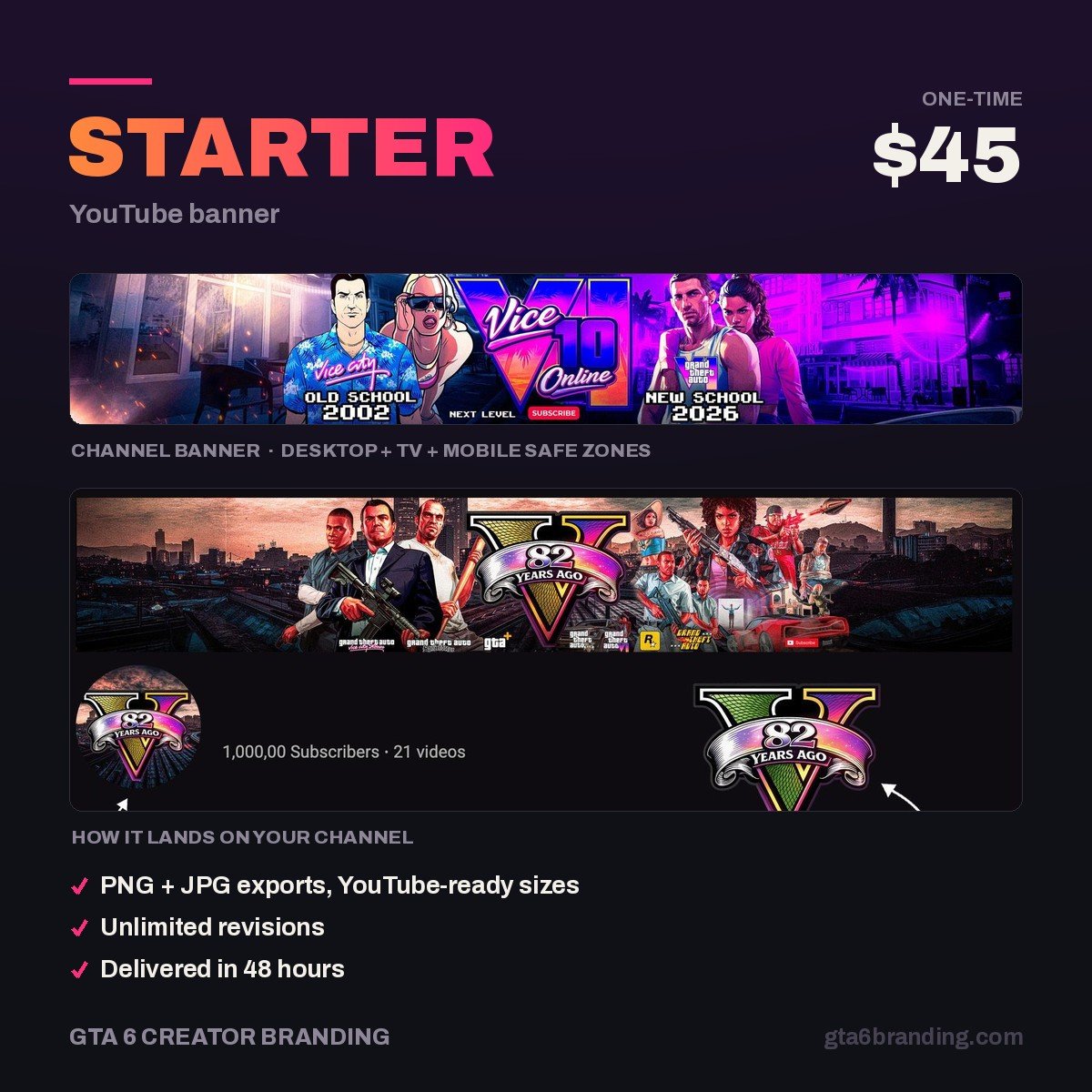
Get a banner built to the exact safe area — $45
We design GTA 6–era YouTube banners at full 2560 × 1440, with your channel name locked inside the 1546 × 423 safe zone and checked on desktop, mobile and TV before delivery. Original artwork only — no Rockstar assets, no takedown risk.
- Starter — YouTube Banner ($45) — one custom banner, correctly sized, device-checked.
- Creator — Banner + Logo + Watermark ($79) — the three surfaces new viewers see, as one matching set.
- Ultimate — Full Channel Identity ($199) — banner, logo, watermark, thumbnail templates, intro and outro.
Before you upload: a 60-second check
- Open the file at 100% — is it genuinely 2560 × 1440, not upscaled?
- Hide everything outside the 1546 × 423 safe area. Does the banner still say who you are?
- Shrink the whole thing to 25% on screen. Is the channel name still readable?
- Check the file size. Under 6 MB, ideally under 1 MB.
- Confirm there is no official Rockstar logo, key art or screenshot anywhere in it.
Once the banner is live, the next lever is your upload schedule. The pre-launch GTA 6 channel plan lays out what to publish in the weeks before November 19 so you are not starting from zero when search volume spikes.
FAQ
What is the best size for a GTA 6 YouTube banner?
Design and upload at 2560 × 1440 pixels in a 16:9 ratio, under 6 MB. Keep your channel name, logo and any text inside the centered 1546 × 423 pixel safe area, because that is the only part of the image guaranteed to be visible on phones and narrow browser windows.
Why is my YouTube banner cut off on mobile?
Because YouTube crops a single uploaded image differently per device. Desktop shows a 2560 × 423 strip and mobile shows just 1546 × 423 from the center. Anything placed near the top, bottom or outer edges disappears there. Move your text and logo into the centered safe area and re-upload. If the image is also soft or pixelated, that is a separate problem with its own fixes — see why a YouTube banner looks blurry or cut off, including the tighter 1235 × 338 zone phones actually keep.
Can I use GTA 6 artwork in my YouTube banner?
Official Rockstar logos, key art and press images are copyrighted, and using them as your channel branding risks a takedown and makes your channel look unofficial-but-pretending. Build an original identity inspired by the Vice City atmosphere — neon palette, sunset gradients, bold 1980s type — and state that you are an independent creator.
How much does a custom YouTube banner cost?
Custom gaming channel banners typically run from around $40 for a single banner up to a few hundred dollars for a full identity set — our full breakdown of YouTube channel art cost lists the 2026 price range for every asset. Our Starter banner is $45, the Creator set with banner, logo and watermark is $79, and the Ultimate full channel identity including thumbnails, intro and outro is $199.
What size should my GTA 6 channel logo and thumbnails be?
Upload your channel logo at 800 × 800 pixels, keeping in mind it renders as a small circle, so use one bold mark rather than fine detail. Thumbnails are 1280 × 720 pixels under 2 MB, and the video watermark is a 150 × 150 pixel transparent PNG.
Know the sizes and want someone to build the thing? Our guide to GTA 6 YouTube banner design covers what a custom banner includes, the design process, the files you receive and what it costs.
GTA 6 Creator Branding is an independent creator branding service and is not affiliated with Rockstar Games or Take-Two Interactive.