YouTube Logo File Formats: What Your Designer Must Send
Four YouTube logo file formats matter, and only one of them is the file you ever upload. YouTube takes a flat raster image — a PNG — while the vector master and the layered source file are what let you reuse that same mark for the next two years without paying a designer again.
Most creators find this out the hard way. They pay for a gaming logo, receive one 1000 x 1000 JPG with a white box baked behind it, and three weeks later need a 150 x 150 transparent watermark, a wide version for the banner, and the channel name changed by one word. None of that is possible from a flat JPG. Here is what each format is for, which files a finished delivery contains, and the exact export sizes you should be able to produce from them.
The four YouTube logo file formats, compared
| Format | What it actually is | Use it for | Never use it for |
|---|---|---|---|
| PNG | Raster pixels, supports a transparent background | Every upload: profile picture, watermark, badges, overlays | Scaling up — enlarging a PNG softens the edges |
| SVG (or AI / EPS) | Vector maths, not pixels — resolution independent | The master copy. Export any size from it, from 14 px to a billboard | Uploading to YouTube — no field accepts it |
| PSD (layered) | The working file with text, effects and layers still editable | Revisions, colour changes, new lockups, thumbnail variants | Sharing as your logo — nobody can open it in a browser |
| JPG | Raster pixels, compressed, no transparency | Banners and thumbnails where the whole frame is filled | A logo or watermark — you get a visible box behind it |
If a designer sends you a single JPG and calls it finished, you have bought a picture of a logo rather than a logo. Our full breakdown of GTA 6 YouTube logo design covers the logo types and the briefing side; this guide is strictly about the files.
PNG vs SVG: which one does YouTube actually accept?
YouTube Studio’s image fields are raster-only. There is no place in YouTube Studio — profile picture, banner, watermark, thumbnail, membership badge — that accepts an SVG. So the practical answer is: you upload PNGs, and you keep the SVG off-platform as your master.
That is exactly why the SVG matters. A YouTube logo lives at wildly different sizes on the same day:
- 800 x 800 px as the profile picture you upload
- ~48 px next to your video in the sidebar
- 24 px in the comment section
- 150 x 150 px as the video watermark
- 14 px for membership badges in live chat
- 2560 px wide inside the banner artwork
Exported from a vector master, every one of those is crisp. Exported by dragging a corner of an 800 px PNG, the big sizes go mushy and the small ones turn to grey soup. The 24-pixel test in how to make a gaming logo is the one that decides whether your mark survives the shrink at all.
The six files a finished logo delivery contains
This is the checklist to hold any designer to. If an order arrives without items 3 and 4, you will be paying again the first time anything changes.
Logo delivery checklist
| 1 | Primary logo — transparent PNG, 800 x 800 Your profile picture upload. Keep it under 4 MB. |
| 2 | Light-background version For sponsor decks, merch and anywhere white shows through. |
| 3 | Vector master — SVG, AI or EPS Any size, forever. This is the asset, not the PNG. |
| 4 | Layered source file — PSD or AI Text still editable, effects still live, nothing flattened. |
| 5 | Watermark export — 150 x 150 transparent PNG Under 1 MB, simplified so it reads in the player corner. |
| 6 | Horizontal lockup for the banner Mark plus channel name, built to sit inside 1235 x 338. |
Item 5 is its own design problem rather than a resize — a logo that works at 800 px usually needs detail stripped out to survive at 150. These YouTube watermark ideas show which mark styles still read at that size. Item 6 matters because the banner crops differently on every device, which is the whole subject of our GTA 6 YouTube banner design guide.
Export sizes you should be able to produce from one logo
With the vector master and the layered file in hand, every asset below is a 30-second export. Without them, each one is a new quote.
| Asset | Pixel size | Max file size | Export as |
|---|---|---|---|
| Profile picture / logo | 800 x 800 | 4 MB | PNG |
| Channel banner | 2560 x 1440 (text inside 1235 x 338) | 6 MB | PNG or JPG |
| Video watermark | 150 x 150 | 1 MB | Transparent PNG |
| Thumbnail | 1280 x 720 | 2 MB | PNG or JPG |
| Shorts cover | 1080 x 1920 | 2 MB | PNG or JPG |
| Membership badge | Renders at 14 px in chat | — | Transparent PNG |
Two numbers in that table trip people up constantly. The banner safe area is not one zone but two: 1546 x 423 is the desktop and TV band, while 1235 x 338 is the tightest all-device crop. Your channel name, logo and handle belong inside 1235 x 338 or they get cut off on phones. And the watermark is 150 x 150 — people export it at 800 and wonder why it looks like a smudge.
Streaming alongside YouTube adds another column of exports — Twitch and Kick want their own profile, banner and emote sizes from the same mark. Our GTA 6 multi-platform branding guide maps the full matrix so you build the identity once and re-export it per platform.
Why the layered source file is the part people forget
The PNG is what you use today. The layered file is what protects you from every change that comes later, and on a GTA 6 channel heading into the November 19, 2026 launch, changes come fast:
- You shorten the channel name after a month of saying it out loud.
- You add a second colourway for a Shorts-only sub-brand.
- You need a stacked version because the wide one does not fit a square avatar.
- Your thumbnail text keeps colliding with the logo and the mark needs a tighter crop.
- A sponsor asks for the logo on a light background at print resolution.
Every one of those is ten minutes with the source file and a redraw from scratch without it. Ask one question before you pay: “Does the delivery include the vector and the layered source file, or only flattened exports?” The answer tells you what you are actually buying.
Commercial rights: get it in writing
Files and rights are separate things. Holding a PSD does not automatically mean you may monetise what is in it. Before you order, confirm three lines:
- Full commercial use — monetised videos, sponsorships, merch, no revenue cap.
- Exclusivity — the design will not be resold to another channel.
- No recurring fee — one payment, yours permanently, including the source files.
There is a second rights question specific to this niche: whatever the file format, the artwork inside it has to be original. A traced Rockstar wordmark in a tidy SVG is still a traced Rockstar wordmark. GTA 6 logo copyright explains exactly which elements stay off limits and how to get the Vice City feel without borrowing anything.
Get the whole file set, not one flat PNG
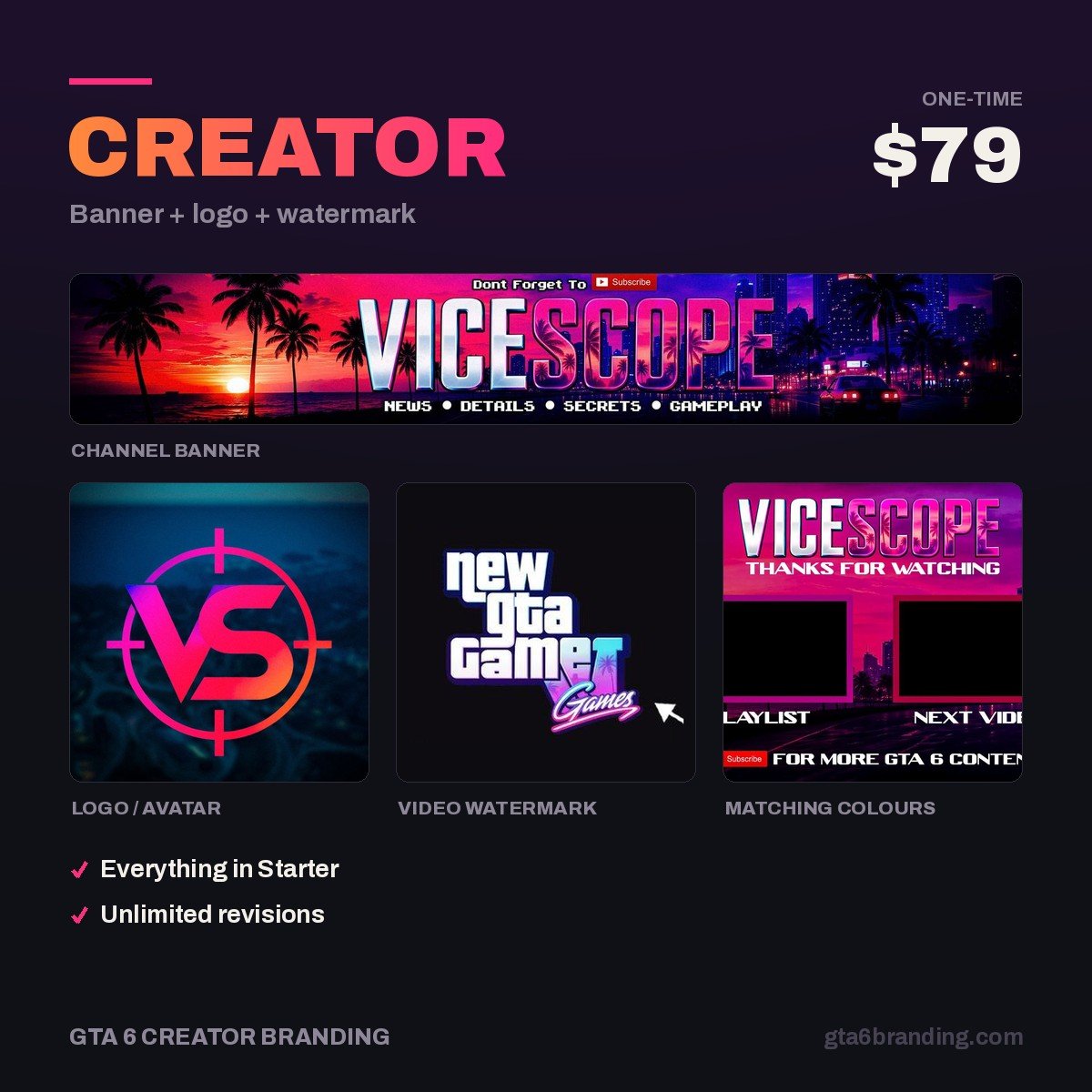
Our Creator package delivers a custom logo, a matching banner and a 150 x 150 watermark — exported at every size YouTube asks for, with the transparent PNGs, the light-background version and the layered source file included, plus full commercial rights. One payment, no re-orders the next time your channel name changes.
- Creator — Banner + Logo + Watermark ($79) — the full file set for a YouTube channel.
- Ultimate — Full Channel Identity ($199) — adds badges, emotes and every platform export.
Do and don’t
Do
- Keep the vector master in cloud storage, not only on one laptop.
- Name exports by their job:
logo-800.png,watermark-150.png,lockup-banner.png. - Export each size from the vector, never from a smaller PNG.
- Check the 24 px version before you approve anything.
Don’t
- Accept a JPG as your logo file — the white box follows you everywhere.
- Upscale an 800 px PNG to fill a 2560 px banner.
- Convert a PNG to SVG with an auto-tracer and call it a vector; the edges come back ragged.
- Use the same full-detail mark for the 150 x 150 watermark.
FAQ
Can you upload an SVG logo to YouTube?
No. YouTube Studio’s image fields take raster files, so you upload a PNG or a JPG — there is no profile picture, banner, watermark or thumbnail field that accepts an SVG. Keep the SVG as your off-platform master and export the PNG sizes YouTube asks for from it.
Is PNG or JPG better for a YouTube profile picture?
PNG, in almost every case. A PNG keeps a transparent background and clean edges on text and thin shapes, which is what a logo is made of. Save JPG for images that fill the whole frame, such as banners and thumbnails, where compression artefacts are far less visible.
What size should my YouTube logo file be?
Upload the profile picture at 800 x 800 px and keep it under 4 MB. Export the watermark separately at 150 x 150 px, under 1 MB, as a transparent PNG. Both should come from the same vector master rather than being resized from each other.
Do I need the PSD if I already have the PNG?
Yes, if you ever plan to change anything. A PNG is flattened pixels: the text is no longer text and the layers are gone. Any name change, colour swap, new lockup or extra export means redrawing the logo. The layered file turns those jobs into minutes instead of a new order.
GTA 6 Creator Branding is an independent creator branding service and is not affiliated with Rockstar Games or Take-Two Interactive.