GTA 6 Thumbnail A/B Testing: 3 Variants, One Winner
GTA 6 thumbnail A/B testing is a feature, not a theory: YouTube Studio lets you run up to three thumbnails against each other on the same video and keeps whichever one holds the most watch time. With GTA 6 arriving on November 19, 2026 for PS5 and Xbox Series X|S, every launch-week upload you publish will sit in a feed beside hundreds of near-identical videos — and the thumbnail is the one part of that fight you fully control.
The catch is what the feature quietly demands of you. A real test needs three thumbnails that differ on purpose, not three rushed near-duplicates. That turns thumbnails from a one-off job into a system — and most creators find that out the week they need it most.
What GTA 6 thumbnail A/B testing actually does
The feature is called Test & Compare, and in newer Studio builds it appears as A/B Testing because it now covers titles as well as thumbnails. You give YouTube up to three options for the same video. YouTube rotates them through the impressions that video would have received anyway, measures how each one performs, then settles on a winner and leaves it in place.
The rules of one test
- Options per test: up to 3, and your current thumbnail counts as one of them
- How long it runs: tests are expected to finish within about two weeks — many resolve in days
- What decides the winner: watch time share, weighed against statistical confidence — not raw clicks
- Where it lives: desktop YouTube Studio, on eligible channels with advanced features enabled
- Thumbnail spec per option: 1280 x 720 px, 16:9, under 2 MB
- Also testable: the title, as a title + thumbnail package
To find it: on a new upload, the A/B Testing option sits in the title box or just under the thumbnail area. On a video that is already live, go to Content, open the video, and look for A/B Testing on its Details page. A running test is reviewed from the same Details page or under Analytics → Reach.
Which GTA 6 uploads you can test — and which you can’t
This is where a lot of GTA 6 channels get caught out, because so much launch content is vertical.
Eligible:
- Standard long-form public uploads — your trailer breakdowns, mission guides, map videos
- Live archives, once the stream has ended and been published
- Premieres, after the Premiere itself has finished
Not eligible:
- Shorts. Your daily GTA 6 clips cannot be A/B tested, so the vertical cover still has to be right first time — see the YouTube Shorts thumbnail size specs for the 1080 x 1920 safe zones
- Scheduled live streams and Premieres that have not aired yet
- Private videos — the test needs real public impressions
- Made-for-kids videos, and age-restricted or mature content
Practically, that means your launch-week long-form uploads are the ones worth building variants for. Shorts get one shot each.
Watch time share, not click-through rate
This single detail changes how you should design the three options. The winner is not the thumbnail that collects the most clicks — it is the one credited with the largest share of the experiment’s watch time. A thumbnail can win the click and still lose the test.
So the bait-and-switch thumbnail actually gets punished. If option C screams “LUCIA ARRESTED?!” and the video never shows it, those viewers leave in the first fifteen seconds, the watch time credited to C collapses, and C loses to the honest option that promised exactly what the video delivers.
Design the variants as three honest promises about the same video, phrased differently. That is a far more useful brief than “make it more clickable”, and it is the brief our GTA 6 YouTube thumbnail design guide is built around.
Change one variable per variant
If option B changes the text, the colour, the subject and the crop all at once and it wins, you have learned nothing you can reuse. You have one lucky thumbnail and no rule. Keep one variable moving at a time.
| Variant | What changes | What stays identical |
|---|---|---|
| A (control) | Nothing — your current thumbnail | Baseline for the other two |
| B | Headline wording only (e.g. “6 THINGS” → “WHAT NOBODY SAW”) | Art, crop, colours, type, logo |
| C | Subject or crop only (wide establishing shot → tight close-up) | Headline text, colours, type, logo |
Do:
- Keep your channel colours and headline typeface fixed across all three — the test is about the message, not your identity. Our gaming channel fonts guide covers the faces that still read at 12 px
- Check every variant at roughly 320 px wide, the size a phone feed actually renders
- Write the three headlines before you open the design file, so the variable is decided in words first
- Keep one test per video running at a time
Don’t:
- Submit three thumbnails that are visibly the same image with the brightness nudged — the test will come back inconclusive
- Use Rockstar’s wordmark, the R* logo or press screenshots in any variant; that is a copyright problem the test result cannot fix
- Swap the thumbnail manually while a test is live
- Test a video that will only ever get a few hundred impressions — there is nothing to measure
The launch-week math nobody plans for
Here is the number that decides whether you can actually use this feature. A sensible GTA 6 launch week upload plan puts out roughly one long-form video a day for seven days. Three options each is 21 thumbnails in seven days — while you are also recording, editing and publishing.
Nobody designs 21 thumbnails from scratch in launch week. The only way that number is survivable is a built template system where the layout, type, colour and logo placement are already locked and you are swapping the art and the headline. That is the difference between buying thumbnails and buying a thumbnail system.
| One-off thumbnails | Designed template system | |
|---|---|---|
| Cost of three variants | Three separate design jobs | One build, then exports |
| Time to produce a variant | Hours, and a new brief each time | Minutes from a locked file |
| Do variants differ on one variable? | Rarely — everything drifts | By design, because the frame is fixed |
| Seven uploads in launch week | 21 separate briefs | 21 exports from one system |
| Feed recognition | Drifts video to video | Stays consistent while you test |
If you are building that system yourself, the five-layer approach in our YouTube thumbnail template guide is the fastest route, and these GTA 6 thumbnail ideas give you nine starting layouts that already survive a phone-sized preview.
Get a thumbnail system you can actually test with
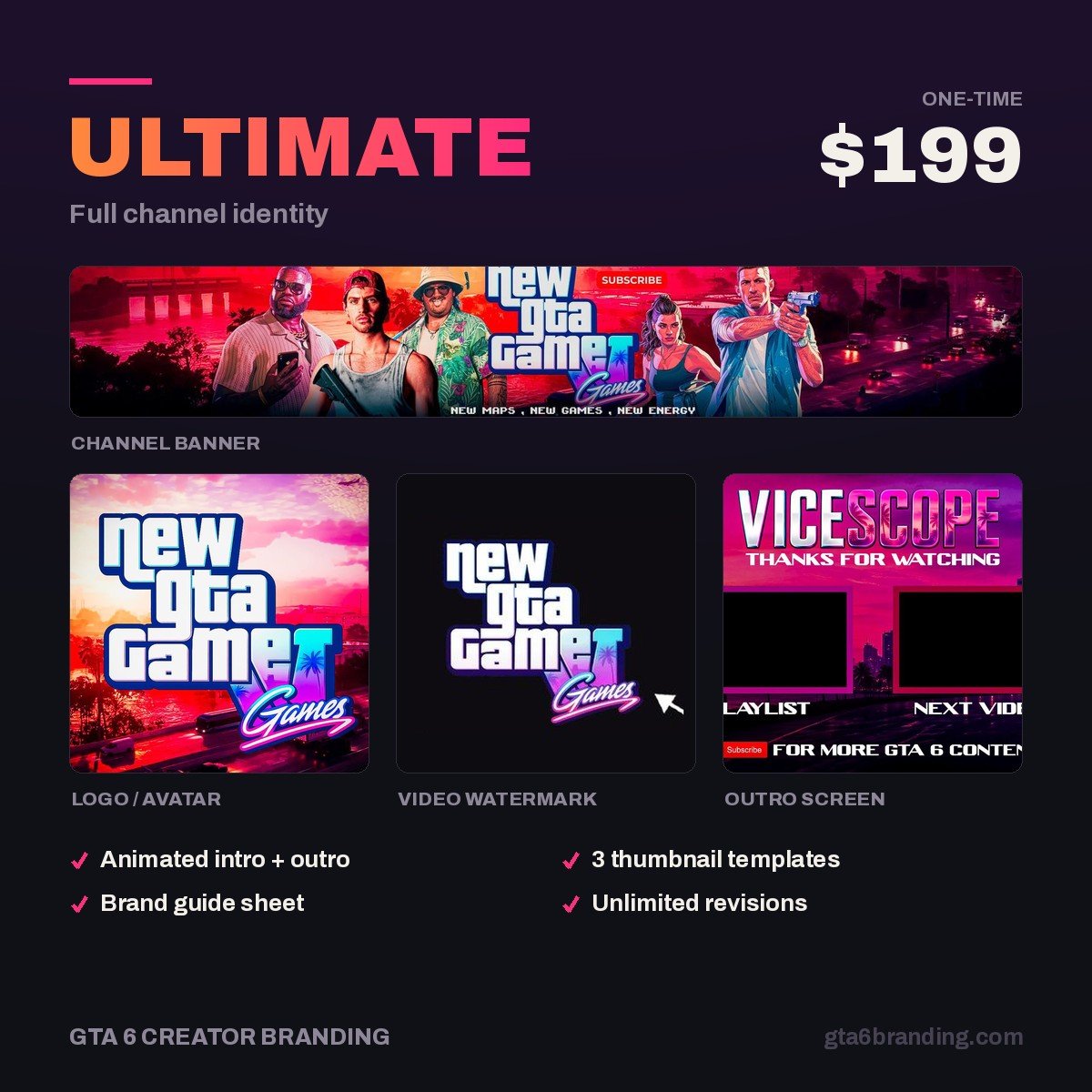
The Ultimate — Full Channel Identity ($199) build includes a layered thumbnail system alongside your banner, logo and watermark, so producing a second and third variant is a headline swap rather than a new design job. You go into launch week able to test every upload instead of hoping the first thumbnail was the right one.
Reading the result without fooling yourself
A test that ends without a clear winner is a real and common outcome, and it usually means one of three things: the video did not gather enough impressions, the options were too similar to separate, or the difference genuinely does not matter. None of those are failures — they just are not results.
- Don’t generalise from one GTA 6 news video. A spike-driven upload behaves nothing like an evergreen guide, so a winner there may not transfer.
- Log every test. Variable changed, winner, share. After eight or ten tests you have your channel’s own rules instead of someone else’s advice.
- Keep the winner’s frame. The point is to fold what won back into your template, not to redesign from zero each time.
Done steadily, that log is what moves your retention and session time, and those are the metrics behind both gates in GTA 6 YouTube monetization — 500 subscribers and 3,000 watch hours for fan funding, 1,000 and 4,000 for ads.
FAQ
Can you A/B test thumbnails on GTA 6 Shorts?
No. Shorts are excluded from Test & Compare, along with private videos, made-for-kids content, age-restricted uploads and streams that have not aired yet. Vertical GTA 6 clips get one cover each, so design them at 1080 x 1920 with the caption and UI safe zones respected before you publish.
How long does a YouTube thumbnail test take?
Tests are expected to complete within roughly two weeks, and many finish in a few days. Speed depends on how many impressions the video gathers, how recent it is, and how different the options are. A fast-moving GTA 6 news video usually resolves quickly; a quiet back-catalogue guide may never reach a confident result.
Does A/B testing hurt your video’s reach?
YouTube rotates the options through impressions the video would have received anyway rather than adding extra ones, and the test ends by keeping the best-performing option. The real risk is not reach but noise: on a low-traffic video the result is simply inconclusive, so you have spent effort on three thumbnails for nothing.
How many thumbnails do I need for GTA 6 launch week?
Seven long-form uploads tested properly means 21 thumbnails across the week. That is only realistic from a locked template where the layout, typeface and colours are fixed and you change the art and headline. Build the system before November 19, not during it.
GTA 6 Creator Branding is an independent creator branding service and is not affiliated with Rockstar Games or Take-Two Interactive.