YouTube Shorts Thumbnail Size: Exact Specs, Safe Zones and Covers (2026)
The YouTube Shorts thumbnail size is 1080 × 1920 pixels at minimum — a 9:16 vertical image, JPG or PNG — and YouTube recommends going up to 2160 × 3840 so it stays crisp on TVs and high-density phone screens. That is the entire spec, and it is almost never the thing costing you clicks.
What costs you clicks is everything the spec sheet leaves out. Your cover never appears inside the Shorts feed itself. It shows up in four other places, at four different sizes, sometimes with the video title printed across the bottom of it. And the safe zone you design a Short around is not the safe zone you design its cover around. Here are the exact numbers, the rule change that landed in July 2026, and six layouts that still read on a tile the width of a thumb.
YouTube Shorts thumbnail size and specs at a glance
Vertical is its own format with its own file. Do not recycle a 16:9 thumbnail and hope YouTube crops it kindly — it will not.
| Asset | Size | Ratio | Notes |
|---|---|---|---|
| Shorts video frame | 1080 × 1920 px | 9:16 | Your vertical master — export at this exact size |
| Shorts cover / thumbnail | 1080 × 1920 px min, 2160 × 3840 px recommended | 9:16 | JPG or PNG. 2 MB uploading from mobile, up to 50 MB from desktop |
| Regular video thumbnail | 1280 × 720 px | 16:9 | A separate file — never reuse it on a Short |
| Profile picture / logo | 800 × 800 px | 1:1 | Sits on every Short you publish |
| Channel banner | 2560 × 1440 px | 16:9 | Text inside the 1546 × 423 safe area |
| Watermark | 150 × 150 px | 1:1 | Long-form player only — not shown on Shorts |
Two traps catch almost everyone. The first is designing on a 27-inch monitor at 100% zoom, where a 40-pixel caption looks enormous. The second is never testing the crop. Export the cover, drop it on your phone, and look at it inside a grid of nine other Shorts. If you cannot tell what the video is about in one second, the design failed — not the algorithm.
What changed in 2026: you can finally upload a Shorts cover
For years the only choice was scrubbing the timeline and picking whichever frame was least embarrassing. That changed in late July 2026, when YouTube began rolling out custom thumbnail uploads for Shorts — starting with channels in the YouTube Partner Program, editable from YouTube Studio on desktop, including on Shorts you already published. YouTube said access would widen to more creators over time.
Not in the Partner Program yet? You still have two routes: three suggested frames in Studio on desktop, or any frame you like from the YouTube mobile app. Either way, the fix is the same — plan the cover into the edit. Render one clean frame with your subject centered, no burned-in caption across it, and park it at the very start or end of the timeline. That frame becomes a usable cover today, and a drop-in upload the moment the feature reaches you.
The two safe zones most guides merge into one
This is the part that trips up good designers. A Short and its cover live in two different environments, and each eats a different part of the frame.
The Shorts player eats the edges; the grid tile eats the bottom. Design for both.
Safe zone A — the Short itself
These are the margins we design to on a 1080 × 1920 canvas. They are deliberately conservative, because the interface shifts between phone sizes, tablets and the desktop player:
- Top — reserve 180 px. Status bar and search chrome sit here.
- Bottom — reserve 420 px. The biggest bite: video title, your handle, the subscribe prompt, sound attribution and the progress bar all stack up from the bottom edge.
- Right — reserve 220 px. The action rail: like, dislike, comment, remix, share and the rotating sound disc.
- Left — leave 60 px. Not covered, but text that kisses the edge looks cheap.
That leaves a working area of roughly 800 × 1320 px, sitting slightly above the vertical center. Put your hook line there, not at the bottom where a caption would naturally go.
Safe zone B — the cover in grids and search
Your cover is invisible in the swipe feed. It appears on the Shorts tab of your channel, in the subscriptions feed, in home recommendations and in search results — and in several of those surfaces the video title is printed over the lower portion of the tile.
- Keep the subject and any text in the top two-thirds. Treat the bottom quarter as disposable.
- Assume the tile renders around 120 px wide on a phone. Three or four words maximum, set heavy.
- No thin outlines, no drop shadows under 4 px, no gradients that muddy at small size.
- High contrast beats fine detail every time — this is the same rule that governs GTA 6 thumbnail ideas for long-form, just in a taller frame.
Six Shorts cover layouts that get clicked
Vertical rewards one idea, large. These six hold up at tile size:
- The single face. One reaction, cropped from mid-forehead to chin, filling the top half. Nothing else competes with it.
- Three-word promise. Stacked lines, one word each, in a heavy display face — “NOBODY / FOUND / THIS”. Works with no footage at all.
- Number plus noun. “$0 → $1M” or “6 SECRETS”. Numerals read at sizes where letters blur.
- Vertical before/after. Split the frame horizontally, before on top, after below, with a thin brand-colored divider.
- Circle and arrow. One magenta circle around the thing you found, one arrow pointing at it. Reads instantly, costs thirty seconds.
- Series badge. A small corner chip — “EP 04” — in your brand color, identical on every Short in the run. It turns a feed of loose clips into a season.
Make your Shorts covers look like they came from your channel
With GTA 6 arriving on November 19, 2026, Shorts are where most creators will post clips, reactions and countdown facts — and where most new viewers will meet your channel for the first time. If every cover looks like a different channel made it, none of that recognition compounds.
Lock four things and every future cover takes minutes:
- One headline typeface. Pick from these gaming channel fonts — a heavy display face that survives being shrunk.
- Two or three colors, no more. Your gaming channel brand colors should appear on the badge, the divider and the highlight — nowhere else.
- A corner mark. The same logo lockup as your avatar, because these gaming channel profile picture ideas are what viewers already associate with you.
- A reusable template. One layered file with the safe zone drawn on it, so you never re-measure.
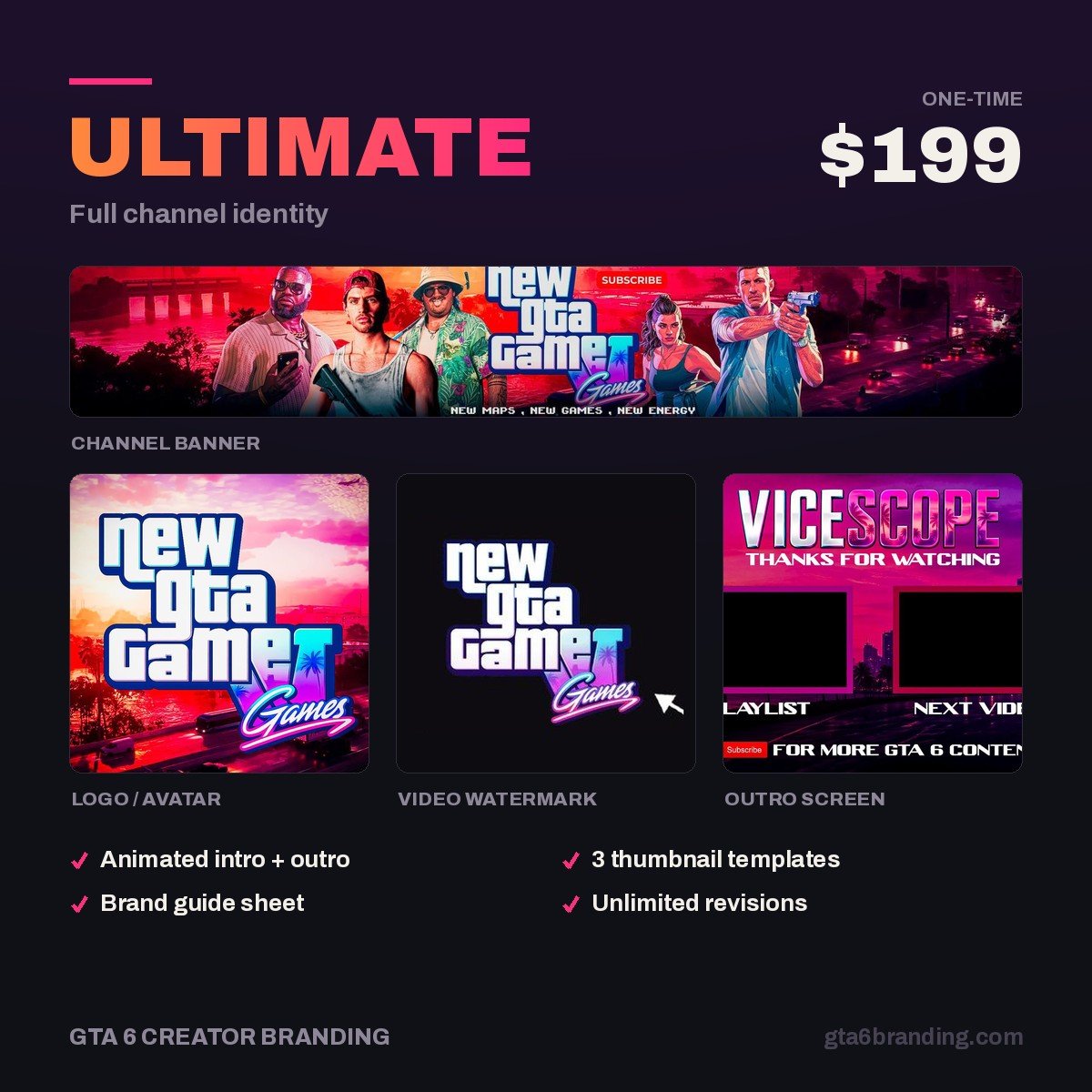
If you are building the whole set from scratch, work through the YouTube channel branding checklist first — the Shorts cover template is the last piece, not the first. And if you would rather have the whole system built and handed over, our Ultimate full channel identity package covers it end to end.
Get a cover template that matches your whole channel
Stop rebuilding every Short cover from zero. We design GTA 6–era channel identities where the logo, banner, watermark and vertical templates are all cut from the same system — so a new cover takes you two minutes instead of twenty, and every one of them looks like your channel made it.
- Ultimate — Full Channel Identity ($199) — the complete system, built to scale across Shorts and long-form.
- Creator — Banner + Logo + Watermark ($79) — the core marks your covers get built from.
- Starter — YouTube Banner ($45) — start with the first impression.
Shorts cover do’s and don’ts
DO
- Export 9:16 at 1080 × 1920 px or larger
- Keep the subject in the top two-thirds
- Cap text at three or four heavy words
- Check it on a phone, inside a grid
- Repeat one badge across a series
DON’T
- Reuse a 1280 × 720 thumbnail
- Put the hook in the bottom quarter
- Let text run under the right-hand rail
- Use official Rockstar logos or press art
- Change the look every single upload
Frequently asked questions
What size should a YouTube Shorts thumbnail be?
Export it in a 9:16 vertical ratio at 1080 × 1920 pixels minimum, or 2160 × 3840 if you want it sharp on large screens, as a JPG or PNG. Keep it under 2 MB uploading from a phone, or up to 50 MB from desktop. Matching the Shorts frame exactly means nothing gets letterboxed or cropped. Keep your subject in the top two-thirds, where the title never covers it.
Can you upload a custom thumbnail to a YouTube Short?
Yes, for many channels. YouTube began rolling out custom Shorts thumbnail uploads in late July 2026, starting with YouTube Partner Program members and editable in YouTube Studio on desktop, including on already-published Shorts. Creators outside the program can still pick from three suggested frames on desktop, or choose any frame from the mobile app.
Does the Shorts thumbnail show in the Shorts feed?
No. In the swipe-up Shorts player the video simply starts, so the cover is never seen there. It appears on the Shorts tab of your channel, in the subscriptions feed, in home page recommendations and in search results. Those browse surfaces are exactly where a strong cover wins you clicks you would otherwise never get.
Should my Shorts thumbnails match my regular thumbnails?
They should share a system, not a layout. Use the same typeface, the same two or three brand colors and the same corner logo, then rebuild the composition for the vertical frame. A 16:9 design squeezed into 9:16 always looks stretched, but a viewer should still recognize both as yours in a crowded feed.
GTA 6 Creator Branding is an independent creator branding service and is not affiliated with Rockstar Games or Take-Two Interactive.