GTA 6 YouTube Channel Description: Template, Keywords, Links
Your GTA 6 YouTube channel description gets 1,000 characters, and roughly the first 110 of them are the only ones most visitors will ever read. Everything after that sits behind a …more link that almost nobody opens. So the job is not to write a thousand characters of story — it is to win the first line, then back it up for the handful of people who keep reading.
With GTA 6 arriving on November 19, 2026 for PS5 and Xbox Series X|S, a wave of new viewers is about to land on channel pages they have never seen before. This guide gives you the exact character budget, a fill-in template, the 500-character keywords field hiding in YouTube Studio, and the five links that render on top of your banner.
What a GTA 6 YouTube channel description actually does
Two different audiences read it, and they want opposite things.
A human visitor clicked through from one of your videos and is deciding whether to subscribe. They give your channel page about five seconds. They read your name, look at your banner, glance at the truncated first line of your description, and leave or stay.
YouTube search reads it as one signal among many about what your channel covers. It is a real signal, but a weak one next to video titles, video descriptions and how long people stay. Treat the description as a pitch first and an SEO field second — keyword-stuffing it costs you subscribers and buys you very little ranking.
That is why the structure below front-loads the pitch and leaves the keywords to the field actually built for them.
The 1,000-character budget, line by line
Here is how to split the field so nothing is wasted. The character counts are targets, not rules — what matters is that the first sentence survives truncation on its own.
| Zone | Characters | What goes there |
|---|---|---|
| The hook | 0–110 | Who you are, that it is GTA 6, and the one thing you do better than the next channel. Must read as a complete sentence. |
| The promise | 110–350 | Your niche in plain words: guides, map exploration, story breakdowns, news fact-checks, cinematic edits. |
| The rhythm | 350–550 | Upload schedule and formats. “New video every Tuesday and Friday, Shorts daily.” |
| The proof | 550–800 | Why you are worth the subscribe: experience, hours played, series you are running, what launch week will look like. |
| The exits | 800–1000 | Business contact if you have one, Discord, other platforms, and the independence disclaimer. |
One caution on the hook: do not open with your own channel name. The visitor already read it two inches above. Open with what they get.
A GTA 6 YouTube channel description template you can fill in
Copy this YouTube channel description template, replace the bracketed parts, and delete any line that does not apply. Keep the line breaks — a wall of text is harder to skim than five short lines.
The same template, filled in
A map-and-secrets channel might write: “Finding what Rockstar hid in Leonida — one location at a time. Deep-dive map videos, Easter eggs and route guides across Vice City, the Keys and the Everglades, with every claim checked against actual footage. New video Tuesday and Friday, Shorts most days. From November 19 I am filming a full map sweep, region by region.”
The first 110 characters stop at “one location at a time” — and that fragment already tells a stranger exactly what the channel is. That is the whole test. If your truncated first line could belong to any of ten thousand channels, rewrite it. Stuck on positioning? The niche list in our guide to GTA 6 video ideas doubles as a menu of angles you can claim.
Channel keywords: the 500-character field most creators leave empty
Separate from the description, YouTube Studio has a channel keywords box: Settings → Channel → Basic info, and it accepts up to 500 characters in total. Viewers never see it. It exists so YouTube can place your channel in the right topic neighbourhood.
Fill it the way you would label a shelf, not the way you would spam a forum:
- Broad first. GTA 6, Grand Theft Auto VI, gaming, Rockstar Games gameplay — the categories you belong in.
- Then your niche. GTA 6 map, Leonida secrets, Vice City locations, Easter eggs.
- Then your formats. walkthrough, guide, breakdown, Shorts.
- Use quotation marks around any phrase that must stay together, like “GTA 6 money guide”.
- Stop at roughly 10–15 terms. You have 500 characters, but relevance beats volume, and commas count toward the limit.
What not to put there: other creators’ names, unrelated trending games, or your own channel name repeated. None of it helps, and impersonation-adjacent keywords can get you reported.
The five links that sit on top of your banner
In channel customization, under Basic info → Links, you choose which links appear on your channel. Up to five of them render directly on the banner, in the bottom-right corner of the image. They are drawn by YouTube on top of your artwork — you do not control their colour, and you cannot move them.
This is where a lot of otherwise good channel art falls apart. If your banner has a logo, a tagline or a character in that corner, YouTube will stack link chips straight through it.
Banner rule: keep the bottom-right corner empty
Your banner uploads at 2560 × 1440 px (6 MB max). 1546 × 423 is the desktop and TV band; 1235 × 338 is the tightest all-device safe area, and that is where your channel name, logo and handle must live.
The link chips land inside the lower-right of that visible band. Treat roughly the right-hand third of the bottom strip as reserved: background texture only, no text, no face, no mark.
Order your links deliberately — the first one gets the most clicks. For a GTA 6 channel that usually means Discord, then your second platform, then everything else. If you also post clips elsewhere, GTA 6 social media branding lists the avatar and header sizes for each one.
Getting that corner right is a design decision, not a text decision — it belongs in the layout before anything is drawn. Our guide to GTA 6 YouTube banner design walks through the full canvas, both safe zones and the four device crops, and a Creator banner, logo and watermark set is built with the link corner left clear from the start.
Handle, name and the rest of the Basic info tab
While you are in there, three more fields decide how your channel reads:
- Channel name — up to 100 characters, though almost nothing displays that many. Short and spellable wins; our GTA 6 channel name ideas post has 60 worked examples.
- Handle (@yourname) — 3 to 30 characters, always shown in full. Match it to your name and to your other platforms if you can.
- Links — keep the display text short. “Discord” reads better on a banner than a raw URL.
Finished text with unfinished artwork still looks unfinished. The YouTube channel branding checklist covers all twelve assets with exact sizes and file limits, so nothing on the page is left at the default. With the text and artwork done, arrange the page itself — our GTA 6 YouTube channel layout guide covers the 12 featured sections, the shelf order that converts a launch-week visitor, and the playlist covers sitting behind them.
Make the page match the pitch
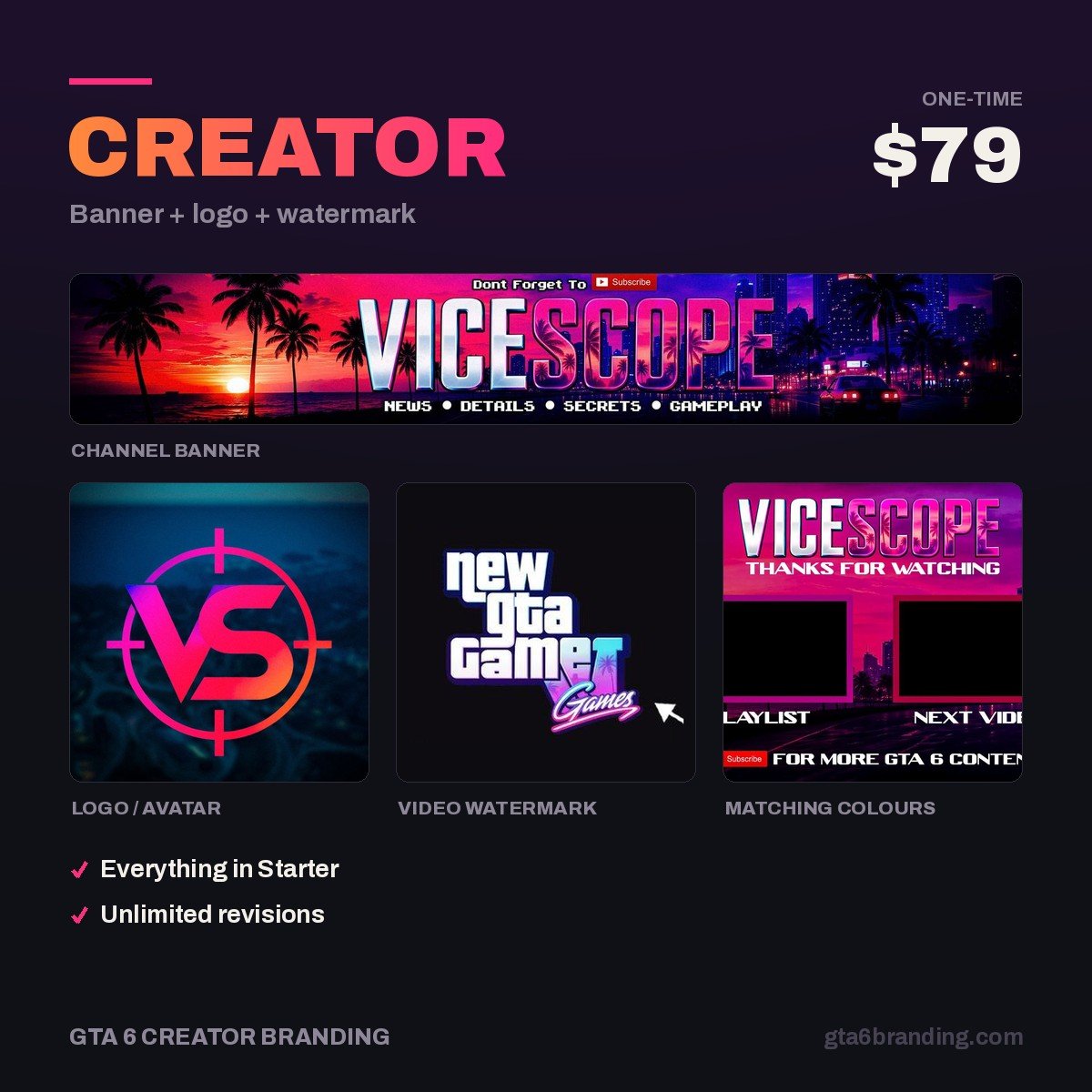
A sharp description under a default banner converts worse than a plain description under a channel that looks professional. The Creator package gives you the three assets a visitor actually judges — a 2560 × 1440 banner built around both safe zones and the link corner, a logo that still reads at 24 px, and a matching 150 × 150 watermark — delivered as finished files with commercial-use rights.
- Creator — Banner + Logo + Watermark ($79) — the full first impression, done once.
- Starter — YouTube Banner ($45) — if the banner is the only gap.
- Ultimate — Full Channel Identity ($199) — everything, including thumbnails and stream assets.
Do and don’t
Do:
- Write the first sentence so it stands alone when cut at 110 characters.
- Name your niche in words a viewer would actually type.
- State an upload rhythm you can keep through launch week.
- Say plainly that you are independent and not affiliated with Rockstar Games.
- Re-read it on a phone, where truncation bites hardest.
Don’t:
- Open with your own channel name, a greeting, or “Welcome to my channel”.
- Paste a comma-separated keyword list into the description — that is what the keywords field is for.
- Promise a schedule you will abandon in December.
- Use Rockstar wordmarks, the R* logo or official art anywhere on the page.
- Leave the field empty and hope the videos speak for themselves.
FAQ
How many characters is a YouTube channel description?
A YouTube channel description holds up to 1,000 characters, which is separate from the 5,000-character limit on video descriptions. Only about the first 100 to 120 characters show in channel previews before YouTube cuts the rest behind a “more” link, so the opening sentence carries nearly all the weight.
Does a GTA 6 YouTube channel description help with SEO?
It helps a little. YouTube reads the description as one signal about what your channel covers, but it carries far less weight than video titles, video descriptions and watch time. Write it for the human deciding whether to subscribe, and put your keyword terms in the dedicated keywords field instead.
Where do I edit my channel description, keywords and links?
The description and links live in channel customization under the Basic info tab. Channel keywords sit elsewhere, in YouTube Studio under Settings, then Channel, then Basic info, in a box that accepts up to 500 characters including the commas between terms.
How many links can I show on my YouTube banner?
Up to five links display on the banner itself, in the bottom-right corner of the image, and the first one gets the most clicks. Because YouTube draws them over your artwork, design the banner with that corner deliberately empty so no logo, face or tagline ends up underneath them.
Once the channel page is written, the same discipline applies to every upload: GTA 6 YouTube SEO covers the 100-character title formula, the three-zone video description template, the chapter rules and the real 60-hashtag cap.
GTA 6 Creator Branding is an independent creator branding service and is not affiliated with Rockstar Games or Take-Two Interactive.