Hire a YouTube Banner Designer: Brief, Price and Red Flags
When you hire a YouTube banner designer you are not buying a picture. You are buying one 2560 × 1440 px file that has to survive four different crops, a channel name that still reads on a 5-inch phone, and a license that lets you keep using the artwork after the invoice is paid. Most creators check the first thing and never ask about the other two — then wonder why the banner looks fine in the preview and broken on their own channel page.
Here is the brief that gets it right the first time, the files a designer should hand over, what the work costs in 2026, and the six warning signs worth walking away from.
What you are actually paying for
A banner is the only channel asset YouTube re-crops on every device. You upload one image at 2560 × 1440 px (6 MB maximum), and YouTube shows a different slice of it depending on where the viewer is:
- TV and widescreen desktop — close to the full 2560 × 1440 frame.
- Desktop browser — a 1546 × 423 band across the middle.
- Mobile and tablet — a tighter 1235 × 338 window inside that band.
That last number is the one almost every cheap gig ignores. The 1546 × 423 band is what most templates are labelled with, but 1235 × 338 is the only area guaranteed to be visible everywhere. Your channel name, logo and handle belong inside it. Everything outside it is atmosphere — skyline, neon, palms, gradient — that may or may not be shown.
So the real deliverable is layout discipline, not artwork. A designer who understands the two-zone rule gives you a banner that reads identically on a phone and a living-room TV. One who does not gives you a beautiful image with your name sliced in half. If yours already is, our fixes for a YouTube banner blurry or cut off walk through every cause before you pay anyone to redo it.
The brief: eight lines that decide the whole job
Nine out of ten revision rounds exist because the brief was two sentences long. Send the eight lines below instead and most designers will land the first draft close enough that you are only nudging colour and spacing.
Copy-paste brief
- Channel name, exactly as it should appear — including capitals and spacing.
- Handle or tagline — the second line of text, or “none”.
- Niche in one sentence — “GTA 6 map secrets and Easter eggs”, not “gaming”.
- Two or three reference channels — and one line on what you like about each.
- Colours — two or three hex codes, or “pick for me, dark base”.
- Mood words — three maximum: neon, cinematic, aggressive, clean.
- Hard requirement — “name and logo must sit inside 1235 × 338”.
- Deliverables and deadline — the file list below, and the date you upload.
Two details to add if they apply. Say whether a logo already exists — if it does, send the transparent PNG, not a screenshot of it. And say what the banner has to match: if you are also commissioning a mark, the GTA 6 YouTube logo design brief should go out in the same message so both assets are drawn against the same palette.
What should land in your inbox
One flattened JPG is not a delivery. Ask for the list below in writing before work starts, because a designer who exports properly the first time costs nothing extra, and one who does not will charge you for the re-export.
| File | Spec | Why you need it |
|---|---|---|
| Banner, upload-ready | 2560 × 1440 px JPG or PNG, under 6 MB | The file you actually upload in YouTube Studio |
| Safe-area proof | Same banner with the 1546 × 423 and 1235 × 338 boxes drawn on | Lets you verify nothing important sits outside the inner box |
| Layered source | PSD, AI or editable template link | Text edits later without paying for a new design |
| Mobile crop preview | Screenshot or mockup of the 1235 × 338 view | Catches a cut-off name before you publish |
| Matching extras | 800 × 800 px avatar, 150 × 150 px transparent PNG watermark | Only if the package covers them — ask, do not assume |
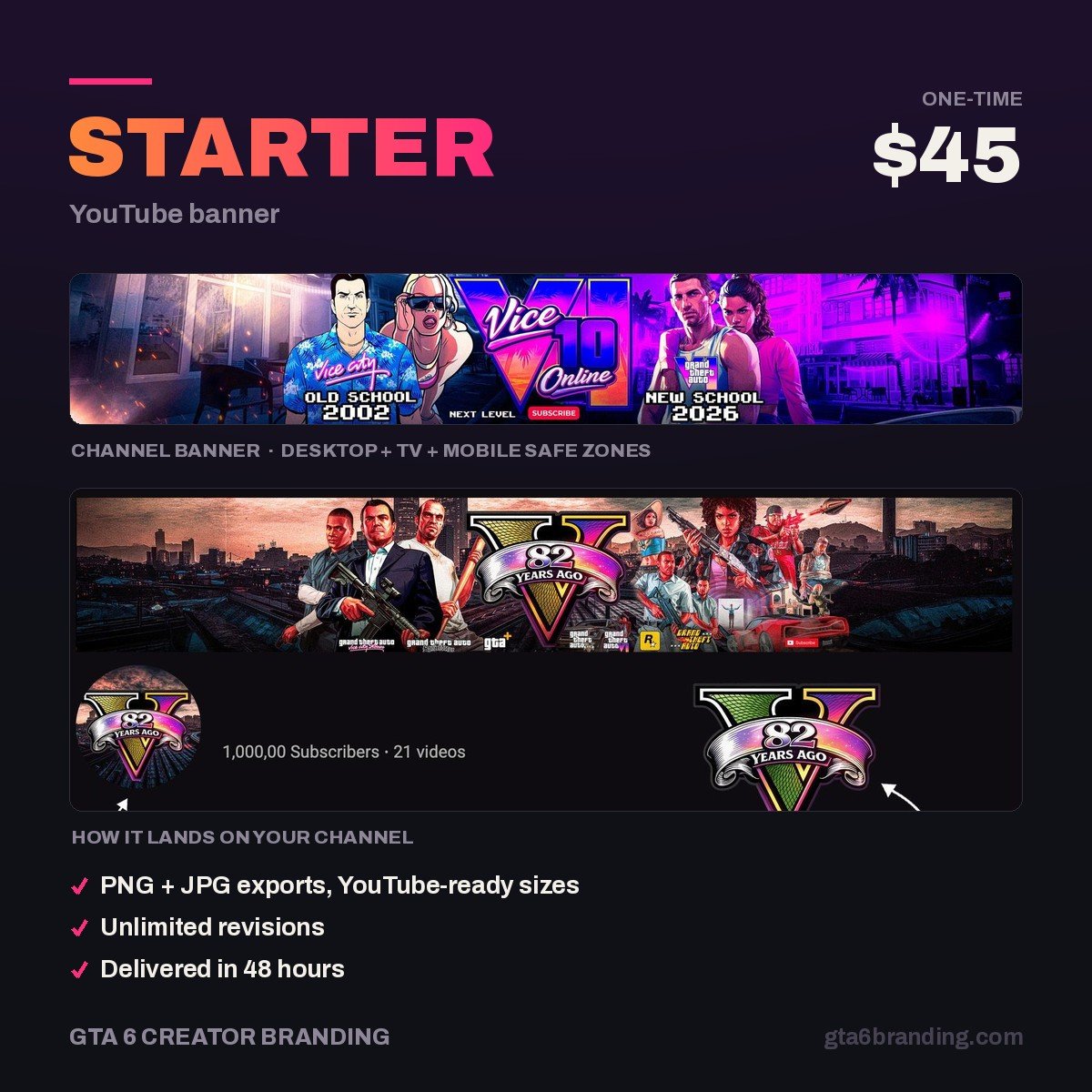
If you want the full scope of a custom job — process, revision stages and the exact export list — our breakdown of GTA 6 YouTube banner design covers it asset by asset. Our own Starter banner at $45 ships every line in that table as standard.
What it costs in 2026
Price tracks three things: how much of the work is reused, whether a human reads your brief, and whether you get the layered source. These are the brackets you will actually see advertised.
| Route | Typical price | Turnaround | What you give up |
|---|---|---|---|
| Free or paid template | $0 – $15 | Same hour | Originality — other channels use the same file |
| Budget marketplace gig | $10 – $30 | 1 – 3 days | Usually the source file, the safe-area proof, or both |
| Specialist niche service | $40 – $90 | 2 – 4 days | Little, if the deliverables are written down |
| Freelance designer, custom | $80 – $250 | 4 days – 2 weeks | Budget, and often turnaround during launch season |
| Studio or agency | $300+ | 1 – 3 weeks | Budget — usually sold only as a full identity |
The honest reading: under about $30 you are buying a template with your name typed on it, and above about $250 you are paying for account management you do not need as a solo creator. The useful middle is $40 – $90 for a banner designed to brief with the source file included. For a full asset-by-asset breakdown of every tier, see what YouTube channel art costs in 2026 — and if you have not decided whether to commission at all, compare a YouTube banner template vs custom design first.
Six red flags
- The portfolio shows only full-frame mockups. No mobile crops anywhere means the designer has probably never tested one. Ask for a 1235 × 338 preview of any sample.
- They cannot name the safe area. If the answer is “1546 by 423” and nothing else, they are working off a 2015 template.
- The source file is an upsell. Charging extra for the PSD is normal; refusing to sell it at all means every future text change is a new order.
- Official game art in the samples. Rockstar logos, press screenshots or trailer stills in a portfolio mean the same risk lands on your channel. Our guide to GTA 6 logo copyright explains what is actually safe to use.
- No written revision count. “Unlimited revisions” with no deadline is worse than two revisions with a date.
- Samples that all look identical. Same layout, same glow, different names — that is one template sold a hundred times.
Revisions, turnaround and ownership
Three terms are worth pinning down in a message you can scroll back to.
Revisions
Two rounds is standard and plenty when the brief was complete: one for direction, one for polish. Agree what counts as a revision — moving text and changing colour usually do; “start over with a different concept” usually does not.
Turnaround
Two to four working days is realistic for a single banner. Build in buffer around GTA 6’s November 19, 2026 release — every designer serving gaming channels is busiest in the weeks either side of it, and “48 hours” quoted in October is not the same promise in mid-November.
Commercial rights
Say it plainly: “full commercial use, including merch and sponsorships, with no attribution required.” Some marketplace gigs sell personal-use-only licenses by default, which is fine until a sponsor asks for your channel art and you discover you cannot hand it over. Get the answer before you pay, not after.
Skip the vetting — order a banner built to spec
Every banner we design is laid out to the 1235 × 338 safe area first and the scenery second, delivered with the safe-area proof, the mobile crop preview and the layered source file, plus full commercial rights. No license small print, no re-export fees.
- Starter — YouTube Banner ($45) — the banner, the proofs and the source file.
- Creator — Banner + Logo + Watermark ($79) — add a matching mark and the 150 × 150 watermark.
- Ultimate — Full Channel Identity ($199) — the whole channel, thumbnails included.
FAQ
How much does it cost to hire a YouTube banner designer?
Expect $10 to $30 for a budget marketplace gig, $40 to $90 for a specialist service that designs to your brief and includes the source file, and $80 to $250 for an independent freelancer. Studios start around $300 and usually sell a full identity rather than a single banner.
What should I send a YouTube banner designer?
Send your exact channel name and handle, your niche in one sentence, two or three reference channels with a note on what you like, two or three hex colours, three mood words, any existing logo as a transparent PNG, and the deadline you need to upload by.
Do I own the banner after I pay for it?
Only if the terms say so. Some marketplace listings grant personal use only, which blocks merch and sponsored use. Ask for full commercial rights with no attribution required, in writing, before you pay — and ask whether the layered source file is included or sold separately.
How long does a custom YouTube banner take?
Two to four working days is normal for a single banner with two revision rounds, and one to two weeks for a full identity. Order earlier than that around GTA 6’s November 19, 2026 launch, when designers serving gaming channels are at their busiest.
GTA 6 Creator Branding is an independent creator branding service and is not affiliated with Rockstar Games or Take-Two Interactive.